AI 求职助手 - 模块组件化更新
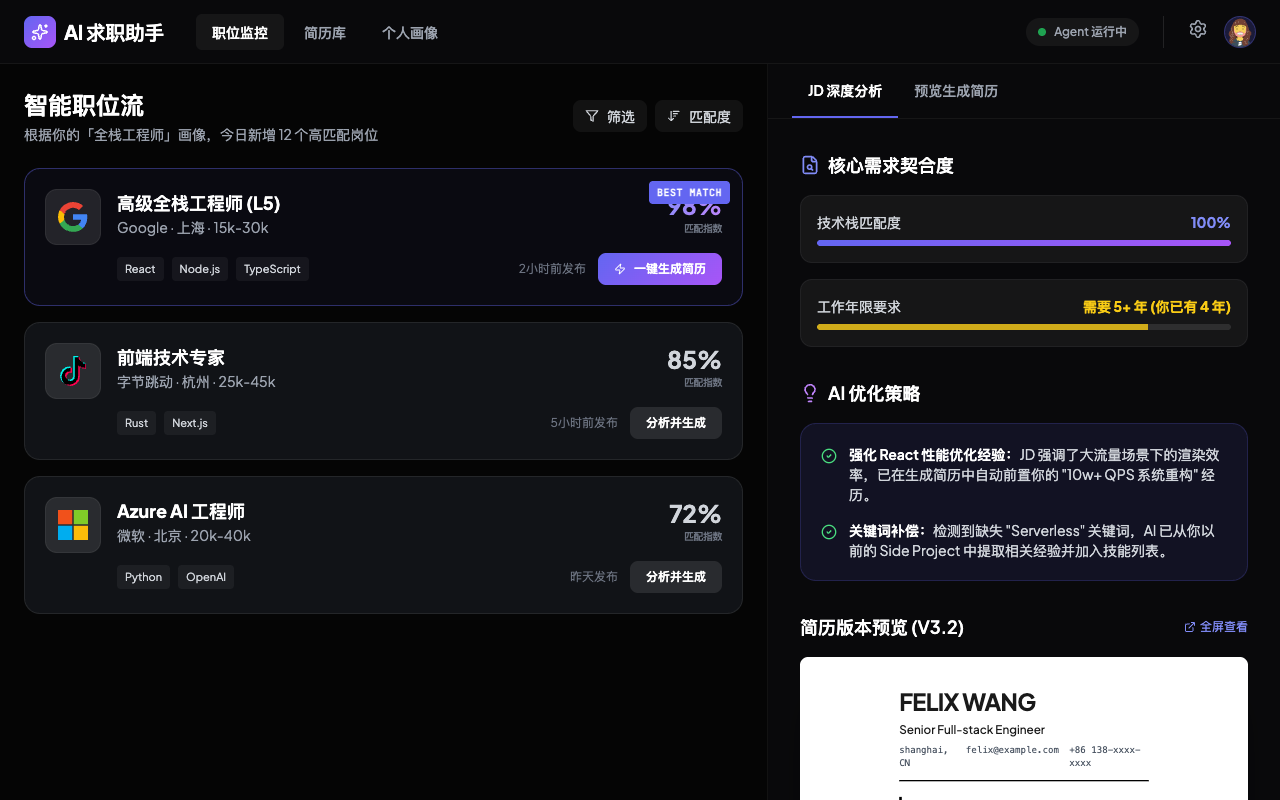
A high-performance, dark-themed AI job assistant dashboard. Features a sophisticated aesthetic using glassmorphism, deep charcoal backgrounds (#050505), and vibrant indigo-to-purple gradients (#6366F1 to #A855F7). The interface is designed for HRTech, SaaS platforms, and professional productivity tools, emphasizing a split-pane layout (35/65) for real-time monitoring and deep-dive analysis. Typography combines the modern 'Plus Jakarta Sans' for UI elements with 'JetBrains Mono' for technical data, creating a 'tech-native' feel. Key design elements include micro-interactions on hover, custom scrollbars, and high-contrast resume preview components.
Summary
A professional AI-driven recruitment monitor and resume optimization dashboard. The design uses a 35/65 split-screen layout where the left panel tracks job flows and the right panel provides deep AI analysis and resume previewing, all wrapped in a premium dark glassmorphism style.
Style
Modern dark mode aesthetic featuring glassmorphism and gradient accents. Typography uses 'Plus Jakarta Sans' (300-700) for primary text and 'JetBrains Mono' (400-500) for status badges and mono data. Primary colors are deep black (#050505), slate gray (#E2E8F0), and an AI accent gradient from indigo (#6366F1) to purple (#A855F7). Layout utilizes a custom scrollbar (#2D3748) and subtle borders (rgba(255, 255, 255, 0.08)).
Layout & Structure
A top-down header followed by a vertical split-pane. The left pane (35% width) handles navigation and list items, while the right pane (65% width) handles detailed content, configuration, and previews.
Navigation Header
Left Job Monitor Panel
Right Analysis & Preview Panel
Footer Action Bar
Components
Job Card
A specialized list item component for job listings.
Resume Preview Paper
A high-contrast document preview element.
Match Progress Bar
Thin, data-driven progress visualization.
Special Notes
Must-dos: Maintain a consistent 1px border on all glass cards; use JetBrains Mono for matching percentages; ensure the resume preview (white background) has a significant drop shadow to pop against the dark UI. Must-nots: Avoid using pure white for text; use #E2E8F0 instead. Do not use rounded corners larger than 12px for cards to maintain a sharp, professional look.