Bento Configuration Dashboard
Bento Configuration Dashboard style: A professional, non-linear SaaS onboarding layout using a modular bento grid. Features soft stone-neutral bases with a sophisticated teal accent (#14b8a6). Typography combines Plus Jakarta Sans for headings and Inter for UI elements. Designed for fintech, workspace management, and developer tools. Employs glassmorphism-lite with 20% opacity card tints, inset borders for depth, and smooth cubic-bezier transitions. Includes a circular SVG progress tracker and multi-state setup cards.
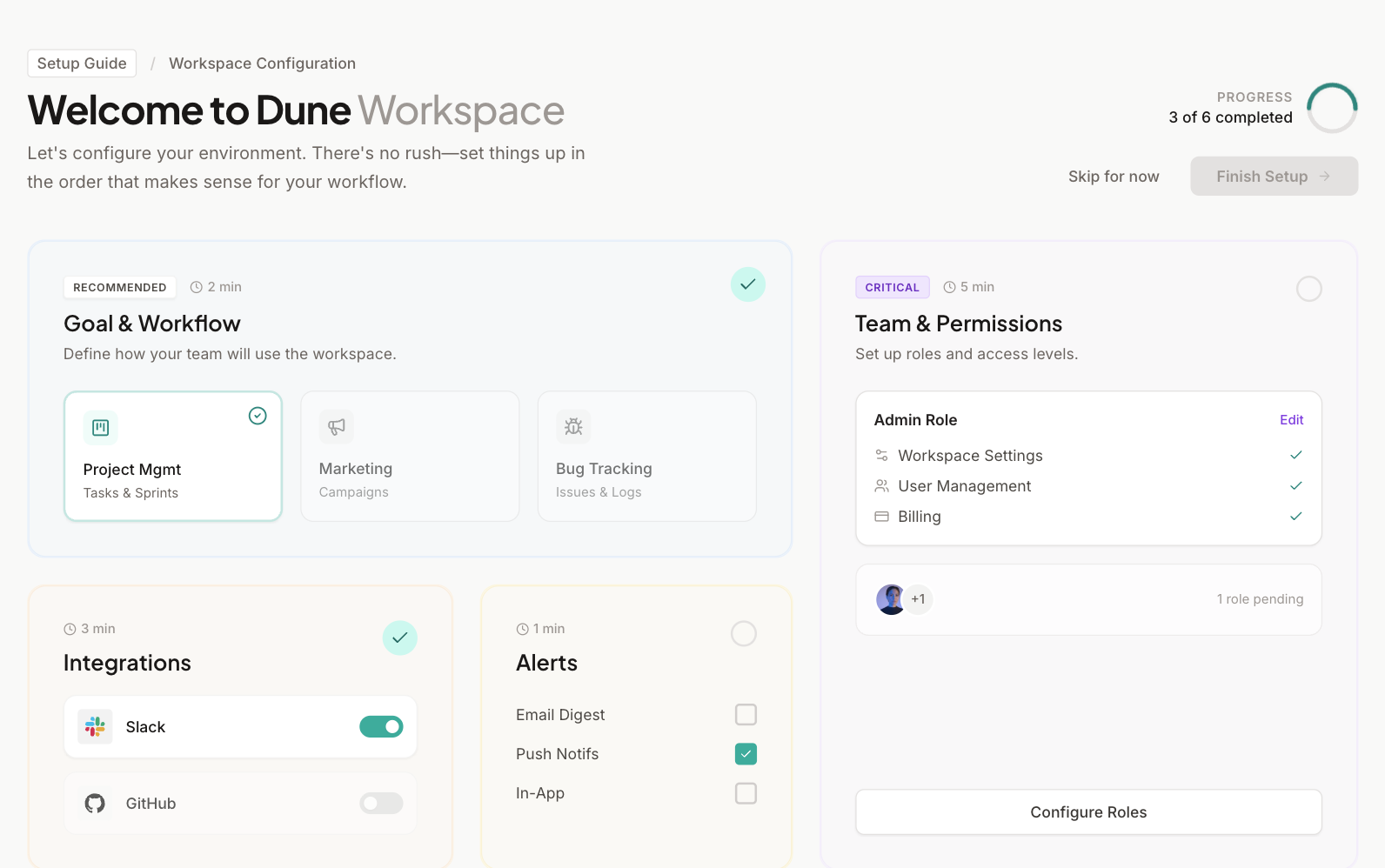
Summary
A clean, workspace-oriented setup dashboard featuring a 12-column bento grid, low-urgency aesthetic, soft color tints, and interactive configuration cards that track progress without linear constraints.
Style
The style is 'Professional Minimalist' with a focus on 'Stone' neutrals and 'Teal' accents. Typography uses Plus Jakarta Sans (bold, tight tracking) for headers and Inter for clean legibility in UI. Color palette includes Stone 50 (#fafaf9) for backgrounds, Stone 800 (#292524) for text, and Accent 500 (#14b8a6) for completion states. Cards utilize 20% opacity backgrounds (e.g., blue-50/20) and double-layered borders (outer border + inner inset border) to create depth. Transitions use a custom cubic-bezier (0.25, 0.8, 0.25, 1).
Layout & Structure
A 12-column grid system using Tailwind's grid-cols-12. The layout is divided into a top header (context + global actions) and a main bento grid that uses varying column and row spans for hierarchy.
Header Section
Bento Main Grid
Configuration Cards
Components
Progress Circle
A non-obtrusive circular progress indicator using SVG.
Selection Tiles
Interactive grid items within a card for configuration choice.
Dual-Border Bento Card
The foundational card component with layered depth.
Special Notes
MUST: Use soft, tinted backgrounds (20% opacity) for cards to distinguish sections without heavy colors. MUST: Include a 1px absolute-positioned inner border inside cards for a 'premium' look. DO NOT: Use high-contrast dark borders; keep all stone-200 or lower. DO NOT: Use aggressive motion; keep transitions under 300ms.