Bold Editorial Studio Style
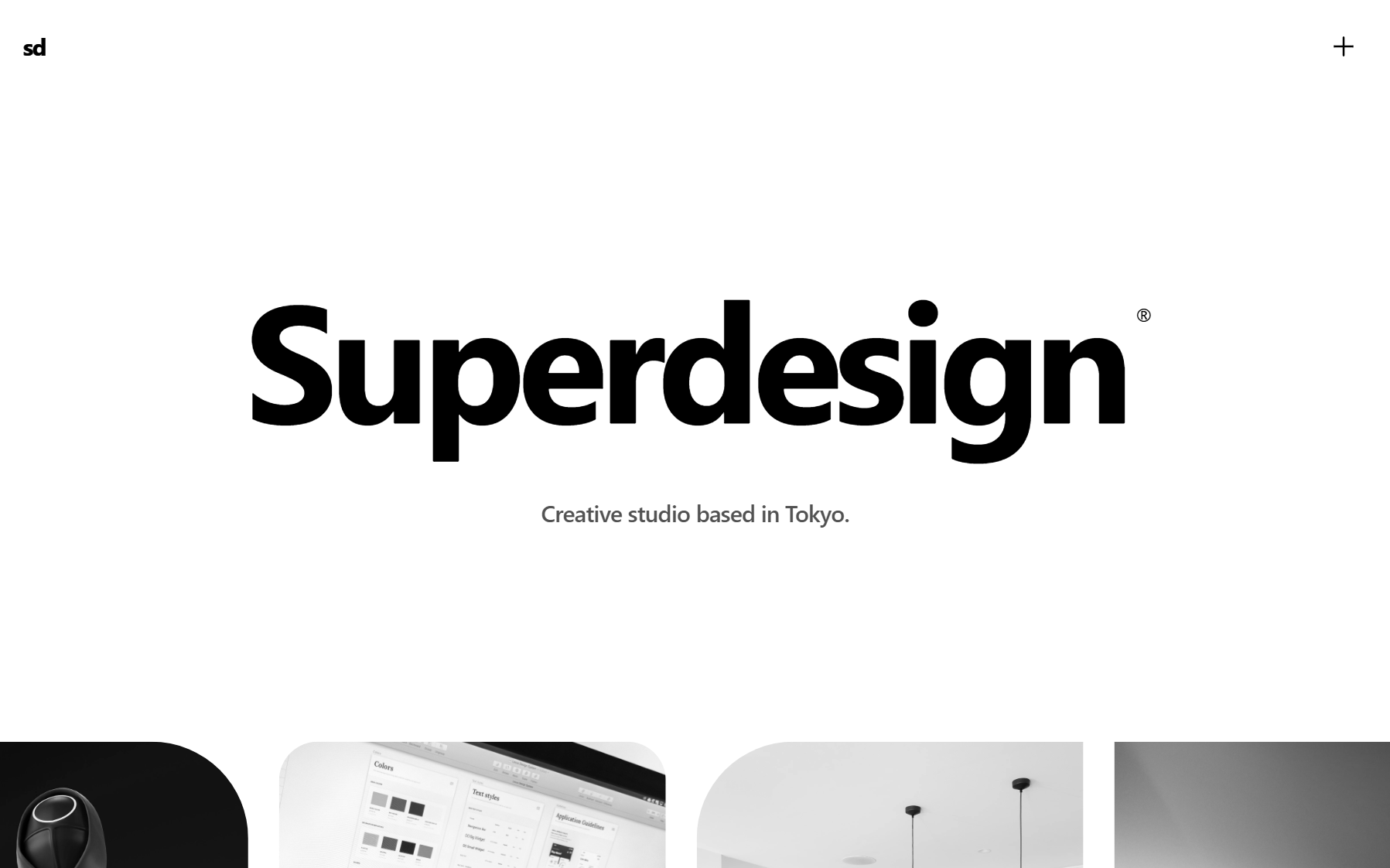
Bold Editorial Studio Style is a high-impact, minimalist design system characterized by massive typography, a strict monochromatic palette, and sophisticated micro-interactions. It features a signature 'editorial' look using ultra-large display fonts (up to 12vw), custom cursor logic, and fluid marquee animations. Ideal for creative agencies, high-end portfolios, fashion brands, and premium fintech products, the system leverages white space and motion to create a premium, curated feel. Key elements include mix-blend-mode navigation, staggered text reveals, and asymmetrical image containers with varied border radii.
Summary
A sophisticated, typography-first creative studio aesthetic featuring a black-and-white color scheme, custom interactive cursor, and smooth, motion-driven layouts.
Style
The style is built on 'Inter' typography with extreme weight and size contrasts. It uses a pure black (#000000) and white (#FFFFFF) palette with neutral gray accents (#525252, #737373) for secondary metadata. Motion is central, utilizing smooth cubic-bezier transitions for reveals and a custom 'difference' blend-mode cursor that scales on interaction. Images are primarily grayscale, transitioning to full color on hover to maintain visual discipline.
Layout & Structure
The layout follows a spacious, section-based vertical flow. It starts with a massive display hero, followed by a continuous motion marquee, a centered introductory statement, and a balanced two-column project grid. The design concludes with a high-contrast dark footer.
Navigation Header
Hero Section
Infinite Project Marquee
Project Grid
Footer
Components
Interactive Difference Cursor
A custom circular cursor that follows the mouse with smooth interpolation and changes appearance based on the underlying color.
Asymmetrical Marquee Cards
Image containers within the marquee that use non-uniform border-radii to create an organic, editorial feel.
Special Notes
MUST: Maintain a strict black-and-white palette; any color should only come from project photography. MUST: Use smooth easing for all hover states (minimum 500ms). MUST: Hide the default browser cursor (`cursor: none` on body). DO NOT: Use borders heavier than 1px. DO NOT: Use standard system easing; stick to cubic-bezier(0.16, 1, 0.3, 1) for a premium feel.