Developer tool dashboard/onboarding
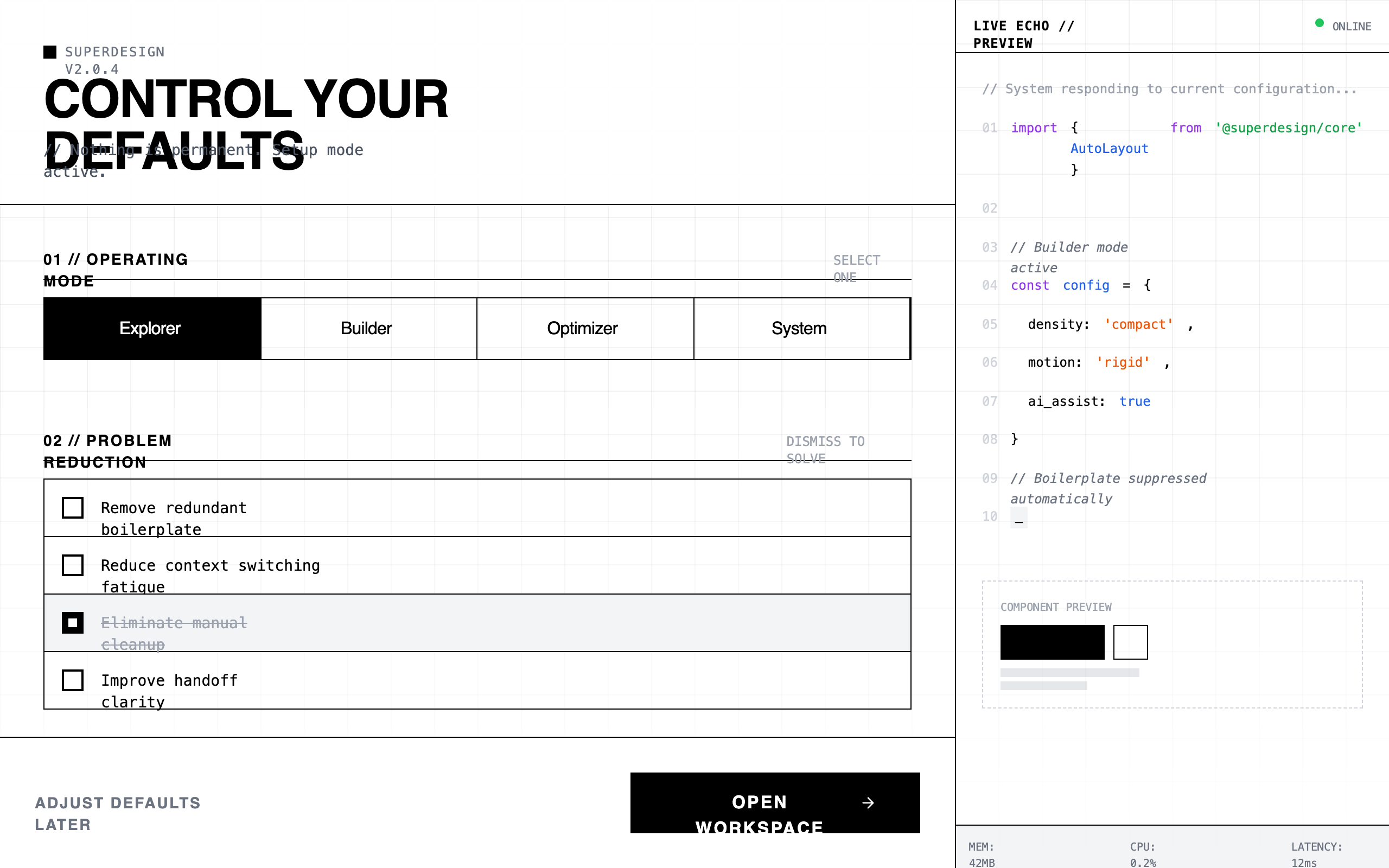
A high-density, terminal-inspired dark mode design system optimized for developer tools, SaaS configuration panels, and technical dashboards. It features a matte #111111 background with a subtle 40px grid pattern, utilitarian typography pairing Space Grotesk with JetBrains Mono, and a high-contrast #FFFFFF accent color. The aesthetic is brutalist and tool-like, utilizing zero border-radius, instant transitions (<100ms), and a dual-pane layout with a live code terminal echo. Ideal for power-user interfaces where information density and technical focus are prioritized over visual decoration.
Summary
A stark, utilitarian configuration interface designed with a developer-first terminal aesthetic, emphasizing speed, density, and professional focus through a matte black palette and monospace typography.
Style
The style is defined by its 'Late-night focus' theme: no rounded corners, no gradients, and a matte dark color palette. It uses Space Grotesk for bold, uppercase headers and JetBrains Mono for all technical and descriptive text. The color scheme is monochrome (#111111 background, #FFFFFF accents, #333333 borders) with subtle syntax highlighting for terminal output. Motion is clinical and near-instant (100ms) with no easing.
Layout & Structure
A two-pane responsive layout: a main scrollable configuration area (left) and a fixed-width live terminal echo panel (right/sidebar). The main area uses a vertical section-by-section flow with high density and minimal padding.
Global Navigation & Header
Mode Calibration Grid
List Reduction Section
Automation & DNA Controls
Live Echo Sidebar
Action Footer
Components
The Dismiss Item
A checkable list item that visually 'kills' its content.
Vertical Node Dial
A node-based selection list mimicking a vertical step indicator.
Terminal Code Block
A syntax-highlighted code preview simulating real-time environment changes.
Special Notes
- MUST NOT use any border-radius; all corners must be 90-degree sharp. - MUST NOT use drop shadows or gradients; depth is achieved solely through border layers and hex color shifts. - MUST maintain high density: vertical padding between major sections should not exceed 40px. - MUST use terminal-adjacent symbols like '//', '>', and '[]' for UI adornment.