FAB Navigation
A navigation pattern centered around a persistent floating action button that opens creation or quick-action flows without changing the current page. Navigation remains lightweight and task-oriented. Best Suitable For Note-taking apps, task apps, design tools, capture-first utilities.
Summary
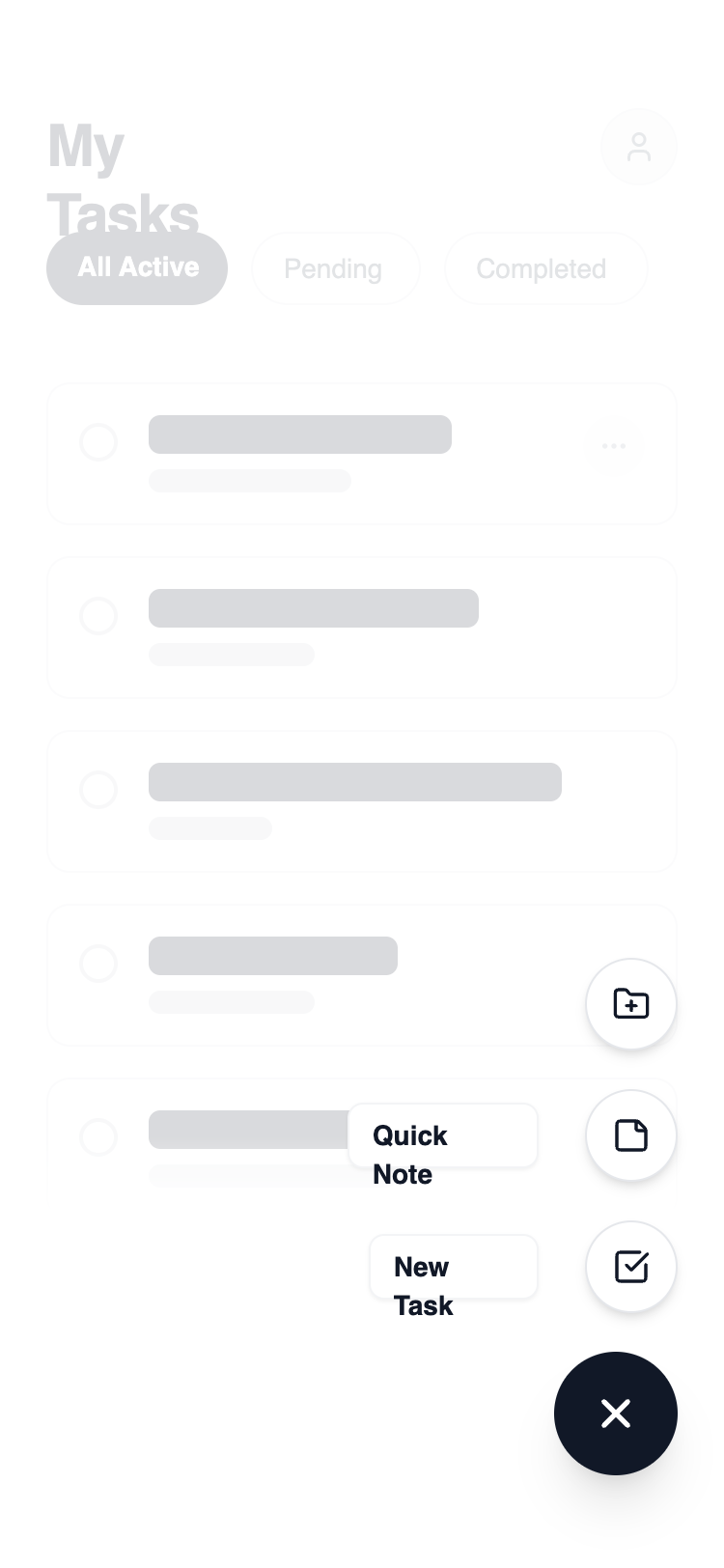
A clean, modern mobile task management UI with a dynamic FAB interaction. The design features a layered architecture where a primary action trigger reveals a staggered list of secondary actions over a blurred, dimmed background. It emphasizes negative space, sharp borders (1px), and generous rounding (rounded-xl) for content cards.
Style
The style is built on a high-contrast 'Carbon & Chalk' theme. Typography uses Manrope for a modern, tech-forward feel. Primary actions are solid #111827, while secondary elements use #FFFFFF with subtle #E5E7EB borders. Animations are fluid, using 300ms transitions for opacity and 2D transforms (rotation and Y-axis translation). A unique visual touch is the use of a mask-gradient on the main content to suggest depth and continuity.
Layout & Structure
A single-column mobile layout focused on vertical scrolling. The structure consists of a fixed-position header, a scrollable content area with a bottom-fade mask, and a fixed interaction layer in the bottom-right corner.
Header and Navigation Tabs
Task List Content
Interaction Layer (FAB)
Components
Staggered Action Menu
A vertical stack of action buttons that animate in sequence.
Dynamic Icon FAB
Main trigger button that visually transforms upon interaction.
Special Notes
MUST: Use a semi-transparent white backdrop (bg-white/60) with backdrop-filter: blur(4px) to separate the FAB menu from the main content. MUST: Implement staggered animation delays (50ms, 75ms, 100ms) for the secondary action items to create a 'fanning out' effect. DO NOT: Use heavy drop shadows; stick to subtle 1px borders or very soft 'sm' shadows for depth. DO NOT: Allow background content to be interactable (pointer-events-none) when the FAB menu is open.