Hardu — Brutalist Tech Edition
Hardu Brutalist Tech Edition is a high-contrast, terminal-inspired design system. It blends raw brutalist aesthetics with technical minimalism, characterized by a monochrome black and white palette punctuated by neon green (#00FF00) accents. Suitable for software engineering agencies, cybersecurity firms, dev-tool startups, and technical portfolio sites, the style features a strict grid-based layout, heavy borders, and 'JetBrains Mono' typography for a command-line interface feel. Key elements include scroll-triggered scanlines, ASCII art components, and high-performance metrics indicators.
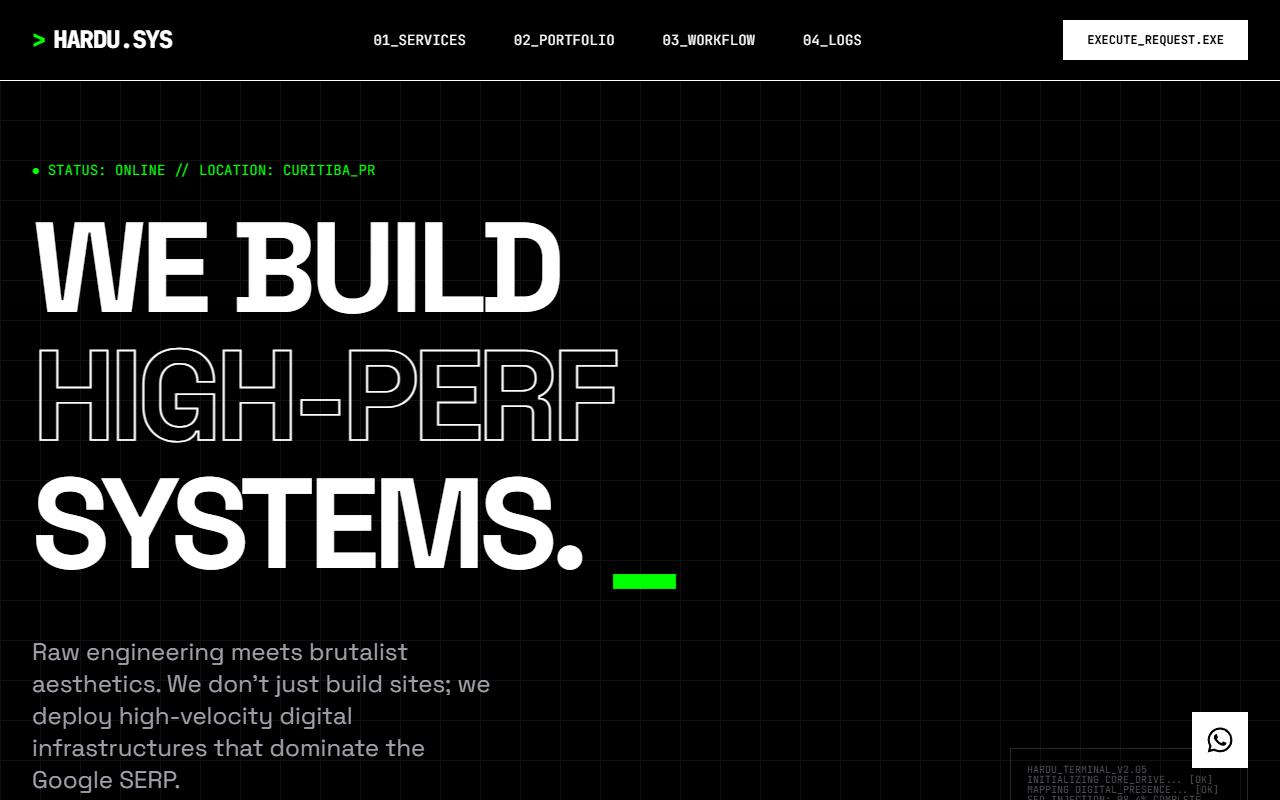
Summary
A technical, brutalist web design system using a monochrome base with neon green accents, featuring heavy grid structures, terminal-inspired typography, and industrial micro-interactions.
Style
The style is 'Industrial Cyberpunk Minimalism'. It uses 'Space Grotesk' for bold, high-impact headings and 'JetBrains Mono' for all technical and interface text. The color scheme is strictly #000000, #FFFFFF, and #00FF00. Layouts are governed by a visible 40px grid and 1px-2px solid borders. Decorations are replaced by technical data, ASCII art, and status indicators. Animations use stepped timing functions and linear transitions to mimic legacy computer interfaces.
Layout & Structure
A rigid, modular structure consisting of a fixed navigation bar, a high-impact hero section, numeric data ribbons, and a nested grid for service cards.
Navigation
Hero Section
Data Bar
Services Grid
CTA Section
Components
Brutalist Button
A high-impact, sharp-edged button with a hard shadow hover effect.
Terminal Log Box
Technical decorative element mimicking a command-line interface.
Special Notes
MUST: Use 0px border-radius everywhere. MUST: Use only monospace for interactive elements. MUST: Include the scanline overlay for atmospheric effect. DO NOT: Use box-shadows with blur; use only solid offsets. DO NOT: Use images unless they are wrapped in a technical [PREVIEW_NOT_FOUND] container with scanlines.