Inline Edit Profile
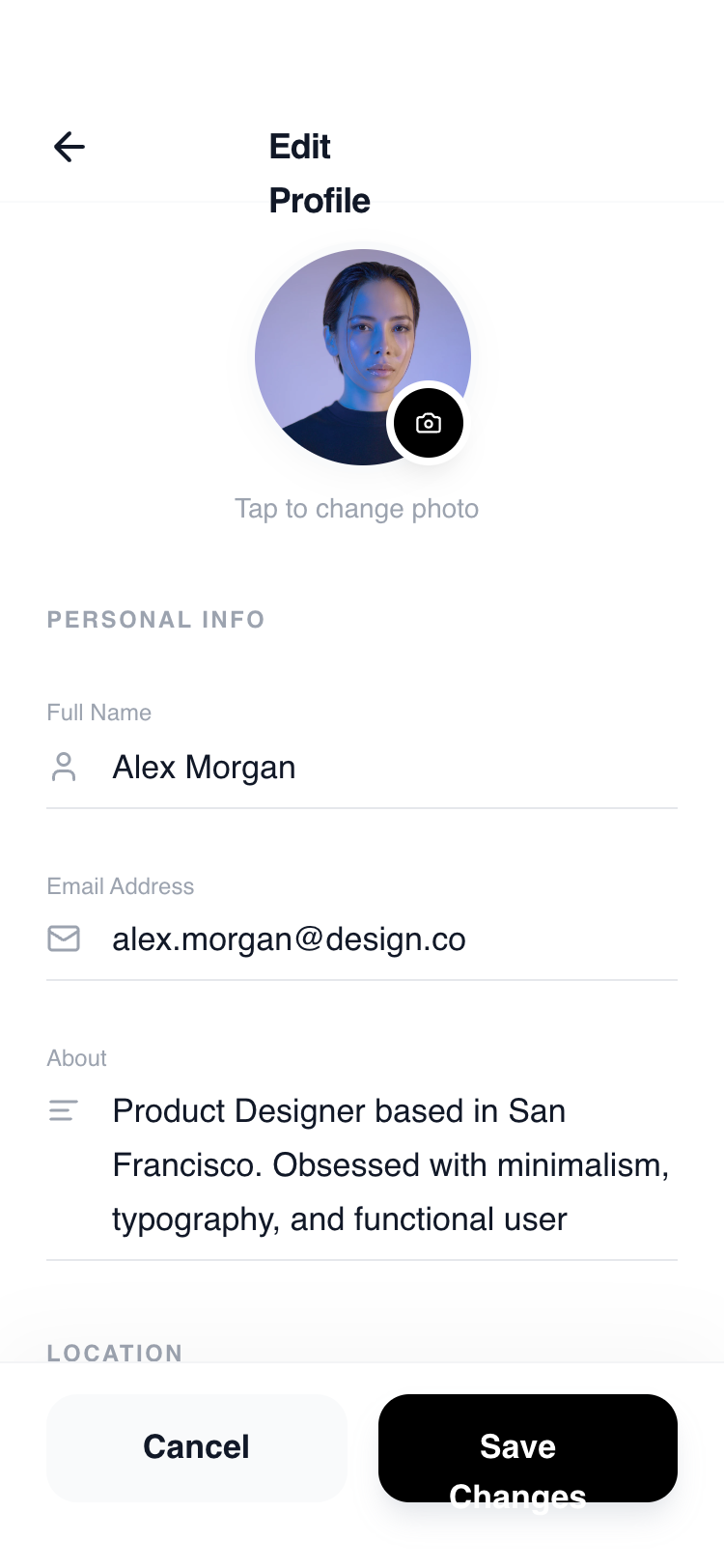
A minimalist, premium mobile profile editing interface with a monochromatic aesthetic and sophisticated micro-interactions. Features high-end editorial typography (General Sans), a grayscale-focused palette with bold black accents, and interactive inline editing. The design employs a sticky header and footer layout with a scrollable content area, making it ideal for high-end SaaS, fintech, lifestyle apps, or portfolio platforms. Key elements include custom animated input underlines, a loading state save button with success feedback, and a top-positioned toast notification system.
Summary
High-fidelity, monochromatic mobile edit profile screen featuring inline editing, custom form interactions, and a clean, spacious layout using the General Sans typeface.
Style
The style is minimalist and editorial, relying on whitespace and typography rather than heavy borders or colors. It uses a base font of General Sans for a modern feel. Colors are strictly monochromatic: primary black (#000000), deep text (#111827), and varying levels of gray (#9CA3AF for labels, #F3F4F6 for secondary surfaces). Animations are smooth and purposeful, utilizing cubic-bezier curves for transitions.
Layout & Structure
A fixed-width mobile-first layout (max-width: 448px) with a vertical stack structure. It features a sticky header for navigation, a scrollable main content area for form fields, and a fixed footer containing primary actions.
Header
Avatar Section
Form Sections
Preferences & Settings
Persistent Footer
Components
Interactive Inline Input
An input field that visualizes focus through icon color shifts and an expanding underline.
Dynamic State Save Button
A button that handles loading and success states internally.
Slide-in Toast Notification
A centered floating alert that enters from the top.