Minimal Reset Password Wireframe
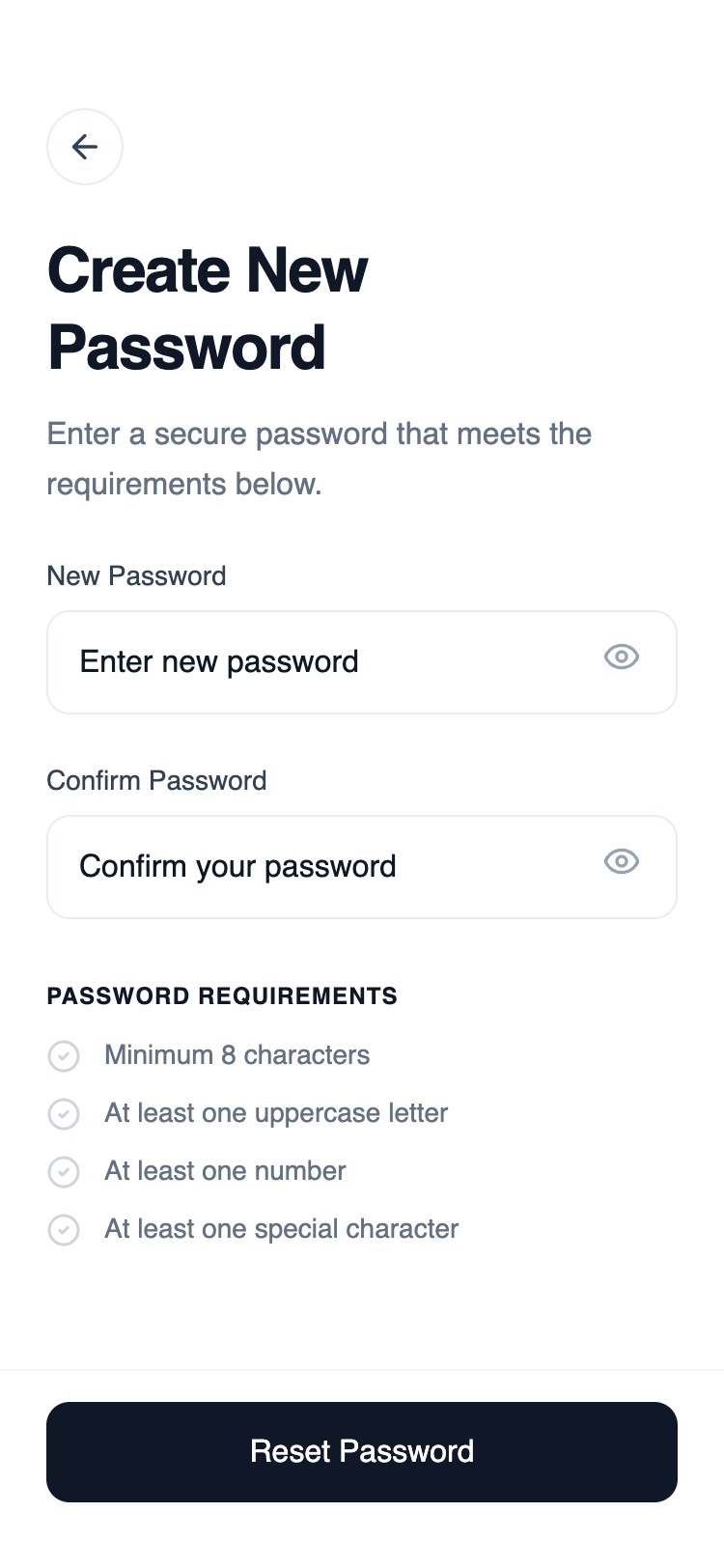
A straightforward, single-input recovery layout that removes all unnecessary navigation. The structure supports fast completion and minimizes confusion during password reset initiation.
Summary
A clean, functional mobile wireframe for a reset password screen using a monochrome palette (#101828 and various grays) and General Sans typography. The design features a tall header, vertical form stack, and a high-impact sticky footer button.
Style
The style is characterized by a minimalist 'wireframe-plus' aesthetic. It uses a range of grays (#FCFCFD to #101828) for depth, General Sans for a clean geometric look, and 12px (xl) border radii for components. Animations are subtle, focusing on focus-states and hover-colors to guide the user.
Layout & Structure
A mobile-first vertical layout consisting of three main areas: a spacious header, a scrollable form body, and a sticky footer containing the primary action.
Header Section
Form Body
Password Requirements
Sticky Footer
Components
Interactive Input Wrapper
A state-aware container for form inputs that handles focus styling for the entire group.
Special Notes
MUST: Maintain a strict grayscale palette; do not introduce accent colors. MUST: Ensure inputs have a 12px border radius. MUST: Use a high-quality geometric sans-serif font like General Sans or Inter. DO NOT: Use standard 8px (lg) rounding; the 12px (xl) rounding is key to the modern look. DO NOT: Add heavy drop shadows; keep the UI flat with only subtle focus rings.