Minimal Task Completion
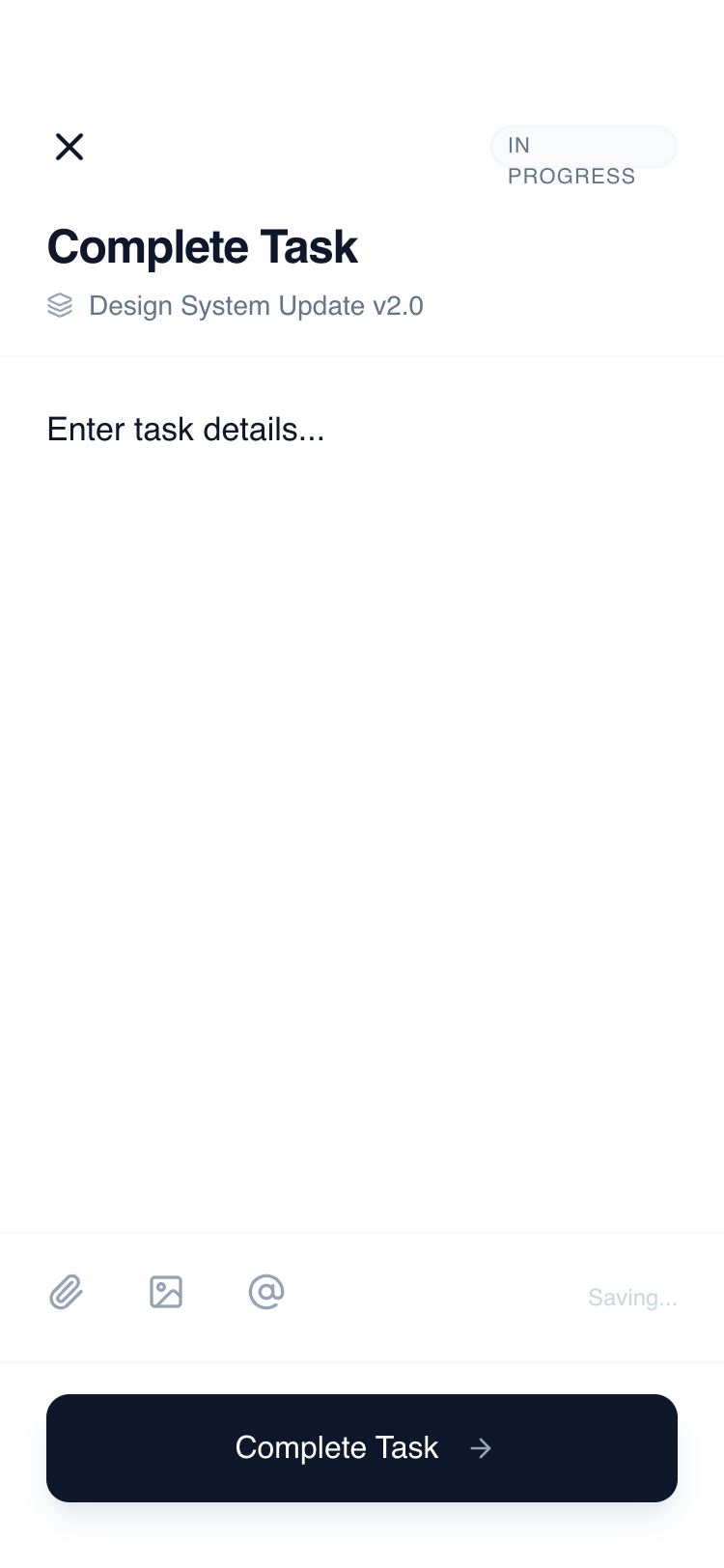
A ultra-minimalist mobile task completion interface built for high-focus productivity apps, SaaS dashboards, and project management tools, the design features a distraction-free layout with a dominant primary input area and refined typography.
Summary
A clean, productivity-focused mobile interface for task completion that prioritizes content entry. The style is characterized by a wireframe-inspired aesthetic, high-contrast black/white elements, and a 'no-distraction' philosophy. Every element serves a functional purpose, using white space and subtle dividers rather than shadows or heavy colors to define hierarchy.
Style
The visual language relies on the 'General Sans' font family and a monochromatic Slate palette. Typography is used to create hierarchy through weight and size rather than color variety. Hex values range from the near-black text (#0F172A) to near-white borders (#F8FAFC). Transitions are quick (200ms) with ease-out curves, and interactivity is signaled by subtle background shifts (#F1F5F9) or micro-scales (0.98).
Layout & Structure
Vertical stack consisting of a fixed header, a flex-growing main content area, a utility toolbar, and a bottom-anchored footer.
Header Section
Main Input Area
Utility Toolbar
Footer Action
Components
Contextual Markdown Hint
A subtle indicator that appears only when the user is typing.
Primary Action Button
A high-impact floating action button that anchors the mobile view.
Special Notes
MUST: Ensure the textarea is auto-focused on page load. MUST: Use the General Sans font for the professional, tech-forward look. MUST: Keep borders extremely subtle (#F8FAFC) to avoid visual clutter. DO NOT: Use heavy drop shadows except for the primary footer button. DO NOT: Use vibrant colors; stick to the Slate/White monochromatic palette to maintain focus.