Modern Neumorphic Dashboard — Dynamic Animations
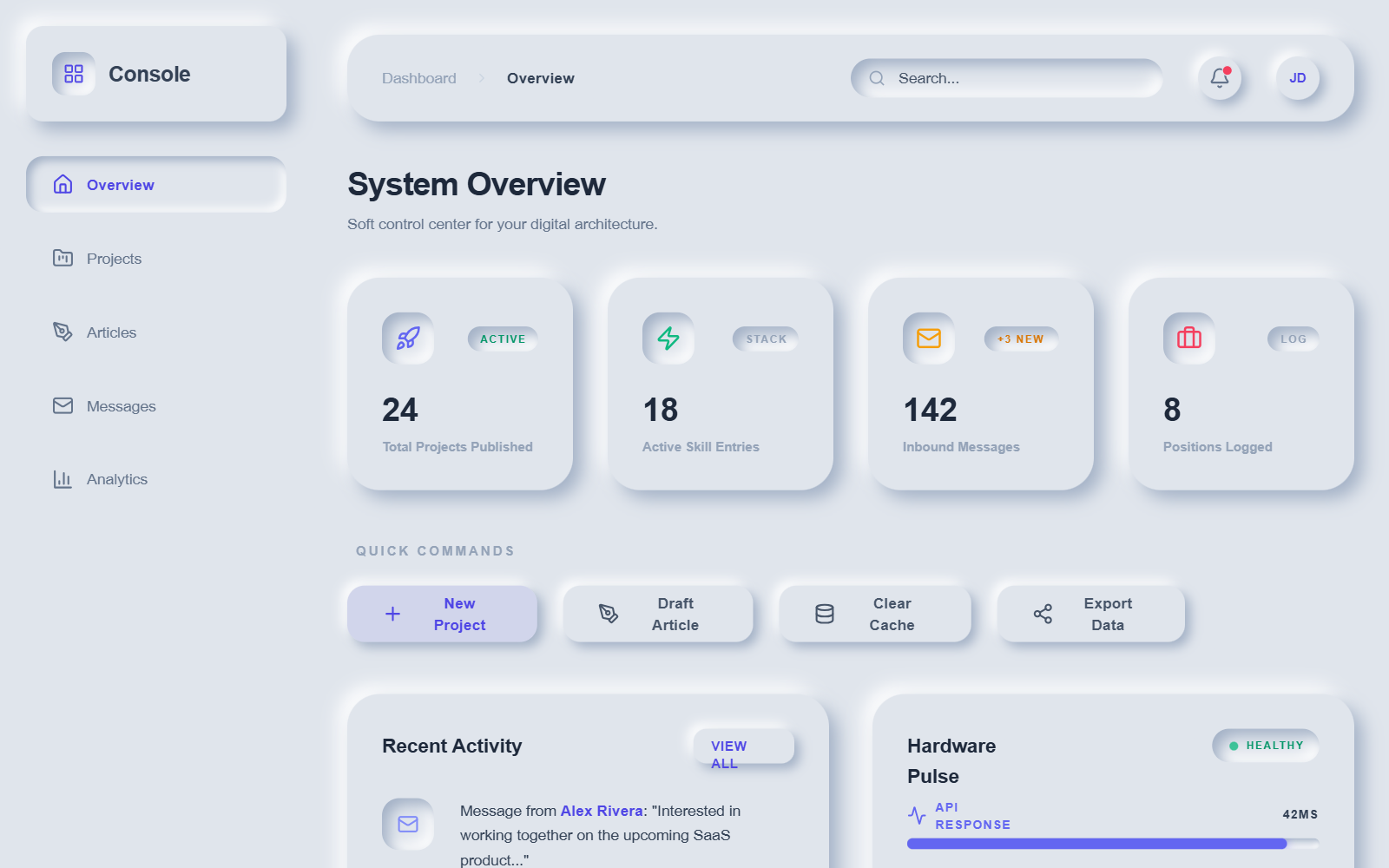
A premium neumorphic (Soft UI) dashboard design system characterized by sophisticated depth, light-source-driven shadows, and a rich layer of dynamic micro-interactions. Utilizing a palette of soft greys (#e0e5ec) and deep navy (#1e2030), the interface features highly tactile elements with 'extruded' and 'inset' appearances. The design is optimized for SaaS dashboards, fintech platforms, and administrative consoles requiring a modern, playful, yet professional aesthetic. Key features include staggered cascade animations, pulse effects on status indicators, and moving gradient progress bars.
Summary
A modern, highly animated neumorphic dashboard featuring a soft-shadow aesthetic across light and dark modes. It uses high-contrast depth effects, fluid typography (Satoshi and General Sans), and a heavy emphasis on state-driven animations like ripples, bobs, and counts.
Style
The style is defined by Neumorphism (Soft UI) using a dual-shadow technique to create depth. Colors rely on #e0e5ec for light background and #1e2030 for dark mode. Typography pairings use 'General Sans' for bold, structured headings and 'Satoshi' for readable body text. Animations are central, utilizing complex cubic-bezier curves (e.g., cubic-bezier(0.34, 1.56, 0.64, 1)) for 'bouncy' and 'organic' transitions. Interactive components feature smooth scaling, icon wiggles, and click-triggered radial ripple waves.
Layout & Structure
A classic dashboard architecture consisting of a fixed-width left sidebar (288px), a sticky top header with integrated search and profile controls, and a main content area using a flexible grid system for statistics and complex data widgets.
Sidebar
Sticky Header
Statistics Grid
Activity and Status Widgets
Components
Animated Progress Bar
Tactile progress indicator with depth and motion.
Neumorphic Ripple Button
Interactive button with physical feedback.
Interactive Terminal Widget
A console-style readout with typing effects.
Special Notes
MUST: Maintain the light source from the top-left (negative shadows are light, positive shadows are dark). MUST: Use staggered delays (50ms increments) for all entrance animations to create a cascading effect. MUST NOT: Use flat borders; use box-shadows to define all edges. MUST NOT: Use high-opacity blacks; rely on tinted shadows for the neumorphic effect to remain 'soft'.