Modern Neumorphic Dashboard — Dynamic Animations
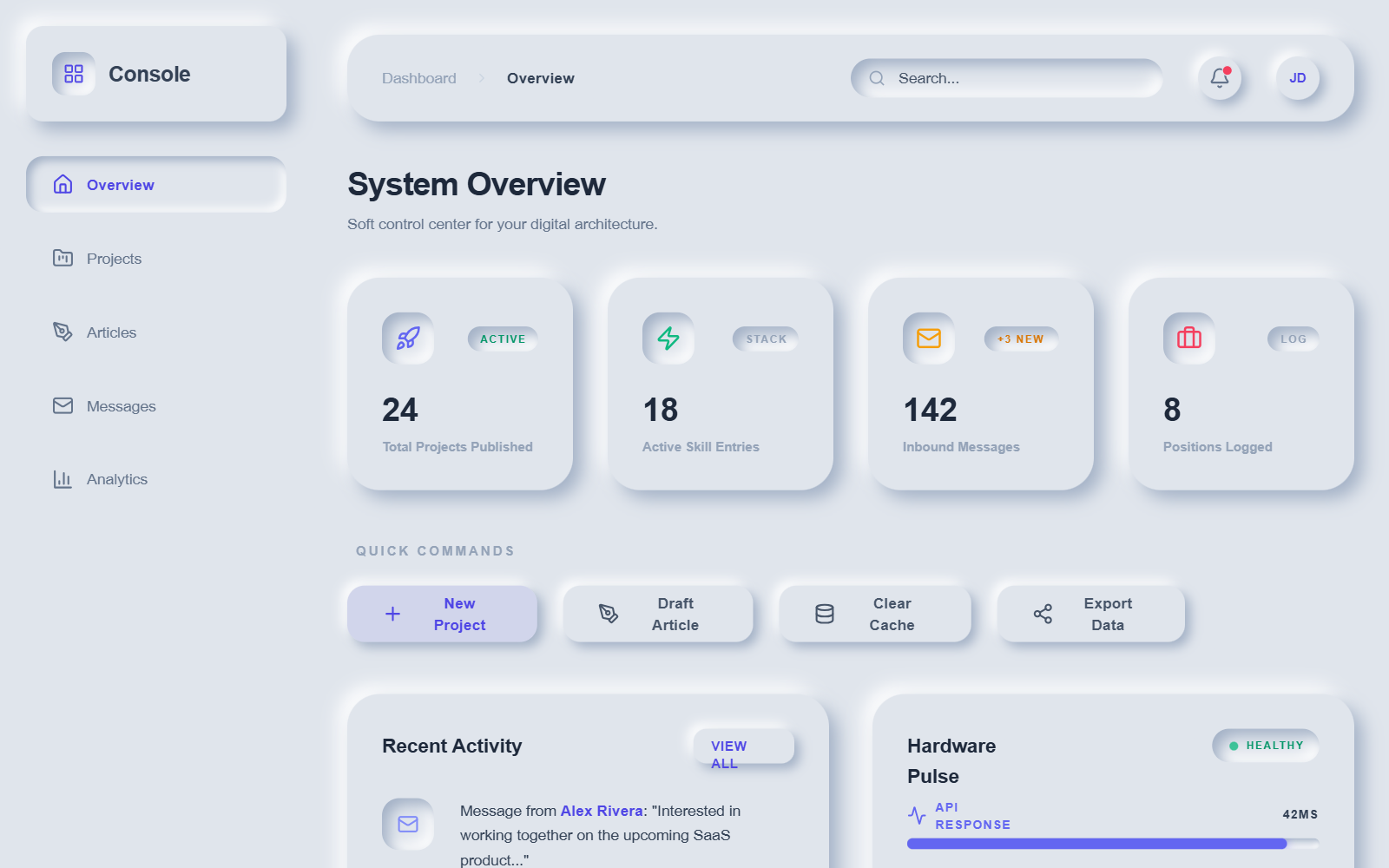
A premium neumorphic (Soft UI) dashboard design featuring a deep, multi-layered animation system. Utilizing a sophisticated palette of soft grays and deep navys, the interface relies on calculated box-shadows to create tactile, extruded, and recessed surfaces. Optimized for SaaS management, fintech platforms, and complex data monitoring, the style combines 'Satoshi' and 'General Sans' typography for high readability. Key visual features include animated stat counters, floating icons, gradient-wave progress bars, and staggered cascading entrance animations that provide a playful yet professional user experience.
Summary
A highly interactive neumorphic dashboard with a light/dark mode system, utilizing convex and concave 'Soft UI' elements, vibrant accent gradients, and a comprehensive set of physics-based animations like ripples, bounces, and flows.
Style
The design follows a strict Neumorphic (Soft UI) aesthetic where elements appear to be molded from the background. Lighting comes from the top-left, using white highlights and soft blue-gray shadows. Typography pairs 'Satoshi' (body) for clarity with 'General Sans' (headings) for character. The color palette uses #e0e5ec for light mode and #1e2030 for dark mode, accented by vibrant indigo, emerald, and rose gradients. Animations are smooth and elastic, characterized by 'cubic-bezier(0.34, 1.56, 0.64, 1)' timing functions for a premium, tactile response.
Layout & Structure
A classic dashboard layout with a fixed sidebar (72px wide), a sticky header with breadcrumbs and search, and a responsive grid system for content cards. Content is organized into clear sections: a 4-column stat grid, a horizontal quick-action bar, and a 2-column detail area featuring activity feeds and system monitoring tools.
Sidebar Navigation
Sticky Header
Stat Cards Grid
Quick Actions Row
System Monitoring Section
Components
Animated Progress Bars
Data-driven bars with flowing gradients and glow effects.
Stat Counter
Numeric values that increment dynamically.
Terminal Mockup
Developer-centric status box with typing effect simulation.
Special Notes
MUST ensure that lighting consistency is maintained (highlights top-left, shadows bottom-right). MUST use the specific cubic-bezier timing for all bounce effects. DO NOT use flat borders; use shadow-based depth instead. Dark mode MUST use #2a2d42 for highlights to avoid high-contrast jarring effects.