Mythos Story Studio
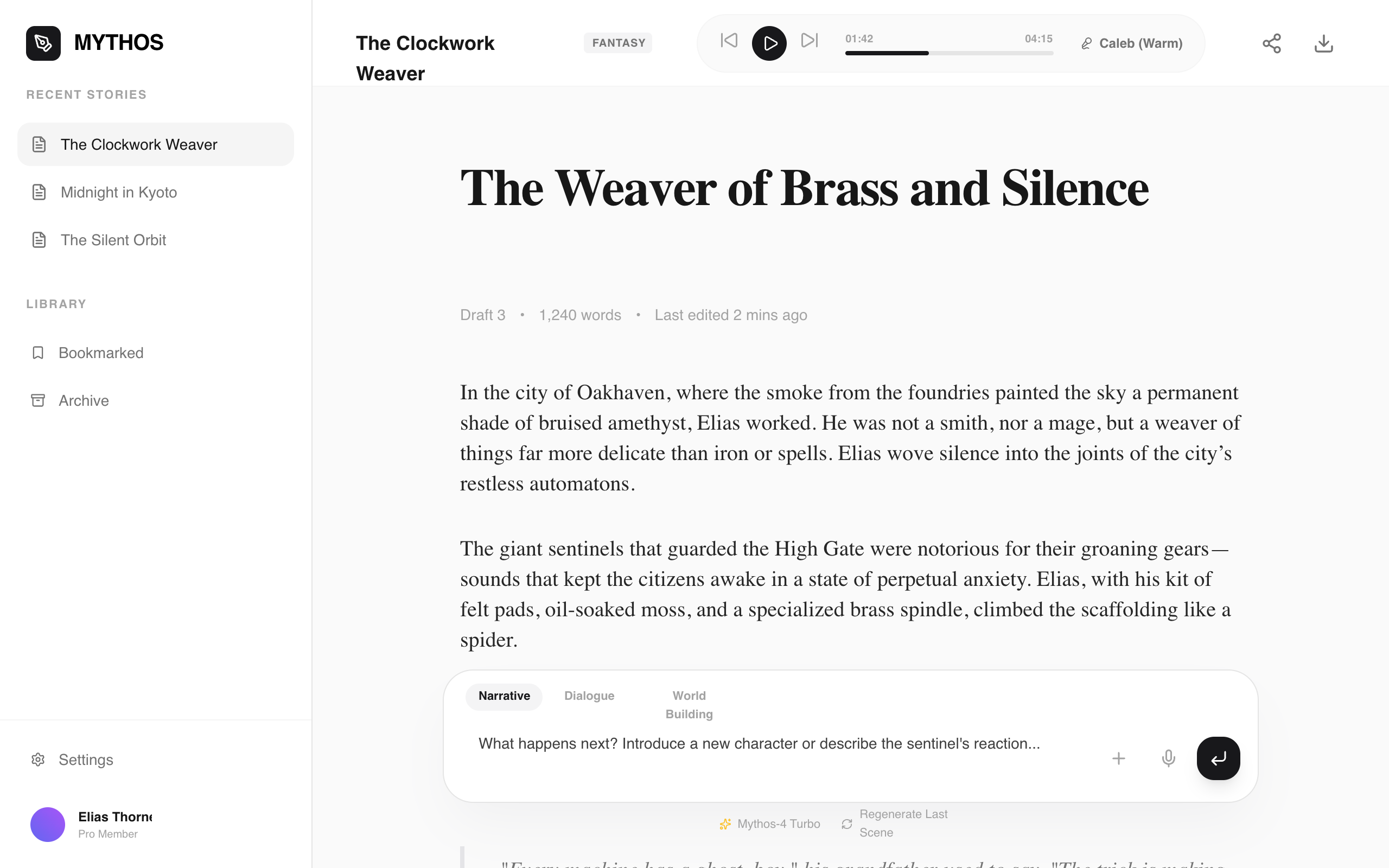
Mythos Story Studio is a sophisticated, editorial-style AI storytelling interface characterized by a dual-typography system: a modern sans-serif for UI elements and a high-contrast serif for narrative content. The design features a neutral grayscale palette (#FAFAFA, #171717, #18181B), generous whitespace, and a minimalist floating prompt interface. It is ideal for creative writing platforms, AI narrative generators, high-end blogging tools, or digital literary journals. Key structural features include a functional sidebar for history, a integrated pill-style audio player in the header, and a centered content article layout designed for maximum readability (1.8 line-height).
Summary
A clean, minimalist workspace for AI-assisted writing that balances utility with an editorial aesthetic. It uses a high-contrast neutral theme with deep blacks and soft grays to focus the user's attention on the storytelling experience.
Style
The style is built on the interplay between 'Satoshi' (UI Sans) and 'Zodiak' (Content Serif). It utilizes a monochromatic base with zinc and neutral grays, employing soft shadows and high-radius corners for a modern, approachable feel. Animations are subtle transitions and hover transforms, particularly on interactive icons and buttons.
Layout & Structure
A three-tier layout consisting of a fixed navigation sidebar, a sticky header with utility controls, and a centered, fluid content area with a floating footer-anchored prompt bar.
Sidebar Navigation
Workspace Header
Story Article Viewport
Floating Prompt Interface
Components
Pill Audio Player
A sleek, integrated media controller for listening to generated narratives.
Bento-style Prompt Input
A multi-modal AI input bar that handles text, voice, and context settings.
Special Notes
MUST: Use 'Zodiak' for all long-form text and 'Satoshi' for UI/metadata. MUST: Maintain a line-height of at least 1.8 for the story body to ensure readability. MUST NOT: Use saturated colors for backgrounds; keep the palette strictly neutral to evoke a 'paper' feel. MUST: Ensure the prompt bar floats and doesn't push content up.