Password Recovery
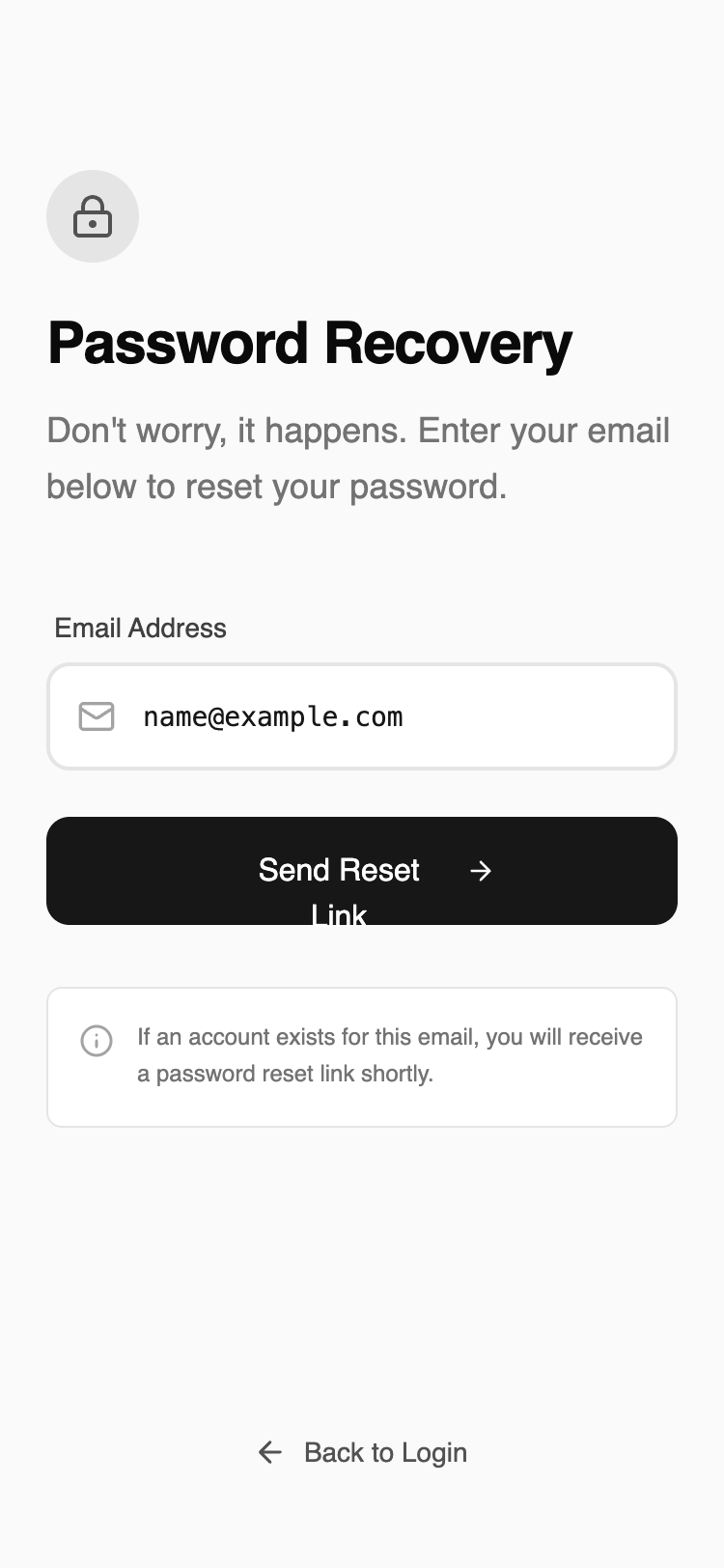
A straightforward, single-input recovery layout that removes all unnecessary navigation. The structure supports fast completion and minimizes confusion during password reset initiation.
Summary
A minimalist, distraction-free password recovery screen for mobile. It features a stark neutral color palette, clear information hierarchy, and professional typography with functional micro-animations for feedback.
Style
The style is a 'refined wireframe' aesthetic using a neutral grayscale palette (background #F9FAFB, borders #E5E5E5, primary #171717). Typography pairs 'Satoshi' (geometric sans) for headings and UI with 'JetBrains Mono' for input data to enhance legibility. Animations include subtle staggered vertical fades (10px translateY) and haptic-like active states.
Layout & Structure
A vertically stacked mobile layout using a flex-column structure (justify-between) to pin the navigation link to the bottom. Max-width of 448px (max-w-md) for desktop compatibility while optimized for mobile edge-to-edge padding.
Header Section
Form Section
Information Box
Footer Navigation
Components
Interactive Input Field
Icon-integrated input with monospace font.
Haptic Primary Button
High-contrast CTA with hover transform.
Special Notes
MUST: Maintain a 24px (px-6) horizontal gutter for all elements. MUST: Use JetBrains Mono exclusively for the actual text input field to signal technical accuracy. MUST: Keep borders at exactly 2px for inputs and 1px for cards to maintain hierarchy. DO NOT: Use any saturated colors or shadows; rely on contrast and spacing for depth.