Scout AI - Refined Interface
A refined, premium dark-mode AI interface with a focus on editorial typography and analytical clarity. Characterized by a sophisticated black-and-gold color palette (#D4A84B), it utilizes a high-contrast layout with a 55/45 split for conversational AI and live data visualization. Features include glassmorphic headers, bento-style metric cards, and reading-optimized typography using Cabinet Grotesk and Satoshi font families. Ideal for creative tools, fintech dashboards, and high-end SaaS applications requiring a balance of utility and luxury aesthetic.
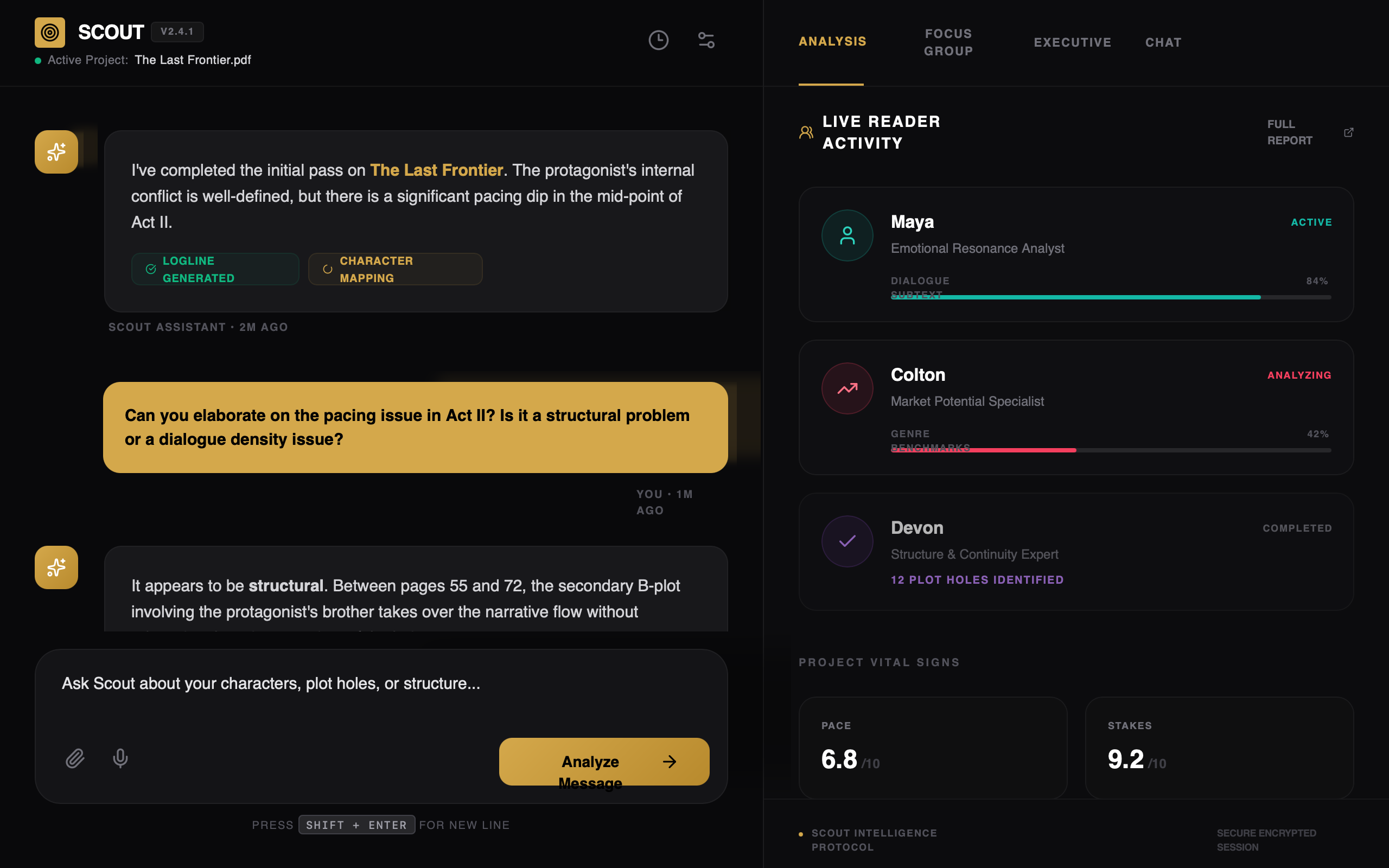
Summary
A high-end, data-driven AI analysis dashboard featuring a split-screen layout. The left side serves as a focused chat interface for human-AI interaction, while the right side displays live activity metrics and specialist panels. The design aesthetic is 'Analytical Luxury', combining deep obsidian backgrounds with metallic gold accents and precise metadata labels.
Style
The style is centered on 'Premium Obsidian'. It pairs Cabinet Grotesk for bold, authoritative headings and Satoshi for legible, clean body text. The primary color is a rich gold (#D4A84B), often applied via gradients or as a highlight against a deep black (#09090B) background. Layouts are strictly aligned with generous padding (px-8) and subtle dividers (rgba(255, 255, 255, 0.08)) to maintain structural clarity.
Layout & Structure
A two-panel horizontal layout. The left panel (55% width) handles the conversational flow and user input. The right panel (45% width) acts as a persistent dashboard for context and analytics.
Header
Chat Area
Input Area
Activity Panel
Components
Analysis Metric Card
A dark card for displaying specific data points within a chat message.
Reader Specialist Card
Interactive participant profile card used in the activity dashboard.
Special Notes
MUST: Maintain the hierarchy of metadata—always use uppercase with high tracking for labels. MUST: Use the gold gradient only for primary actions and brand identifiers. MUST NOT: Use standard scrollbars; use a 4px width custom scrollbar with a #27272A thumb. MUST: Use semantic colors (emerald/rose) only for data-driven feedback within analysis modules.