SpecOS - Brutalist Monochrome
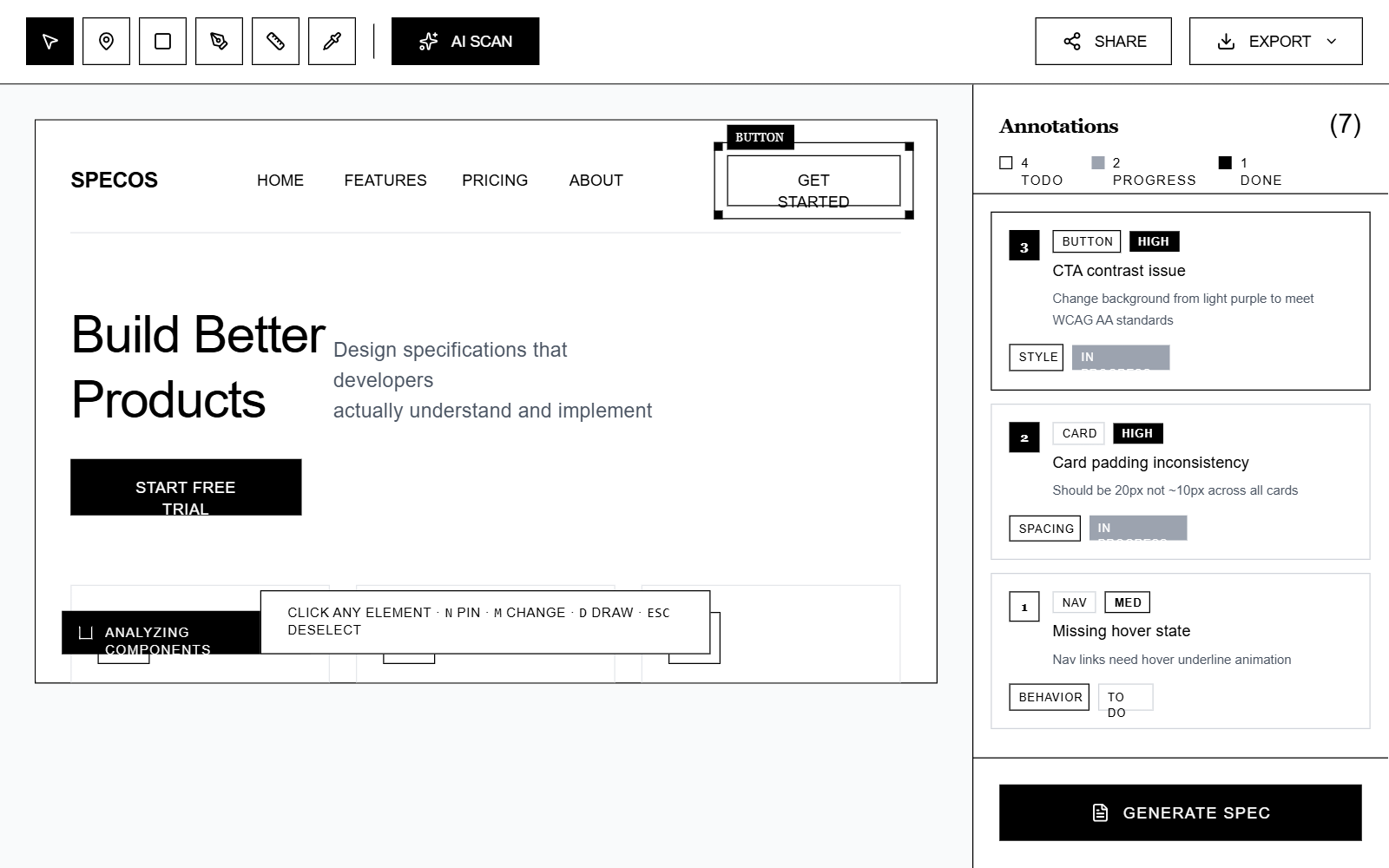
A brutalist monochrome design system inspired by high-end editorial magazines and stark industrial interfaces. Characterized by high-contrast black-and-white palettes, thick 2px borders, and a sophisticated pairing of IBM Plex Serif and IBM Plex Sans. This style is ideal for SaaS design tools, developer environments, creative portfolios, and fintech dashboards that prioritize clarity, structural integrity, and a premium 'architectural' feel. It utilizes dashed overlays for interaction states and a rigid grid layout to maintain an organized yet aggressive aesthetic.
Summary
SpecOS Brutalist Monochrome: A stark, high-contrast design system utilizing a black-and-white palette, 2px solid borders, and dual-font typography (Serif/Sans) to create an editorial, industrial workspace aesthetic.
Style
The style is strictly monochrome (#000000, #FFFFFF, and specific grays). It uses IBM Plex Serif for headers and semantic labels to provide an editorial feel, while IBM Plex Sans handles UI body text. Borders are a consistent 2px solid black. Interactive elements use a 'negative' hover state (black background with white text). Animations are sharp and purposeful, utilizing cubic-bezier curves for menu transitions and simple pulses for selection states.
Layout & Structure
A tri-pane layout featuring a fixed top toolbar, a central canvas for content exploration, and a functional right-hand annotation panel. All sections are separated by 2px black horizontal or vertical rules.
Top Toolbar
Main Canvas Area
Right Sidebar (Annotations)
Contextual Hint Bar
Components
Floating Context Menu
A high-contrast semantic action menu for component-level operations.
Selection Overlay with Handles
Visual indicator for active selection on a canvas.
Annotation Row
Information card with status labels and hierarchy.
Special Notes
MUST maintain 2px border consistency for all structural elements. MUST NOT use any drop shadows or rounded corners. MUST use Serif font only for headers and specific metadata labels. MUST ensure all interactive elements have a high-contrast state change (e.g., White-to-Black inversion).