System Initialization - Trust & Transparency
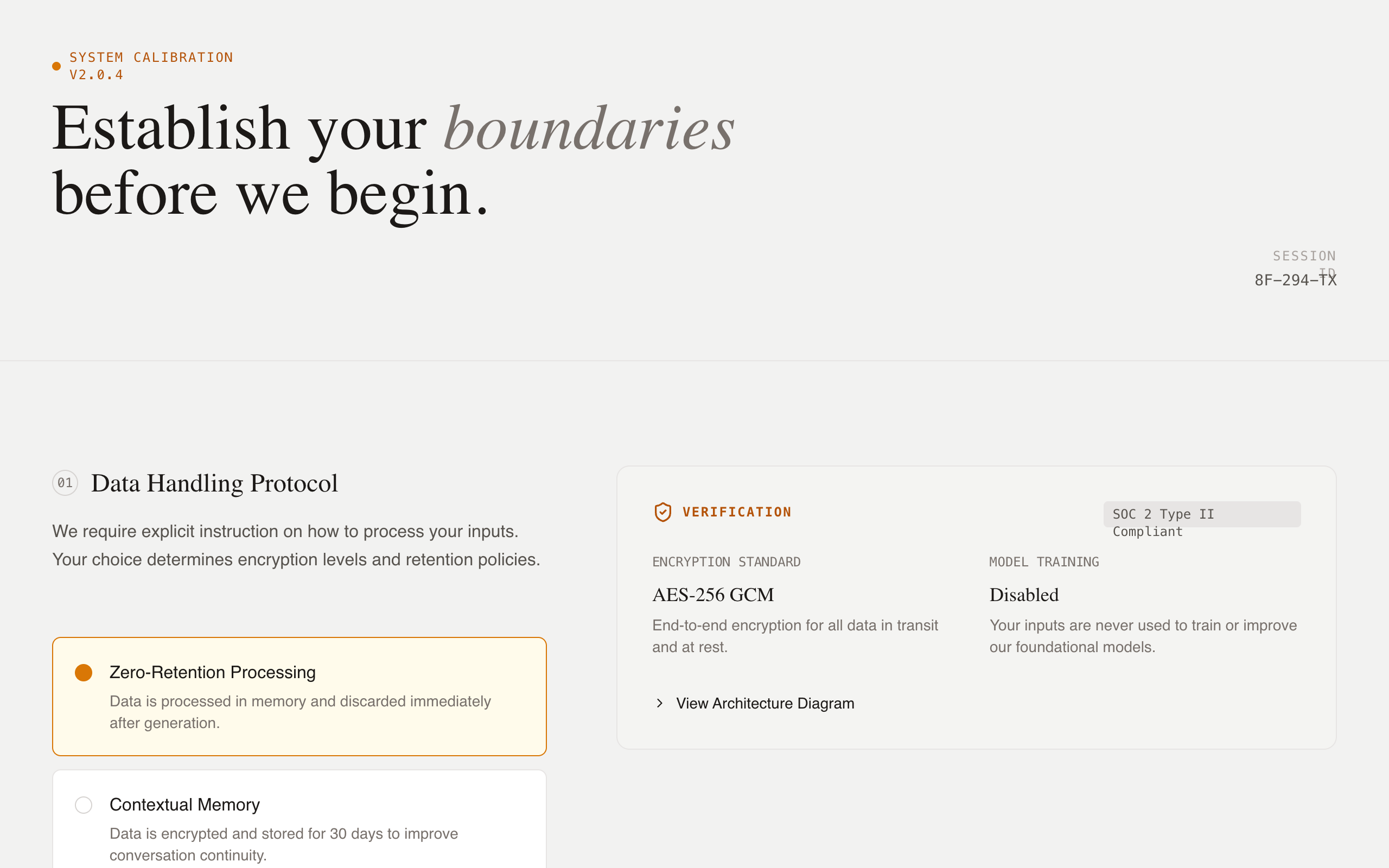
A high-trust, technical briefing design system for AI onboarding and system initialization. Featuring an editorial typography approach with a warm, neutral color palette (Stone and Amber), it utilizes a two-column grid to balance user configuration with technical evidence. Ideal for fintech, cybersecurity, AI safety, or enterprise SaaS where transparency, data privacy, and ethical alignment are core product values. The layout emphasizes vertical rhythm, semantic depth, and clear decision-making through structured guidance and live-updating evidence cards.
Summary
A 'Technical Briefing' UI for system initialization and transparency-focused onboarding. It uses a structured two-column layout: the left column facilitates active user choice via custom radios, while the right column provides technical verification (evidence cards) using monospaced metadata, data visualizations, and expandable architecture details. The tone is authoritative, honest, and grounded, avoiding marketing hyperbole in favor of data-driven transparency.
Style
The style is 'Industrial Editorial' - a blend of elegant serif headings, clean sans-serif body text, and monospaced technical labels. The palette is a warm neutral (Stone) with high-contrast dark text and a warm Amber accent for active states. Micro-interactions include smooth vertical expansion for details and pulse animations for live status indicators. A subtle noise texture layer is applied across the background for an organic, paper-like feel.
Layout & Structure
The layout follows a modular, section-based grid. Each major configuration topic is a section spanning the full width, divided into a 5-column guidance area (left) and a 7-column evidence/transparency area (right). A sticky bottom bar provides a persistent primary action.
Header
Configuration Section
Evidence Cards
Bottom Action Bar
Components
Custom Decision Radio
A high-fidelity radio button replacement for decision-making.
Technical Architecture Details
Expandable accordion for deep-dive technical verification.
Special Notes
MUST: Maintain strict vertical alignment between the configuration options on the left and their corresponding evidence on the right. MUST: Use 'JetBrains Mono' for any text related to system IDs, technical specs, or data. MUST NOT: Use vibrant or 'friendly' marketing colors (like neon blues or rounded pill buttons); stick to the industrial/briefing aesthetic. MUST: Use the custom radio indicator (16px circle with a dot that only appears when the parent input is checked).