Technical System Onboarding
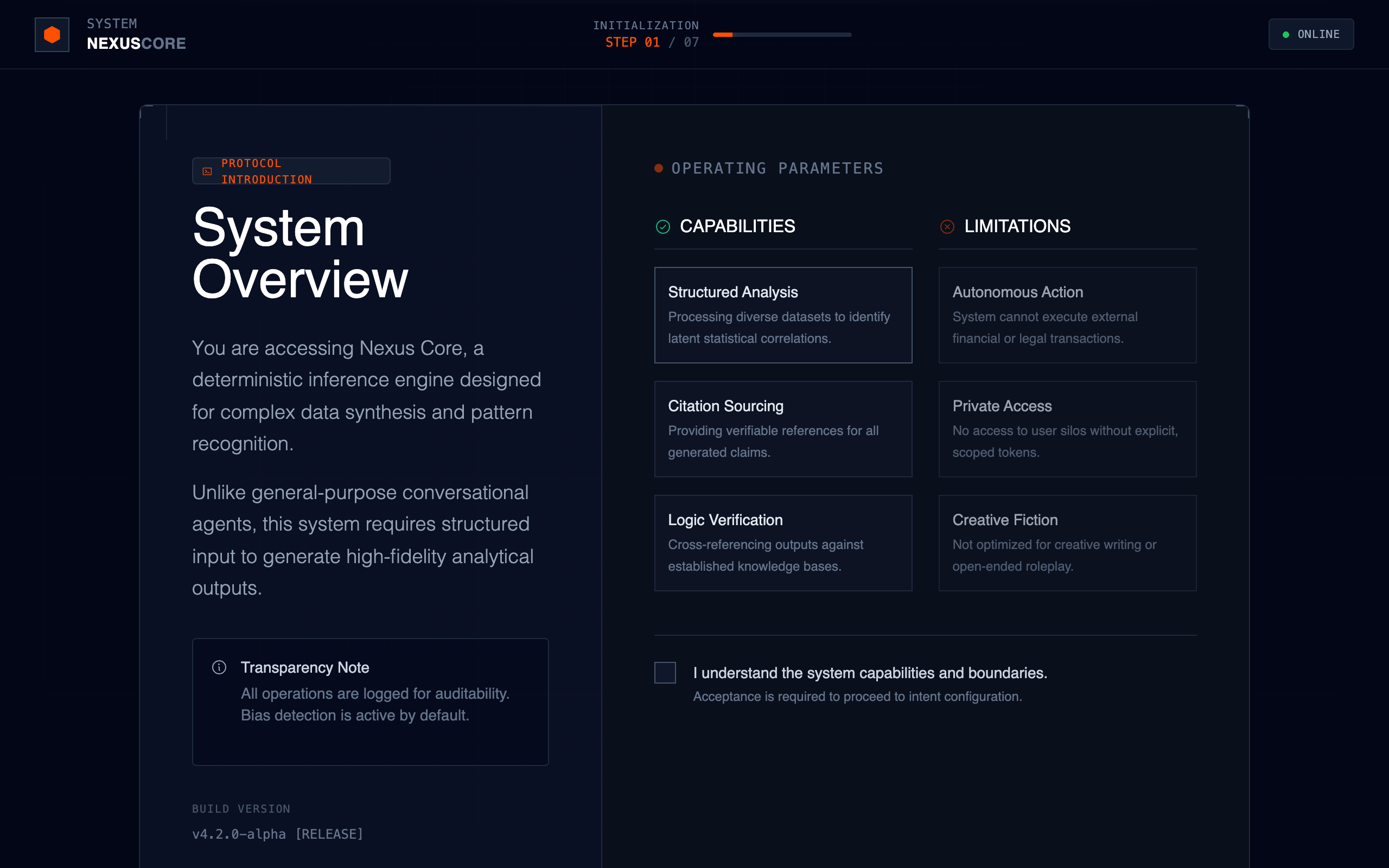
A technical, research-backed onboarding system design using a dark slate palette with high-visibility signal orange accents. Optimized for high-fidelity AI systems, data science dashboards, fintech terminals, and developer tools. Features editorial modern grotesk typography, monospace metadata, grid-based layouts, and a modular 'Capabilities Matrix' structure. Emphasizes reliability, transparency, and deterministic control through structured information hierarchy and a professional, no-nonsense aesthetic.
Summary
A serious, enterprise-grade technical onboarding flow for complex AI or data systems. It utilizes a layered dark-mode interface with a rigid grid system, technical framing elements, and a high-contrast 'Signal Orange' accent color for primary actions. The layout is split between descriptive high-level overviews and granular 'Can/Cannot' matrices to establish system trust and boundaries.
Style
Industrial/technical theme with a heavy emphasis on typography hierarchy. Primary font is Space Grotesk for geometric display headers, Inter for readable sans-serif body text, and JetBrains Mono for system-level metadata. Color palette is dominated by Slate-950 (#020617) backgrounds with accent color Signal Orange (#FF4F00). Animations are minimal and functional, utilizing cubic-bezier curves for 'slide-up' and 'fade-in' transitions.
Layout & Structure
The interface follows a 'Locked Terminal' layout with a fixed header and footer, and a scrolling central content panel. The main interaction area is a centered 12-column grid container with a 5/7 ratio split between high-level description and technical parameters.
System Header
Central Narrative Panel
Control Footer
Components
Signal CTA Button
A high-visibility primary action button with an internal shimmer effect.
Capabilities Matrix Card
A technical listing card for system parameters.
Special Notes
MUST maintain high information density without clutter. MUST avoid all 'soft' design elements like large border radii, pastel gradients, or playful emojis. MUST ensure all technical metadata (v4.2.0, STEP 01) is set in monospace. DO NOT use glowing text effects except for the small step-indicator bar.