Design prompts for pricing pages
A pricing page has one job: help someone pick a plan in a few seconds without second-guessing it. That means a small set of tiers, the recommended plan made obvious, every plan saying what you actually get, and a real price instead of a vague "Contact us". The prompts below are the most-copied pricing designs in the Superdesign library, from dark dev-tool tables to fintech, editorial and usage-based calculators. Open any one to see the exact prompt behind it, then change the tiers, copy and brand colors and generate your own editable version in seconds.
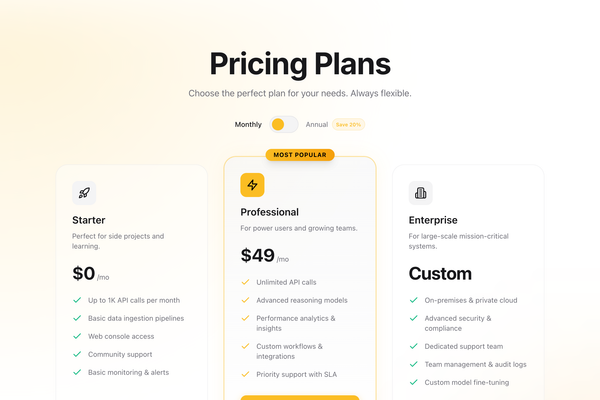
Pricing
A high-conversion pricing section with a toggle for monthly/annual billing. Features three tiers with a highlighted 'Pro' plan, glassmorphism effects, and smooth Framer Motion animations. Designed for SaaS and digital products.
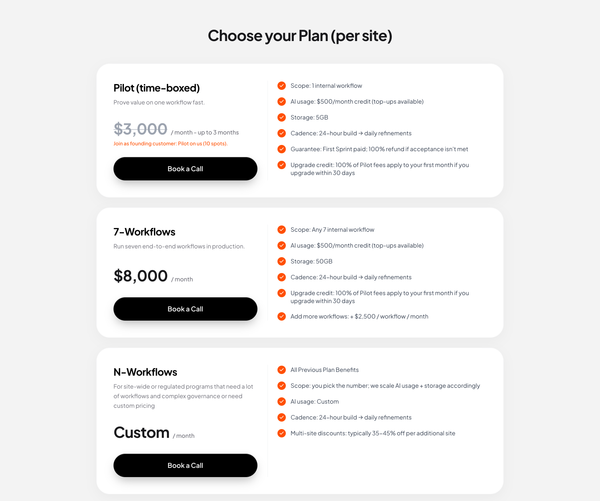
Pricing Section
A premium, clean pricing section with vertically stacked cards. Features a distinct split layout within each card (plan details vs features), distinctive pill-shaped black buttons with 3D depth, and orange accent checkmarks. Designed for high conversion with clear typography and minimalist aesthetics.
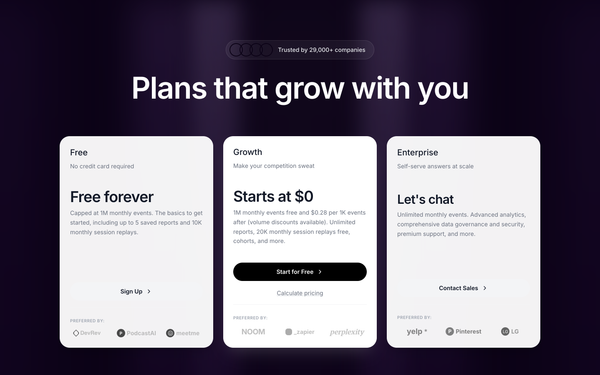
Mixpanel Pricing
A pixel-perfect recreation of the Mixpanel pricing section featuring a distinctive purple gradient curtain background, interactive pricing cards, and a dynamic usage estimator slider.
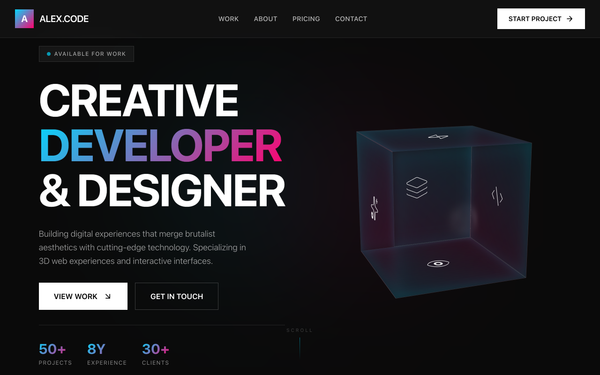
Interactive React Pricing Component
A high-performance brutalist-glassmorphism style guide featuring a dark-mode palette (#0a0a0a), vibrant neon accents (cyan #00d9ff, pink #ff006e), and heavy editorial typography (Aspekta). This design system is optimized for creative technology portfolios, SaaS pricing pages, and fintech dashboards. It utilizes a bento grid layout for project showcases, 3D CSS transforms for interactive elements, and Framer Motion for staggered entrance animations. The aesthetic combines industrial brutalism (heavy borders, sharp typography) with futuristic glassmorphism (backdrop blurs, neon glows).
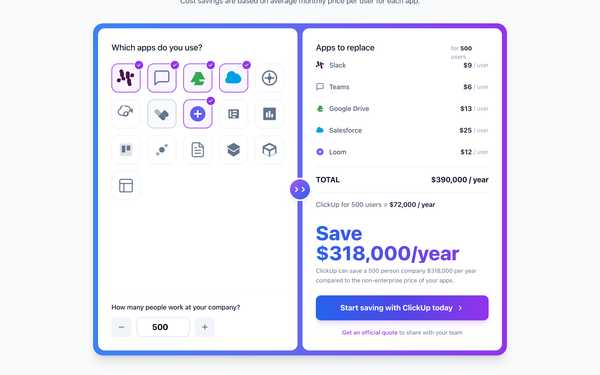
ClickUp Pricing Calculator
A cost savings calculator section comparing app spending vs ClickUp. Features an interactive app selection grid, user count input, and dynamic cost breakdown with a distinctive gradient border design.
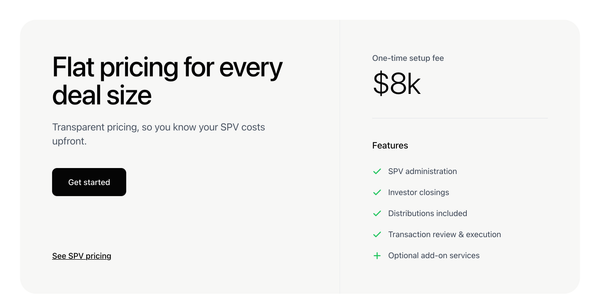
Single Pricing
[SECTION] A clean, two-column pricing section with a flat fee highlight and feature list. Mimics the AngelList SPV pricing design.
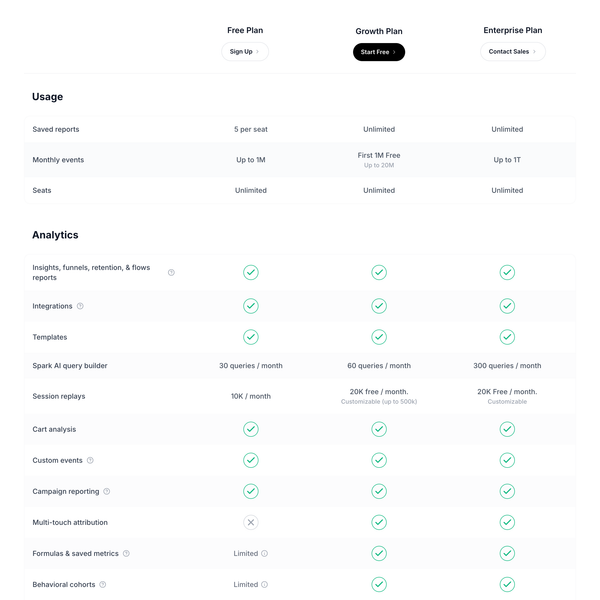
Pricing Comparison Table
A detailed, pixel-perfect pricing comparison table replicating the Mixpanel pricing page. Features sticky headers, collapsible sections (Usage, Analytics), tiered columns (Free, Growth, Enterprise), and extensive feature lists with status indicators (check, cross, text).
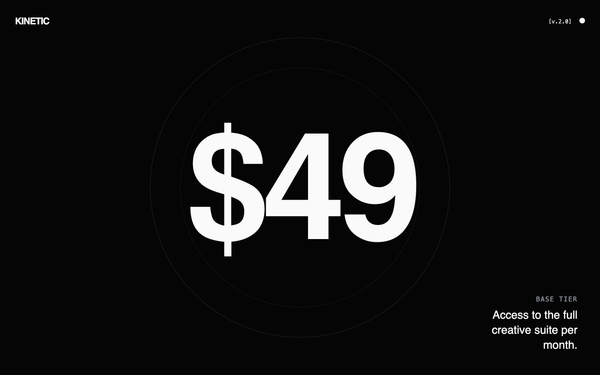
Kinetic Pricing: High-Performance Edition
High-performance brutalist technical design with a dark mode cyberpunk aesthetic. Features kinetic typography, heavy use of neon accents (#39FF14, #00D9FF, #FF3D00), and a mix of massive display headings and tiny monospace utility text. Ideal for SaaS, fintech, AI dev tools, and high-end engineering products. Includes scroll-triggered reveals, glitch hover effects, and a custom precision crosshair cursor.
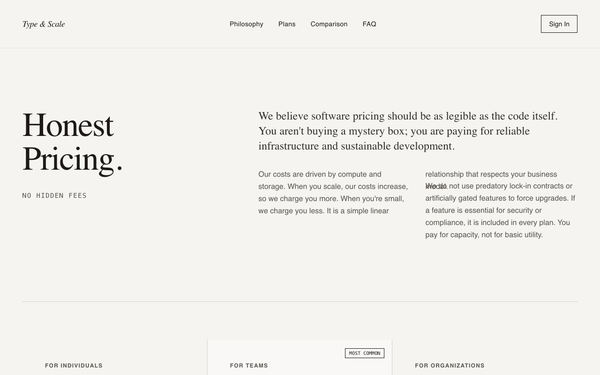
Editorial Pricing Page
An editorial-style, typography-focused pricing page designed for transparency and trust. It utilizes a sophisticated pairing of geometric sans-serif and high-contrast serif fonts on a 'paper' textured background (#F5F4F1). Suitable for premium B2B SaaS, developer infrastructure, fintech, or high-end consultancies. Features include a heavy focus on long-form prose over marketing icons, large visual anchors through massive pricing typography, and a minimalist grid-based layout that prioritizes readability and rational communication.
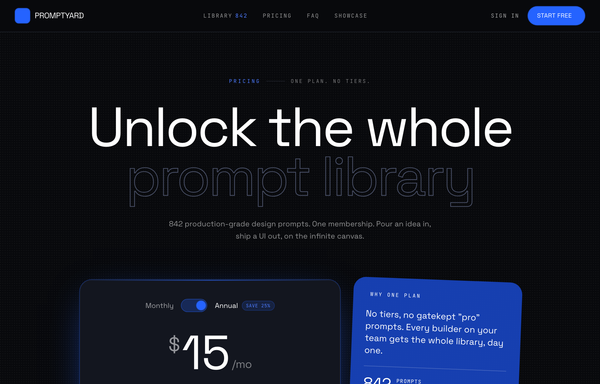
Electric-Blue Studio Pricing
A frameless, near-black dev-tool SaaS pricing page with one electric-blue accent, oversized outlined-type headline, and a single-plan card (monthly/annual toggle + optional power-up add-ons) instead of a tier wall.
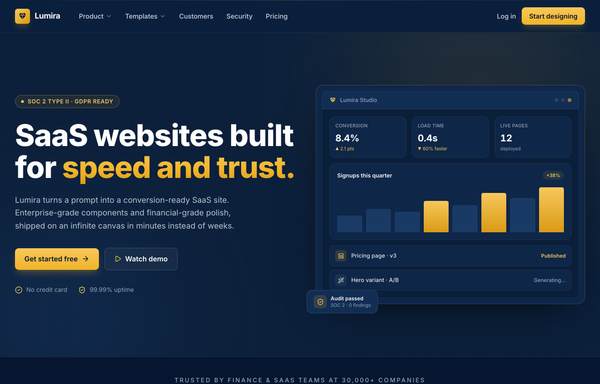
Lumira - Fintech Navy & Gold SaaS Website (icons fixed)
A deep navy and gold fintech SaaS marketing website: sticky blurred nav, split hero with a product dashboard mockup, trust logo band, six-card feature grid, big stats strip, security and compliance split, three-tier comparison pricing with a featured plan, CTA, and a six-column mega-footer.
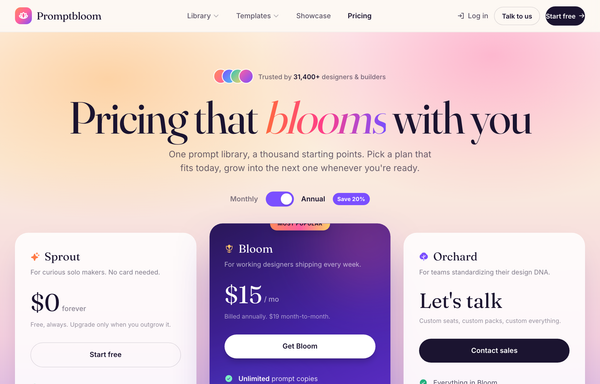
Aurora Bloom SaaS Pricing
A warm aurora-gradient SaaS pricing page with a giant serif headline, frosted-glass tiers flanking a lifted purple 'most popular' card, and a live monthly/annual toggle.
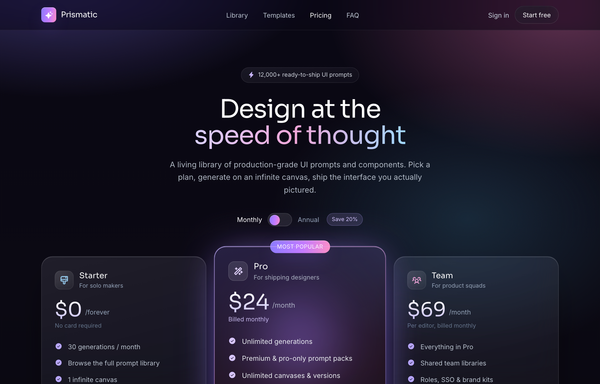
Aurora Glass SaaS Pricing
A dark glassmorphism SaaS pricing page on a violet-pink-cyan aurora gradient, with frosted plan cards, a featured tier, a monthly/annual toggle, and an FAQ accordion.
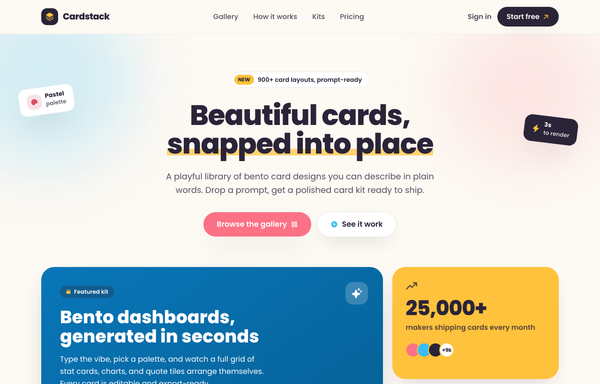
Cardstack - playful bento card designs
Playful candy-pastel bento card-library landing page ('Cardstack - Beautiful cards, snapped into place') on a warm cream canvas: a sticky cream glass nav, a centered hero with a sunny highlighter headline and rotated floating sticker chips, and a colorful bento grid whose 2x2 deep-sky gradient feature card (with a nested mini-bento preview) anchors sunny stat, coral quote, white mini-stat and ink CTA cards, plus a How-it-works band, a gradient-header kit grid, and an ink-gradient pricing banner. Cream + sky + coral + sunny + ink, set in Poppins with Phosphor icons; cards wiggle and tilt on hover.
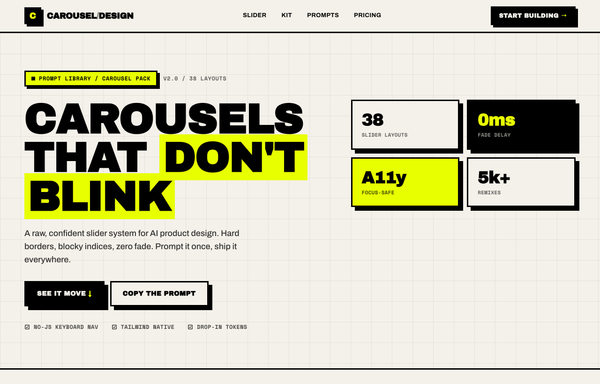
Carousel Design - Brutalist Slider
A raw neo-brutalist slider carousel built as a complete one-screen 'Carousel/Design' landing on an off-white paper palette (#f4f1ea) with pure-black ink and a single acid-yellow accent (#e8ff00). Hard 3px black borders, blocky offset drop shadows (8px 8px 0 #000), heavy Archivo Black uppercase headlines and Space Mono labels. A sticky paper nav with a square 'C' logo sits over a grid-paper hero (a 'CAROUSELS that don't blink' headline with an acid highlight + a 2x2 brutalist stat-slab grid). The centerpiece is a no-JS radio-driven BRUTALIST SLIDER: a bordered slide panel with a hard acid+ink offset shadow, chunky square prev/next arrow buttons, an oversized blocky numeral index in an inverted ink/acid slab, and a row of 3 square index buttons; three slide layouts (acid 'Stacked panel', paper 'Split feature', inverted-ink 'Invert hero') snap with zero fade. Below: a scrolling ink marquee strip, a 6-up bordered feature 'Kit' grid, a 'prompt.txt' code slab with acid-highlighted tokens, a 3-tier brutalist pricing grid, an acid CTA band and a paper footer. Archivo / Archivo Black / Space Mono, Iconify Phosphor icons, tactile press (buttons travel on click), fully responsive.
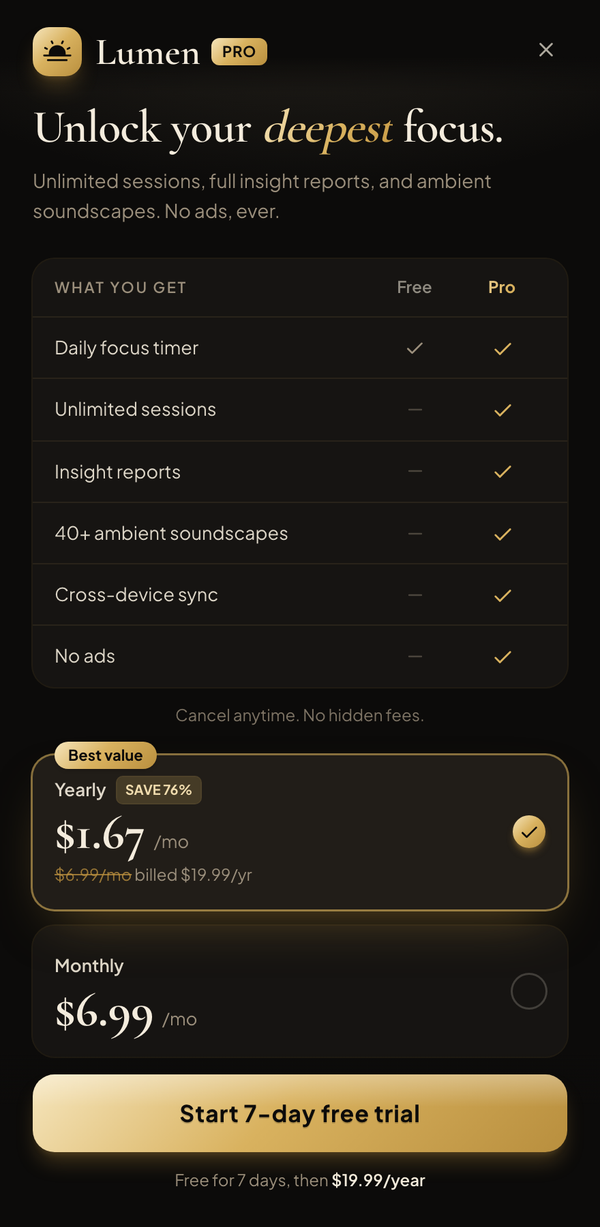
Champagne Noir Paywall
A premium dark subscription paywall: champagne/gold accents on near-black, an italic-serif value headline, a Free-vs-Pro feature table, a yearly(best-value)/monthly plan toggle, and a gold "Start free trial" CTA.
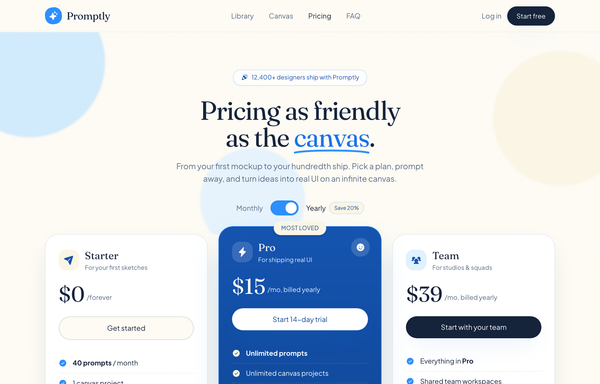
Cream & Sky Playful SaaS Pricing
A warm, friendly light-mode SaaS pricing page on a cream paper canvas with sky-blue accents, serif display type, rounded cards, a monthly/yearly toggle, and a highlighted middle tier.
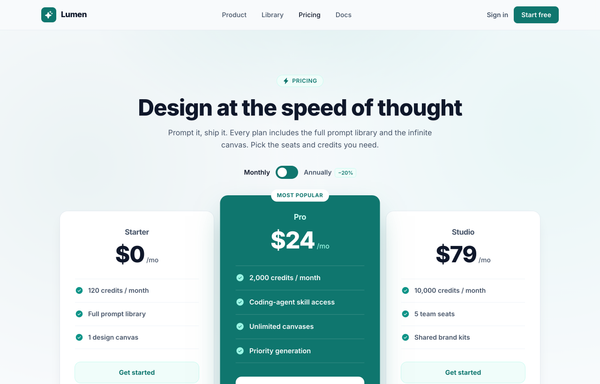
Design at the Speed of Thought - Lumen Pricing Tiers
Light SaaS pricing section with a teal accent: sticky glass nav, centered heading + monthly/annually toggle, and a 3-tier card row where the middle 'Pro' tier is a scaled-up, solid-teal 'Most popular' card flanked by two white ghost cards.
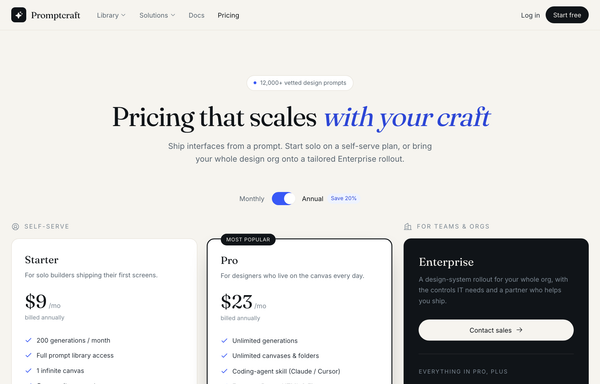
Editorial Cream + Ink Two-Path SaaS Pricing
A warm editorial SaaS pricing page on a cream canvas: a serif headline with an electric-blue italic accent, two self-serve plan cards (one highlighted) beside a dark near-black Enterprise contact-sales panel with gold accents, plus a monthly/annual toggle.
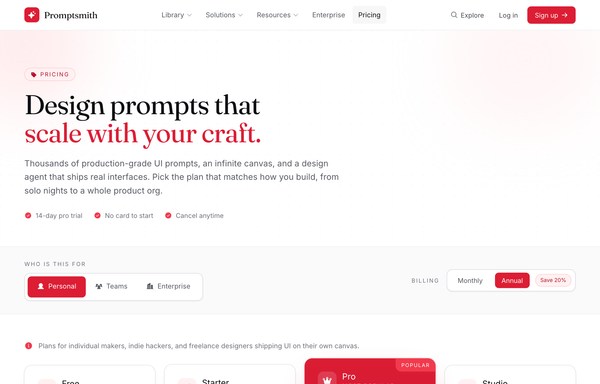
Editorial Crimson Dev-Tool Pricing
A light, serif-accented SaaS pricing page on white with a single crimson accent, audience segmented tabs, a monthly/annual toggle, and a 4-tier grid with one elevated 'most popular' card.
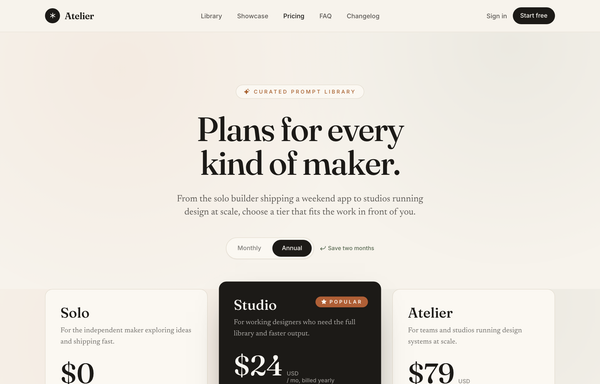
Editorial Serif Atelier Pricing
A warm, magazine-style 3-tier SaaS pricing page on cream paper with oversized serif type, terracotta accents, a monthly/annual pill toggle, and a single inverted dark 'Popular' tier.
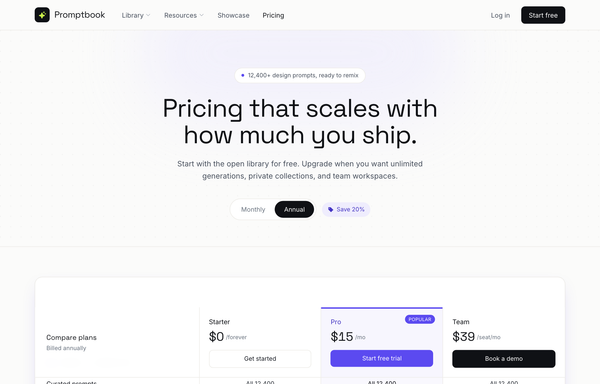
Editorial Violet SaaS Pricing Matrix
A light, editorial SaaS pricing page led by a full-width grouped comparison matrix with a sticky 3-plan header, electric-violet accent, and a monthly/annual toggle.
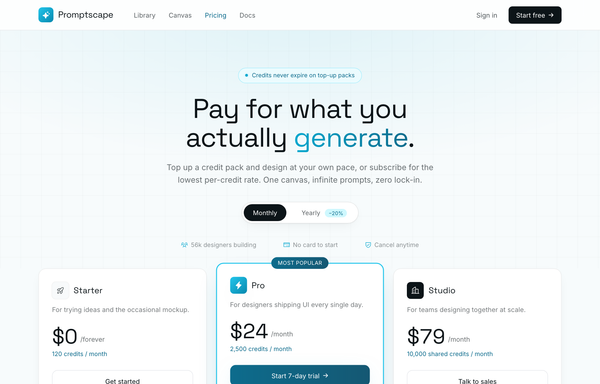
Electric Cyan Credits-and-Tiers Pricing
A light, graph-paper dev-tool pricing page pairing 3 subscription tiers with a row of volume-discounted one-time credit packs, all in a single electric-cyan accent.
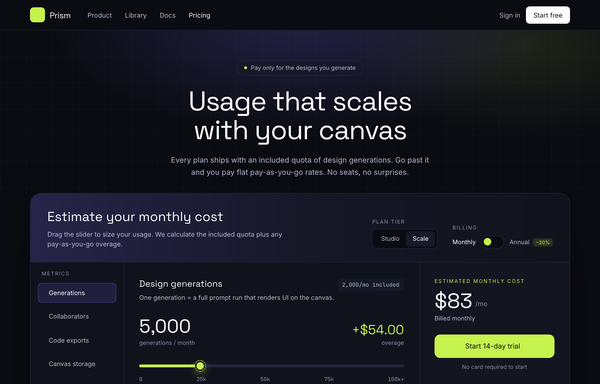
Electric Dark Usage-Based Pricing Calculator
An electric dark dev-tool pricing page built around an interactive slider calculator that live-computes included quota plus tiered pay-as-you-go overage, with a lime accent, a highlighted plan card row, and an FAQ accordion.
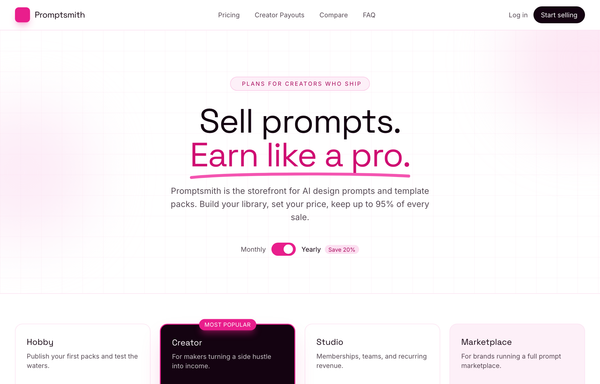
Electric Magenta Creator-SaaS Pricing
A bright-white creator-marketplace SaaS pricing page with an electric magenta accent, a billing toggle, four tier cards (dark inverted 'Most popular'), a magenta earnings stat band, and a grouped comparison table.
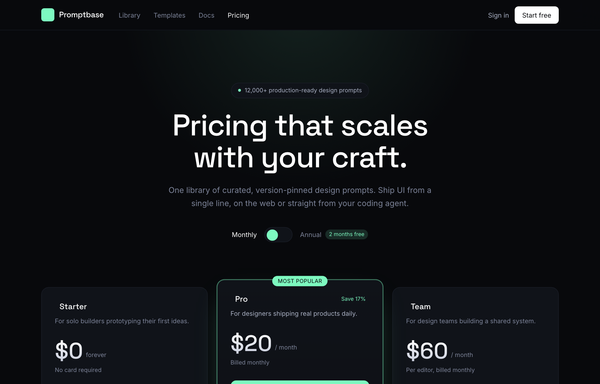
Electric Mint Dark Dev-Tool Pricing
A frameless dark-mode SaaS pricing page with a 3-tier card grid, monthly-annual toggle and a glowing electric-mint highlighted plan, built for developer and design tools.
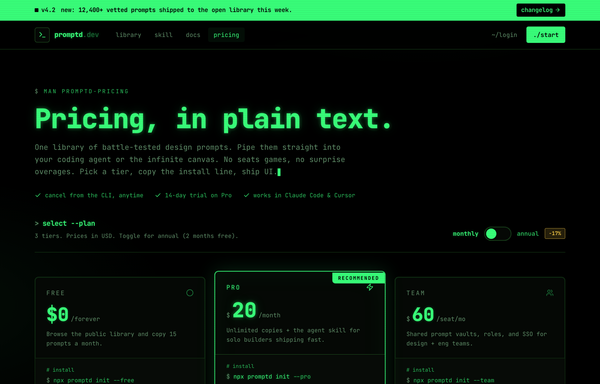
Electric Phosphor Terminal Dev-Tool Pricing
A pure-black CRT terminal-themed SaaS pricing page in phosphor green and monospace, with a 3-tier card row (Pro highlighted), an animated monthly/annual toggle, and a man-page-style comparison matrix in a fake terminal window.
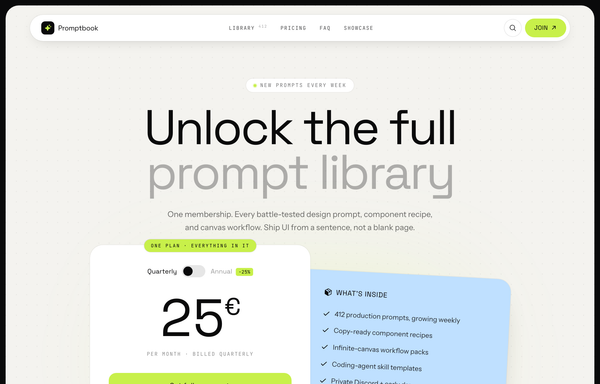
Electric-Lime Single-Plan SaaS Pricing
A bold editorial single-plan pricing page with a giant toggling price card, a tilted sky-blue feature card, and one electric-lime accent on warm paper inside a charcoal frame.
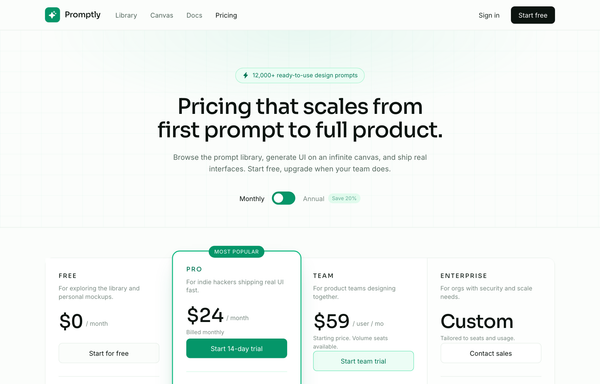
Emerald 4-Tier SaaS Pricing Table
A light-mode emerald-accented SaaS pricing page with a Monthly/Annual toggle and four tiers fused into one bordered table, the Pro column lifted and ring-highlighted as 'Most popular'.
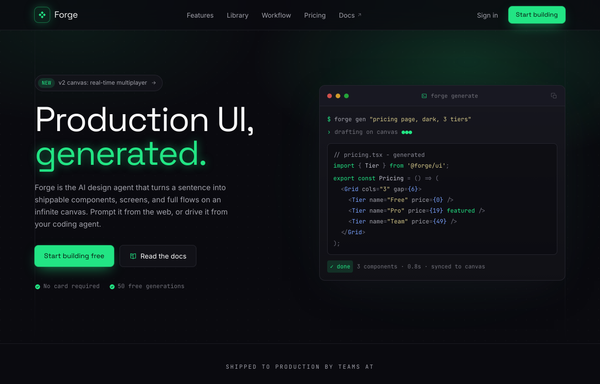
Forge - UI, generated (electric-dark dev-tool)
A premium electric-dark developer-tool SaaS landing page for an AI design agent: obsidian near-black surfaces lit by a single acid-green accent, a sticky glass nav, terminal/code mock hero, logo cloud, workflow code panel, 3-column feature grid, alternating product shot, 3-tier pricing, glowing CTA band, and a mega footer.
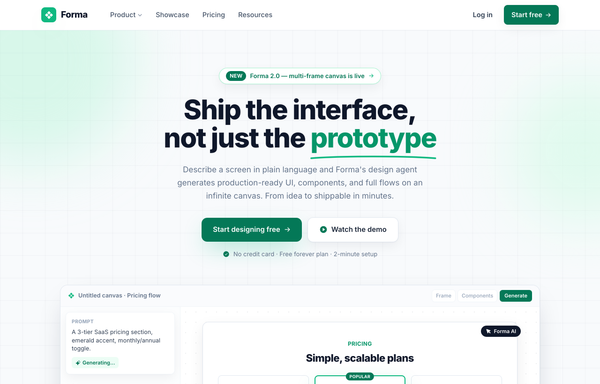
Forma - Emerald Classic SaaS (legibility-fixed)
A classic light-mode SaaS landing page on emerald-and-white with Inter type: sticky blurred nav, a centered hero with a hand-drawn underline accent and an in-app canvas mockup, logo cloud, stat strip, alternating feature rows, a bento testimonial wall, a featured 3-tier pricing table, a dark CTA banner, and a 5-column footer, fully responsive.
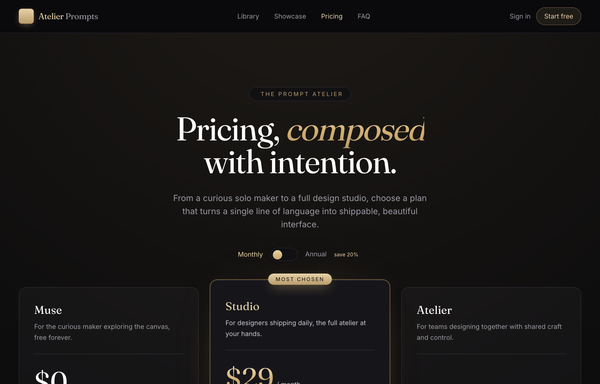
Gilded Atelier Dark-Serif Pricing
A luxe dark, gold-on-black editorial SaaS pricing page with a high-contrast serif, an elevated glowing featured tier, monthly/annual toggle, and a refined FAQ accordion.
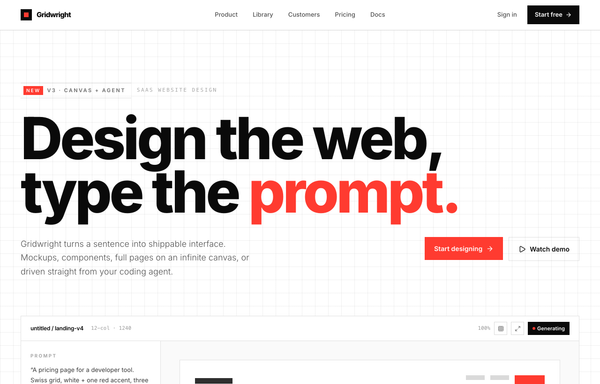
Gridwright - Design the web, type the prompt (Swiss Grid / Signal Red)
A Swiss-grid SaaS marketing homepage: stark white paper, near-black ink, one signal-red accent, an oversized two-line hero, an embedded prompt-to-canvas product mock, a hover-invert feature grid, a dark variant-tile workflow split, a 3-tier pricing block with an inverted Pro card, and a hairline-celled mega footer.
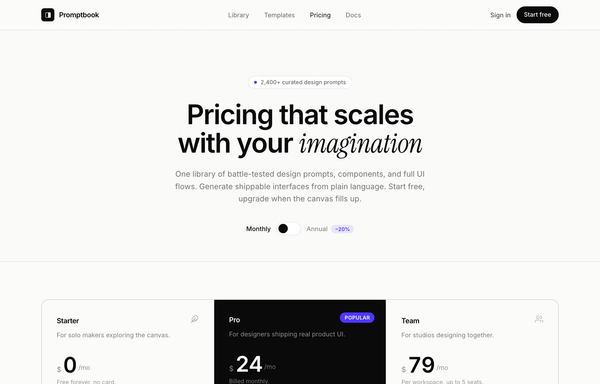
Hairline Mono-Minimal SaaS Pricing
A frameless light-mode SaaS pricing page in editorial mono-minimal style: warm off-white paper, hairline-divided three-tier cards with an inverted dark Pro tier, indigo accent, a monthly/annual toggle, and a clean comparison table.
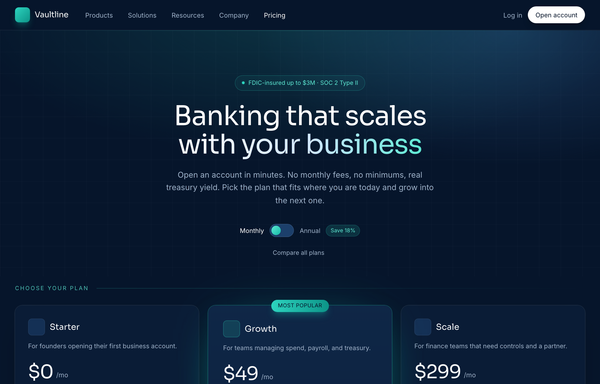
Midnight Navy Fintech Pricing
A deep-navy, teal-accented SaaS/fintech pricing page with a sticky blurred nav, monthly/annual toggle, and a glowing 'Most popular' middle tier across three cards.
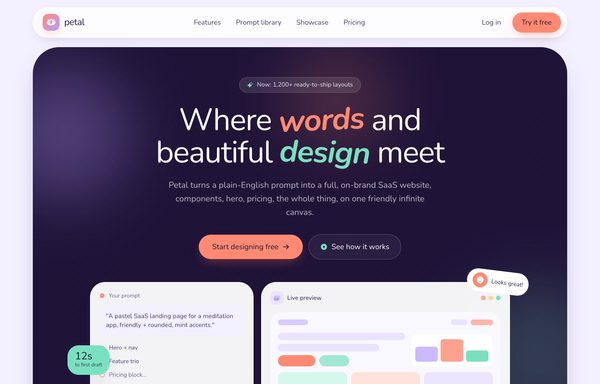
Petal · Soft SaaS Website Design from Prompts (pastel-friendly)
A soft pastel SaaS marketing site on a lavender page with a floating pill nav, a deep-plum hero with a live-canvas mockup, coral and mint hand-tilted italic accents, a playful stat trio, a prompt-library band, testimonials, 2-tier pricing, and a dark footer.
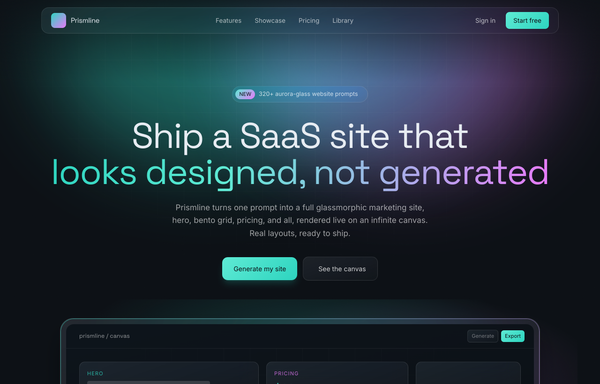
Prismline - Aurora Glass: Ship a SaaS Site That Looks Designed, Not Generated
A premium dark aurora-glass SaaS marketing site: frosted pill nav, duotone aqua-to-magenta hero, a floating infinite-canvas mockup, a 6-card feature grid, bento showcase, 3-tier pricing with a featured Pro plan, and a glass footer.
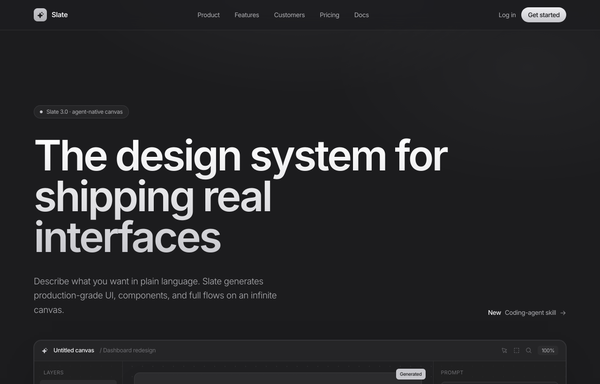
Slate - Graphite Premium Monochrome (SaaS Website Design Prompt)
A graphite near-monochrome premium SaaS marketing homepage with a single platinum accent: charcoal #1c1c1e to #2c2c2e surfaces, off-white Inter text, a sticky glass nav, a restrained left-aligned hero with a platinum gradient-clipped headline and a large in-page product-canvas mock, a quiet logo row, a thin numbered feature list, a testimonial + stats split, minimal 3-tier pricing, and a 4-column footer. Linear-like restraint, in graphite.
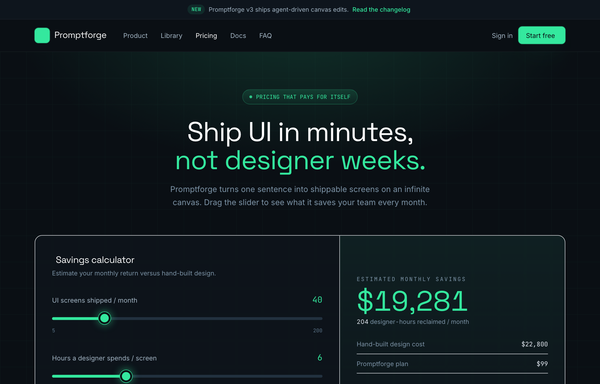
Slate ROI-Calculator Pricing
A frameless dark SaaS pricing page in inky slate with one electric mint accent: an interactive ROI savings calculator, a 4-tier plan grid with a highlighted Pro card and monthly/annual toggle, a comparison table, and an accordion FAQ.
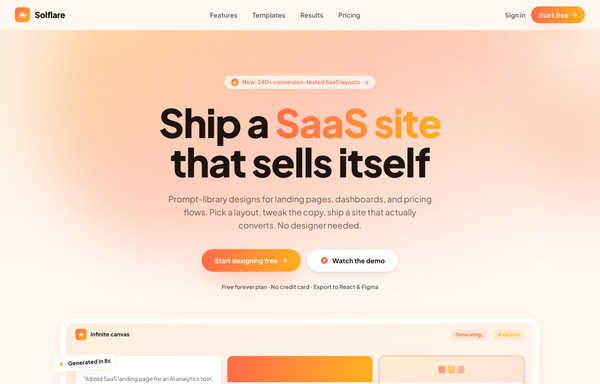
Solflare - Sunset Gradient Warm (SaaS Website Design Prompt)
A warm sunset-gradient SaaS marketing landing page on a cream canvas: coral-to-amber accents, a sticky blurred nav, a gradient hero with a faux infinite-canvas product mock, a 6-card feature grid, template showcase, a dark stats band, testimonial, and a burnt-orange CTA, all in Plus Jakarta Sans.
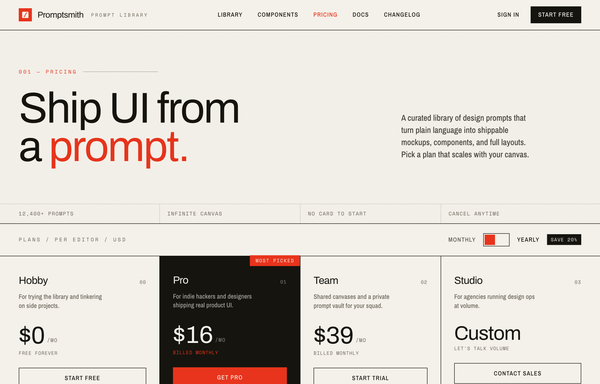
Swiss Editorial Newsprint SaaS Pricing
A brutalist Swiss-print pricing page on warm paper stock with hairline ink rules, one electric red accent, an inverted recommended tier, a monthly/yearly toggle, and a full feature-comparison matrix.
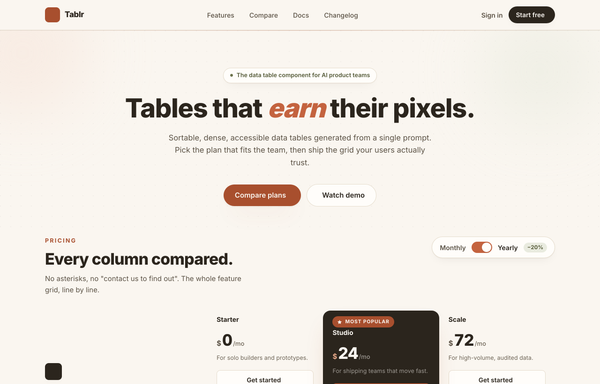
Tablr - warm comparison/pricing matrix (mobile reflow + contrast fixes)
A warm paper-toned feature comparison and pricing matrix for a data-table product: three plan columns (Starter / Studio / Scale) with the recommended Studio column rendered as a continuous dark ink panel and a terracotta 'Most popular' badge, feature rows grouped into Core grid / AI & automation / Team & governance / Support with olive check and muted dash glyphs, a Monthly/Yearly billing toggle, and a real mobile reflow into stacked per-plan cards led by the recommended plan. Cream + ink + terracotta + olive palette on Inter.
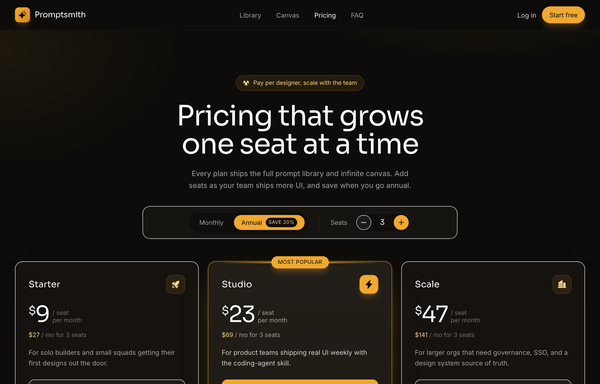
Warm Amber Dark Per-Seat SaaS Pricing
A dark, warm-charcoal SaaS pricing page with an amber accent and a live per-seat calculator: a monthly/annual toggle plus a seat stepper recompute every tier price and team total across a 3-card grid.
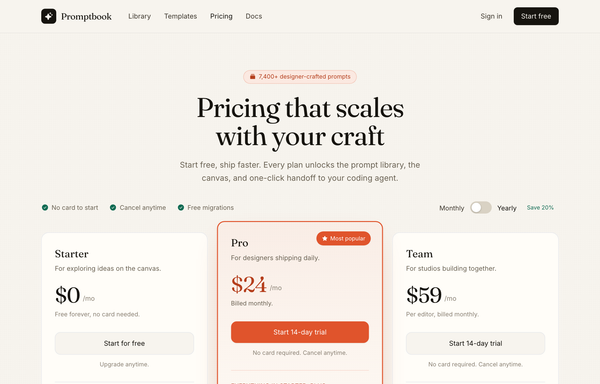
Warm Editorial Cream Pricing
A warm cream-paper SaaS pricing page with a terracotta accent, Fraunces serif display type, and three reflowing tiers anchored by a lifted 'Most popular' middle card.
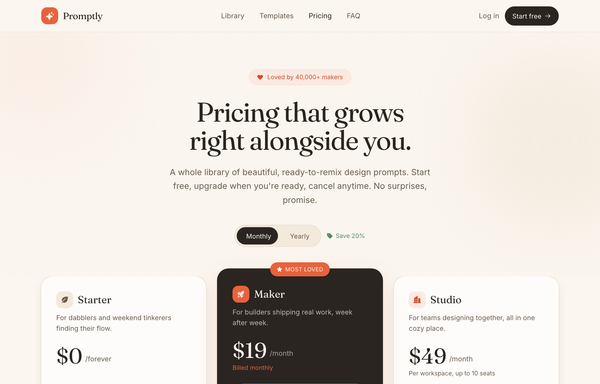
Warm Editorial SaaS Pricing
A cozy, editorial three-tier SaaS pricing page in a cream-and-clay palette with a serif display headline, a highlighted dark center tier, a monthly/yearly toggle, and a friendly FAQ.
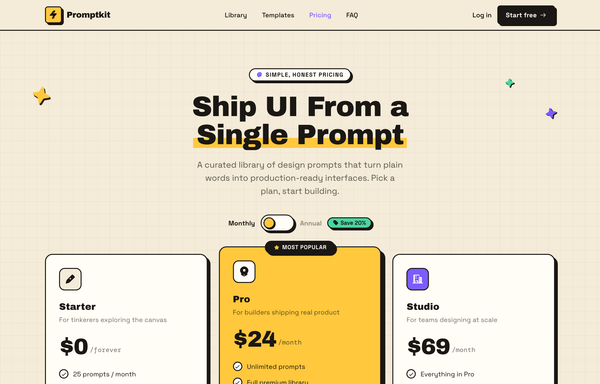
Warm Neo-Brutalist SaaS Pricing
A neo-brutalist pricing page on a warm cream canvas with hard-shadowed cards, a 3-tier layout, a monthly/annual toggle, and a bold Archivo Black display face.
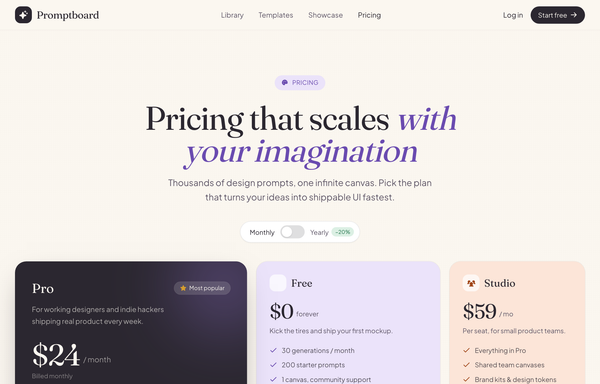
Warm Pastel Bento SaaS Pricing
A cream, editorial SaaS pricing page laid out as a pastel bento grid with a dark hero plan, serif headlines, and a live monthly/yearly toggle.
How to prompt a pricing page that converts, not one that looks generated
An AI design agent has a strong default for a pricing page, and most of those defaults hurt conversion: three identical cards, a purple gradient, placeholder features, no annual toggle, and no plan that stands out. A good prompt is really a list of constraints that override those defaults. Here is each default to override, the words that do it, and a template that bakes them all in.
Design a [dark or light] pricing page for [who buys it] choosing a [product] plan.
Tiers: exactly [three], good-better-best, named [Starter / Pro / Team] with real prices [$0 / $24 / $79]. Add an Enterprise [Contact sales, starting at $X] column only if needed.
Recommended plan: lift the [middle] tier, give it a "Most popular" badge and the one bold filled CTA. The others get quieter outline buttons.
Billing: a monthly and annual toggle that swaps the prices live, with the annual saving shown (for example "Save 20%" or "2 months free").
Features: per-tier lists in plain language that genuinely escalate, or a comparison table with options as columns and features as rows, checks and crosses, no jargon names.
Decision support: a short FAQ that answers the real objections, plus trust signals near the price (refund, no card to start, security).
Style: a neutral base with one [accent] color used only for the recommended plan and the CTAs. Typeface [name], not the default. No purple gradient, no frosted-glass cards.
Number of tiers
Default: It either lists every feature in one flat wall or invents as many plans as it can fit, so there is no clear path through.
Constrain it: Ask for exactly three tiers, good-better-best, each named and priced, with an Enterprise column only when you truly need one.
Anchor the recommended plan
Default: It draws three identical cards, or drops a "Most Popular" badge on one without making it stand out, so nothing pulls the eye.
Constrain it: Name the recommended tier and lift it: place it in the middle, raise it, add the badge, and give it the one bold CTA.
Billing toggle and annual savings
Default: It shows a single monthly price per plan and skips the annual option, so the saving is invisible.
Constrain it: Ask for a monthly and annual toggle that swaps the prices live, and show the annual saving next to the price.
What you actually get
Default: It fills every plan with the same placeholder list, "Feature one, Feature two", so no plan tells you what it really includes.
Constrain it: Spell out real, plain-language features per tier that escalate, or a comparison table with options as columns and features as rows.
Color and type
Default: Left alone it reaches for a purple gradient, frosted-glass cards and the Inter typeface, with color used as decoration.
Constrain it: Name a typeface and one accent color on a neutral base, and reserve that accent for the recommended plan and the CTAs.
CTA and decision support
Default: It gives every plan the same grey button and leaves out the FAQ and trust signals a buyer needs to commit.
Constrain it: Ask for one bold CTA on the recommended plan, quieter buttons elsewhere, plus a short FAQ and trust signals near the price.
Frequently asked questions
What makes a good pricing page?
It lets someone pick a plan in a few seconds. Keep the tiers few and clearly different, make the recommended plan obvious, say what each plan actually includes in plain language, show a real price, and answer the common objections in a short FAQ. Clarity converts; another clever layout rarely does.
How many pricing tiers should a pricing page have?
Three is the common sweet spot: an entry plan, a recommended plan, and a higher plan that anchors the value. Too many tiers cause choice paralysis, so add a fourth or an Enterprise column only when the product really needs it. The good-better-best shape gives most buyers an easy middle to land on.
How do you highlight the recommended ("Most Popular") plan?
Put it in the middle, lift it visually, and give it a "Most popular" or "Recommended" badge plus the one bold filled button. The center-stage effect means people read the central, raised option as the popular choice, so placement and contrast do the work, not just the label.
Should I show prices on my pricing page?
For anything self-serve, yes. Most buyers want to research and buy without talking to sales, and hiding the price behind "Contact us" adds friction and reads as expensive. Even a complex enterprise tier is better shown as "starting at $X" than left blank, so people can anchor on a number.
Why does my AI-generated pricing page look generic?
Because a vague prompt gets the model defaults: a purple gradient, frosted-glass cards, the Inter typeface, three identical plans, placeholder "Feature one" lists and no annual toggle. Name three real tiers, the recommended one to lift, real features, one accent color on a neutral base, a named typeface, and a billing toggle, and it stops reaching for the average.
How do you write a prompt to generate a pricing page?
Describe the decision, not the vibe: who is buying, the exact tiers and prices, which plan is recommended and how it should stand out, a monthly and annual toggle, the real features per tier, a short FAQ, and one accent color on a neutral base. The template above walks through each part, and you can open any example here to see a full prompt that works. Stuck on something? Ping us and we will sort it out together.