Halcyon — Create project (form modal, cobalt→navy)
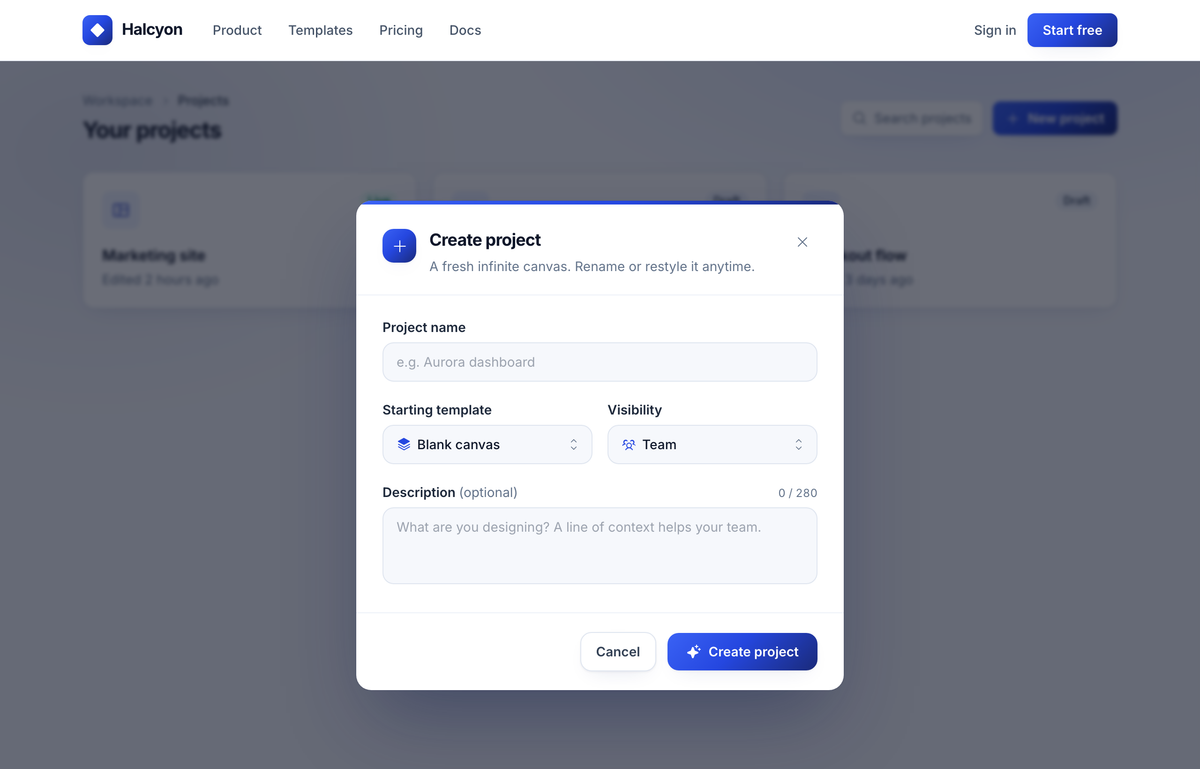
A centered 'Create project' form modal in cobalt→navy over a dimmed product workspace: gradient icon header, text input, a two-up template/visibility select row, a counted description textarea, and Cancel / Create project actions.
Summary
A centered 'Create project' form-modal dialog floating over a dimmed, blurred product workspace (a 'Your projects' app shell with breadcrumb, search, and ghost project cards). White rounded-2xl dialog with a cobalt→navy accent rail across the top, a gradient app-icon + title/subtitle header, a vertically stacked form (text input, a two-up template/visibility select row, a character-counted description textarea), and a right-aligned Cancel / Create project footer. The whole thing sits on a brand-consistent Inter, cobalt-on-ink-neutral landing page with a sticky nav, three-up feature strip, and a dark footer.
Style
Clean, modern SaaS product UI. Inter throughout, near-black ink text on white, a single saturated cobalt brand color that deepens into navy via a 135° gradient used on every primary surface (logo tile, primary buttons, icon tiles, the dialog accent rail). Soft elevation: subtle multi-layer shadows, generous rounded corners (xl/2xl), and a faint cobalt grid + radial wash behind the workspace. The modal reads as the single focal point because everything behind it is dimmed by a navy 60% scrim with a 2px backdrop blur.
Layout & Structure
A single full-bleed page: sticky top nav, then a min-h-[820px] workspace section (the dimmed app shell) that hosts the absolutely-positioned modal overlay, then a three-up feature strip, then a dark footer. The modal is the hero — a max-w-[520px] dialog centered over a navy scrim, with stacked form regions divided by hairline rules.
Sticky nav
Dimmed workspace shell (modal backdrop)
Modal dialog shell
Dialog header
Form body
Dialog footer
Feature strip + footer
Special Notes
Single brand gradient (135deg #3a62f5→#2547e0→#1a2a7a) is reused on EVERY primary surface — keep it consistent. The modal must float over a real, populated workspace that is dimmed, not a blank backdrop; that contrast is what sells the focus. Mobile reflow: dialog overlay switches from center-aligned to top-aligned (items-start, py-16), the template/visibility row collapses to one column, and footer buttons go full-width in reverse order (primary on top). Inter only, no em-dashes anywhere in copy.