Design prompts for modals
A modal earns its interruption or it annoys. The good ones show up only for a decision that truly has to be made now, name the object and the consequence in plain language, give you one clear action and an easy way out, and never grow past the screen. The prompts below are the most-copied modal and dialog designs in the Superdesign library, from destructive confirm dialogs and command palettes to image lightboxes, consent modals and form dialogs. Open any one to see the exact prompt behind it, then tweak the copy and generate your own editable version in seconds.
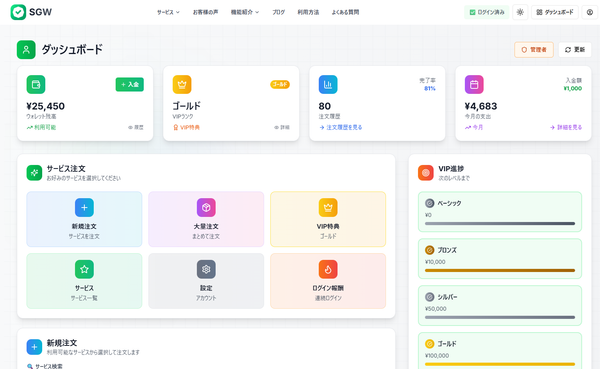
SGW - Enhanced Modal Interaction
Increase the height of the "今すぐ注文を確定する" (Confirm Order Now) submit button. Make it larger and more prominent - increase the padding and font size to make it a more substantial, clickable button that stands out more in the form.
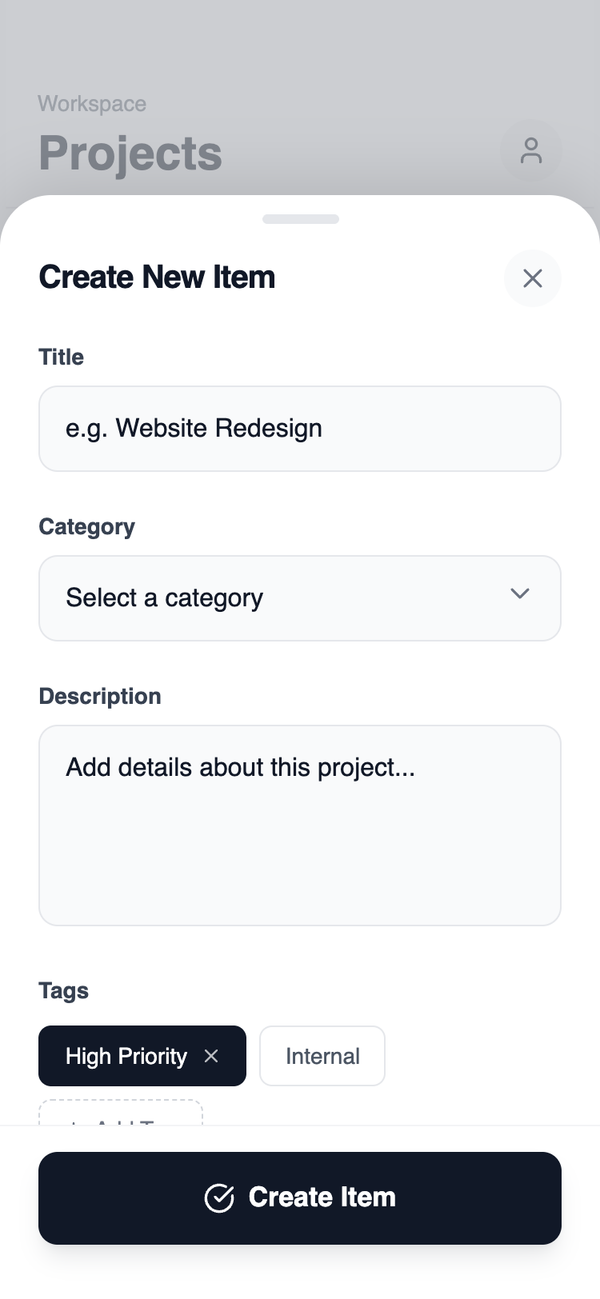
Bottom Sheet Creation Flow
Best Use Case: Quick, interruptible creation actions that should not break browsing or navigation context. Examples: quick add, comments, replies, short forms, quick settings.
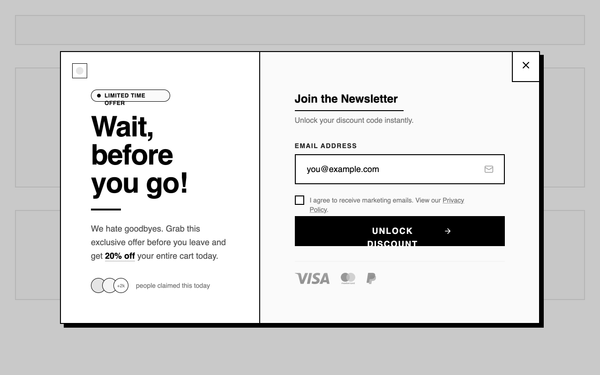
Overlay - Exit Intent Overlay
A wide overlay triggered on exit intent, split into two visual columns. One side communicates the offer value, the other side contains the input or action. Preserves some page context while still creating urgency. Best suited for Abandoning users, cart or PDP exit recovery, brands optimizing bounce-rate recovery without fully blocking content.
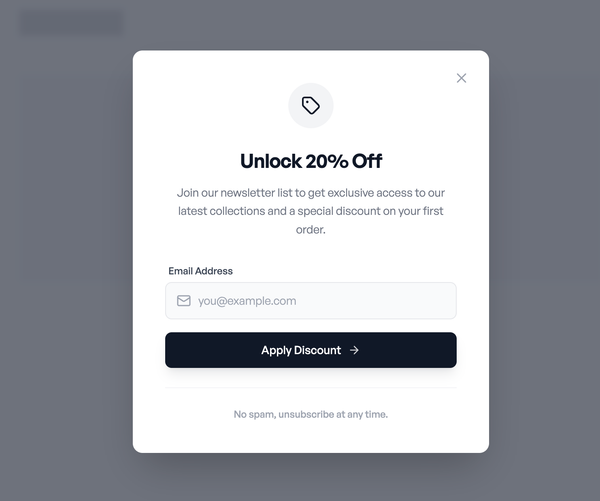
Offer overlay- Centered Offer Modal
A centered overlay modal that blocks the page content and focuses attention on a single promotional message. Contains a clear headline, short explanatory text, one primary input or CTA, and a visible close action. Designed for maximum visibility and message clarity. Best suited for First-time visitor discounts, email capture offers, high-intent landing pages where interruption is acceptable.
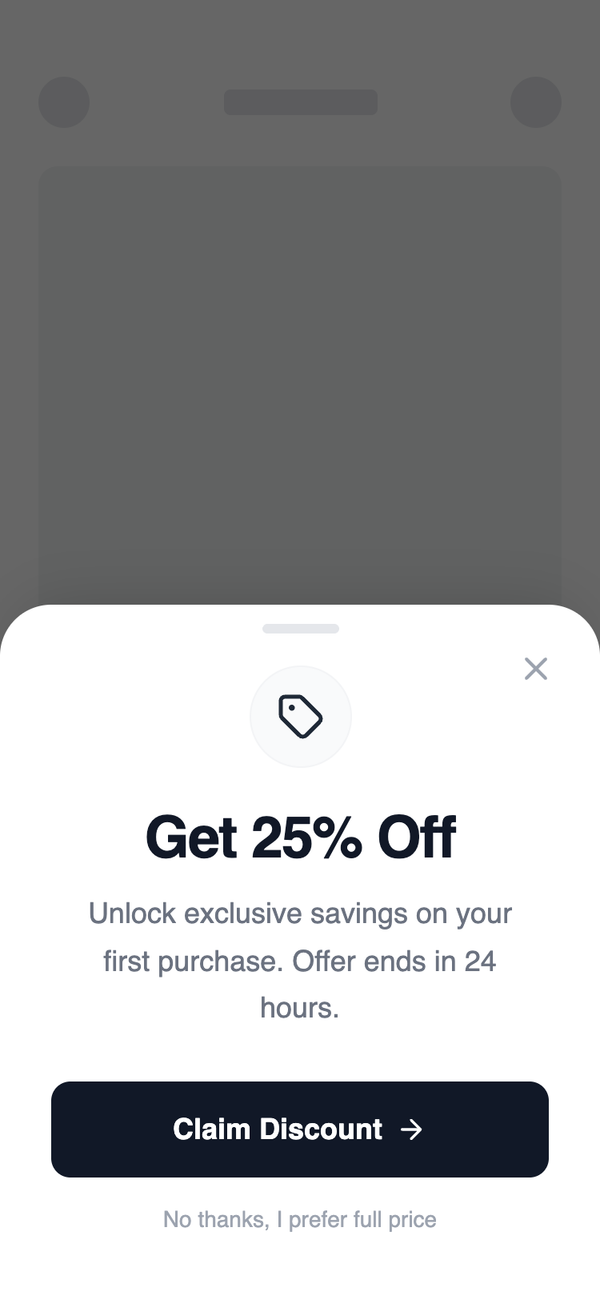
Fully Responsive Bottom Sheet & Modal
A non-blocking overlay that slides up from the bottom of the viewport. Keeps content visible while introducing a persistent promotional CTA. Easy to dismiss and less disruptive than full modals. Best suited for Mobile-first experiences, repeat visitors, subtle promotions, brands sensitive to intrusiveness.
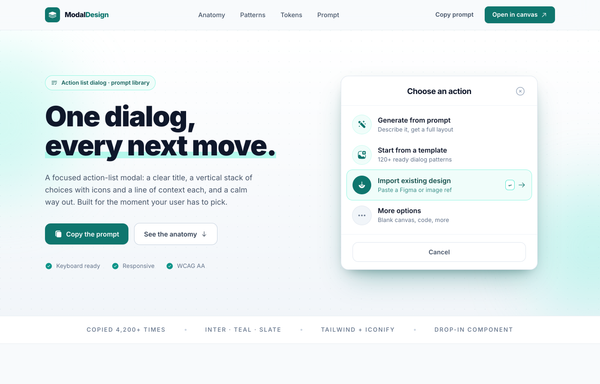
Action List Modal - Teal
An action-list modal as the live hero of a product page: a white max-w-[420px] rounded-2xl card with a bold centered title 'Choose an action', four action rows (circular icon + label + one-line description) where the 3rd row is highlighted with a teal tint, ring, filled teal icon, a return-key kbd and a right chevron, plus a corner close and a full-width Cancel footer, floated over a teal dot-grid in a teal-glow shadow. Around it: a frosted sticky nav, a hero with a highlight-marker headline, an uppercase trust strip, a four-card Anatomy band (Title / Action rows / Affordance / The way out), a full-bleed dark teal-950 Patterns band, a Design-tokens band with a rest/selected/disabled row-spec, a 'prompt.txt' CTA code panel and a footer. White-on-slate with a single reserved deep-teal #0f766e accent; Inter, Solar icons.
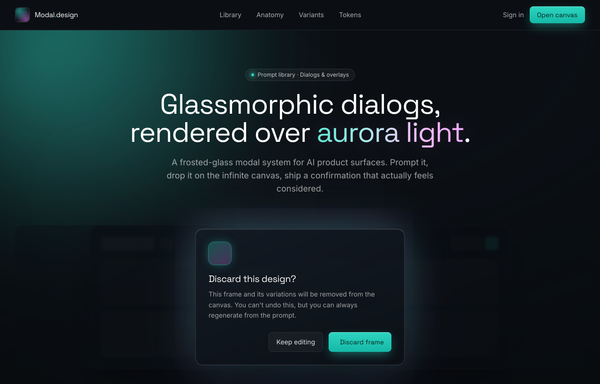
Aurora Glass - Frosted Dialogs Over Living Light
A glassmorphic confirm-dialog system rendered over a living aurora: a near-black ink canvas lit by blurred aqua + magenta radial blobs, with every panel frosted glass (22px backdrop-blur), and a frosted Discard-this-design dialog floating over a blurred faux-app and a dimmed scrim, lit by its own aqua/magenta glow, on a full pattern-library page (anatomy, five-intent variants, copyable tokens).
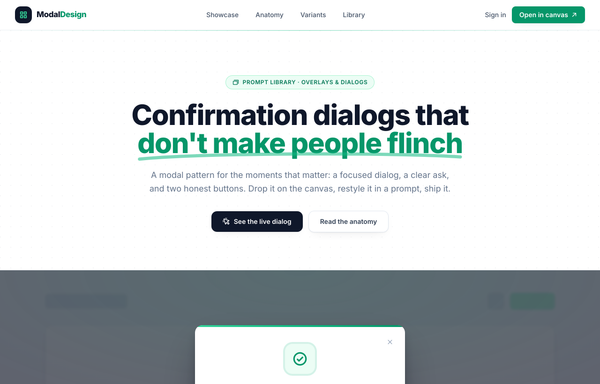
Confirmation dialogs that don't make people flinch
A clean light-SaaS marketing page anchored on one confirmation dialog rendered live over a dimmed, blurred page: a white rounded-2xl modal with an emerald top accent bar, a soft-ringed emerald check icon, a question title plus plain-language body, a quiet Cancel and a filled primary action (stacked primary-on-top on mobile), and a lock reassurance line, with the same skeleton reshown as emerald-confirm, amber-warning and rose-danger variants.
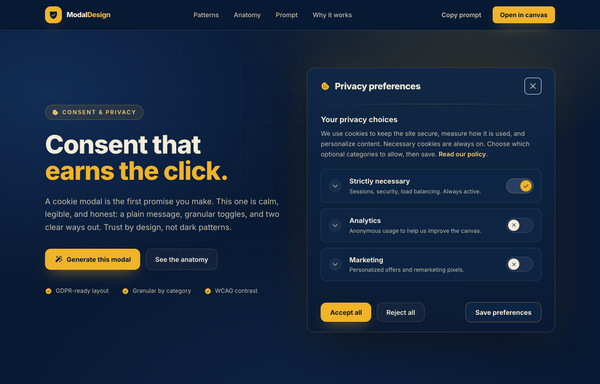
Consent That Earns the Click - A Navy & Amber Privacy Modal
A trust-first cookie consent / privacy-preferences modal as the live hero centerpiece of a product page: a navy 'ticket' dialog (#0e2748 -> #081933) with a cookie title + close, an amber divider, an honest message with a 'Read our policy' link, three category rows (Strictly necessary locked-on, Analytics + Marketing pill toggles defaulting off), and a balanced Accept all / Reject all / Save preferences footer, floating on a deep-navy aurora field with a faint grid. Around it: a frosted sticky nav, a 4-up patterns grid, a numbered anatomy band with a mini callout dialog, a 3-up 'why it works' trust band and a prompt.txt CTA card. Cream-on-navy at WCAG-AA contrast with a single reserved amber #f0b429 accent (no dark patterns). All Inter, Phosphor icons.
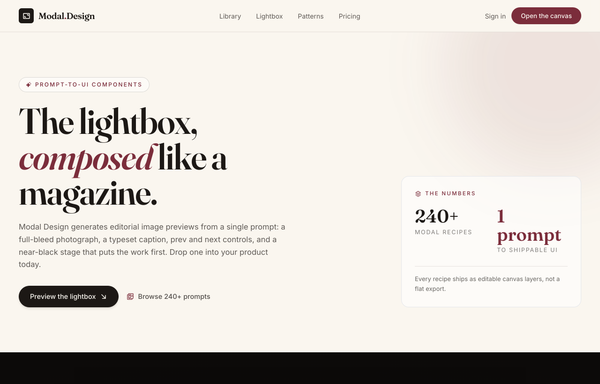
Editorial Image Lightbox
An editorial image lightbox modal as the live hero of a product page: a near-black coal (#0c0a09) figure with a top rail (serif 04/28 plate counter + 'Aperture Series' label, scrollable category filter pills, a circular close), a full-bleed photograph with circular glass prev/next carets and a bottom legibility gradient, and a cream (#faf6ef) caption panel (burgundy location eyebrow, a Fraunces headline, a description, Save / Copy-prompt actions), floated over a vignetted grain stage with a faded 3-up gallery echo behind and an 'Esc / arrows / 28 plates' keyboard ticker beneath. Around it: a frosted sticky cream nav, a hero with a stats card, a 3-up library grid, a four-cell anatomy band, a dark CTA band and a coal footer. Ink-on-cream editorial with a single reserved burgundy #7b2d3b accent; Fraunces + Inter, Phosphor icons.
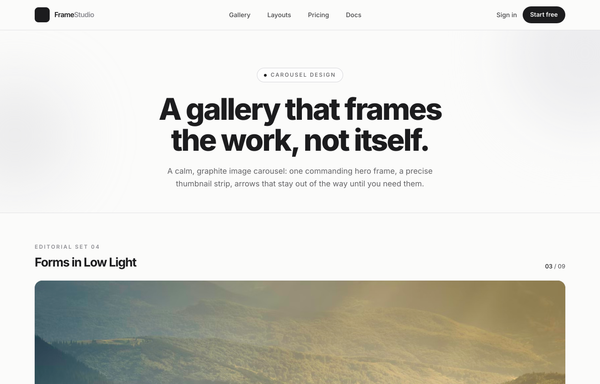
Forms in Low Light - A Graphite Image Carousel
A calm, editorial image carousel built as a complete one-screen gallery landing on a graphite + off-white 'paper' palette with a single platinum accent. A sticky translucent paper nav over a centered hero band (a 'Carousel Design' pill eyebrow, an extrabold tight-tracked 'A gallery that frames the work, not itself.' headline, a muted intro line), then the carousel: a meta row ('Editorial Set 04' / 'Forms in Low Light' + an '03 / 09' counter) above a single commanding 16:9 hero frame on a near-black graphite stage with a soft bottom vignette, quiet glass prev/next caret arrows that stay calm until hover, a bottom-left 'Frame 03 / Ridge at Dusk' caption, a bottom-right glass play/fullscreen cluster and centered dot pagination, synced to a horizontally-scrolling thumbnail strip whose active thumb wears a double-ring highlight (the rest at 55% opacity, brightening on hover, the right edge masked). Below: a hairline-gridded three-up feature row, a full-bleed dark graphite palette section with a four-swatch ramp (#1c1c1e / #2c2c2e / #c7c7cc / #fbfbfa) and an 'Open the editor' CTA, and a paper footer. Inter throughout with tight display tracking.
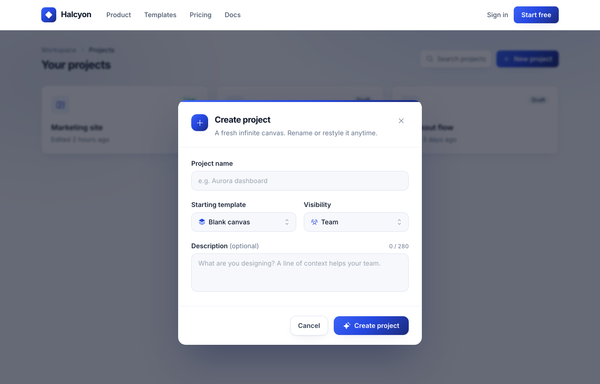
Halcyon - Create project (form modal, cobalt→navy)
A centered 'Create project' form modal in cobalt→navy over a dimmed product workspace: gradient icon header, text input, a two-up template/visibility select row, a counted description textarea, and Cancel / Create project actions.
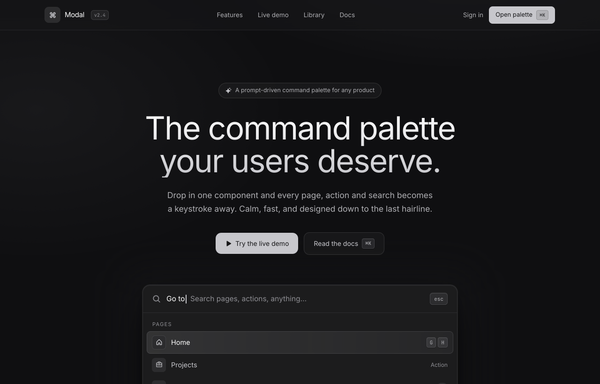
Modal - the command palette your users deserve
A calm graphite dark command-palette landing page on a near-black canvas lit by two faint platinum washes: a focused ⌘K palette floats as the hero centerpiece (deep multi-layer shadow, live search with a blinking caret, a grouped Pages/Actions/News list of icon rows with mono keycaps, and a hint bar), over a sticky blurred nav, a hairline-divided features band + mono stat strip, a radial-lit npm-install CTA, and a footer. No accent hue - hierarchy is all platinum-on-graphite, Inter for UI + JetBrains Mono for every keycap and numeral.
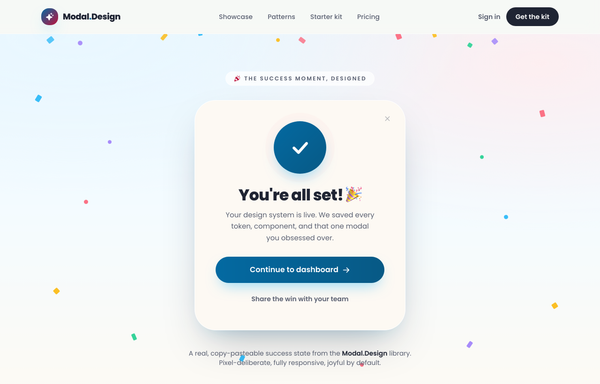
Modal Design · success-celebration (pastel) - legibility fixed
A joyful pastel success-celebration modal as the live hero centerpiece of a product page: a rounded-5xl cream dialog with an animated deep-sky checkmark badge (pulsing rings + a drawn check), a 'You're all set! 🎉' headline and a deep-sky gradient CTA, floating over a soft sky-to-cream field full of gently floating multicolor confetti, a frosted-glass sticky nav, a 3-up pattern-library grid, a starter-kit split with a stacked upgrade-dialog preview, and a dark ink CTA band. Legibility-fixed: bright sky/coral stay decorative while every text + CTA tone uses deepened >=4.5:1 variants. All Poppins, Phosphor icons.
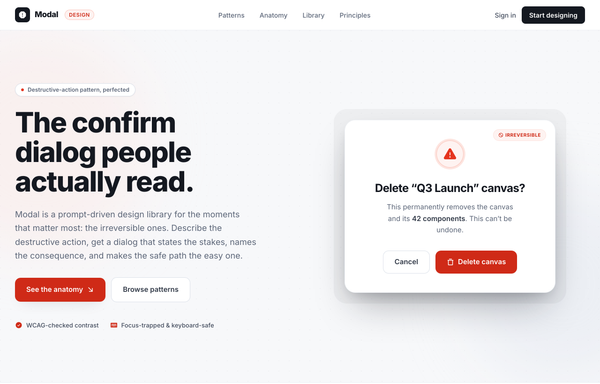
Modal: Destructive confirm dialogs, designed right
A destructive-confirm modal in a clean white + ink + signal-red system: a centered white dialog lifted by one soft shadow, a pulsing red warning icon, an 'Irreversible' chip, a specific named title, a quantified 'this can’t be undone' consequence line, and a paired quiet Cancel / red Delete action, on a full pattern-library page (anatomy, good-vs-bad, principles).
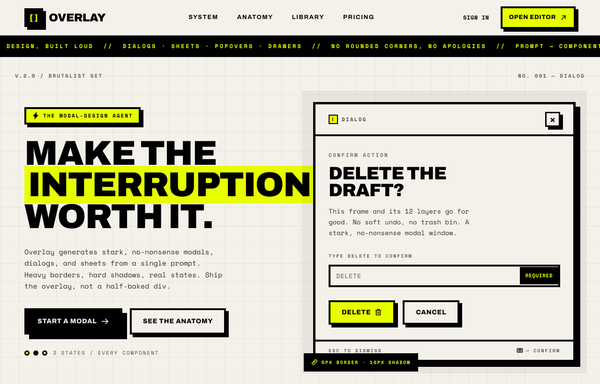
OVERLAY - Modal Design, Built Loud (brutalist / acid)
A loud neo-brutalist / acid-yellow modal landing page anchored by a confirmation dialog: thick black borders, hard offset shadows, no rounded corners, Archivo black + Space Mono on a paper grid backdrop.
How to prompt a modal that looks designed, not generated
An AI design agent has a strong default for every part of a modal, and most of those defaults are wrong: a dark purple gradient, an "Are you sure?" title in Inter, three look-alike buttons, no way out, and a panel that grows past the screen. A good prompt is really a list of constraints that override those defaults. Here is each default you need to override, the words that do it, and a template that bakes them all in.
Design a modal dialog for [the one decision it forces, e.g. delete a project]. Use a modal only because this choice is high-stakes and has to be made now.
Title and body: a specific title that names the object ([the object]) and a one-line body that names the consequence ([what happens, e.g. removes 14 designs, cannot be undone]). No "Are you sure?".
Actions: one verb-named primary ([the action, e.g. Delete project]) and a quiet Cancel. Put them in the footer, primary on the right, and set keyboard focus on the primary. For a destructive action, color the primary as a warning.
Dismissal and accessibility: a visible close X, close on Escape and on a click outside, move focus into the dialog on open and back to the trigger on close, trap Tab inside, and add role="dialog" with aria-modal and aria-labelledby.
Size and scroll: cap the height around 85vh, keep the header and footer fixed, and let only the body scroll. Never scroll horizontally.
Style: a neutral surface ([light or dark]) with one accent color reserved for the primary action, a named typeface (not the default Inter), and left-aligned text. Dim the page behind with a scrim.
States: include the loading and error states for the action, not just the happy path.
When to interrupt
Default: It reaches for a modal for anything: a newsletter, a feature tour, a cookie banner, a non-urgent tip, each one blocking the page over something the user never asked about.
Constrain it: Name the high-stakes moment that justifies stopping someone, like deleting an account or confirming a payment. Everything else stays inline or in a toast.
Title and body
Default: It writes a vague "Are you sure?" with a generic "this action cannot be undone" line, so the user cannot tell what they are agreeing to.
Constrain it: Name the object in the title and the consequence in the body: "Delete the Q3 Launch project? This removes 14 designs and cannot be undone."
One clear action
Default: It drops three look-alike buttons such as Confirm, Yes and OK, all the same weight and none of them naming the action, so nothing says which one is safe.
Constrain it: Name one verb-named primary action and a quiet Cancel, put the primary on the right with keyboard focus, and color a destructive action as a warning.
Dismissal and focus
Default: It builds the happy path only: no close button or Escape, focus stays on the page behind, Tab leaks out, and there is no role for a screen reader.
Constrain it: Ask for a visible X, Escape and click-outside to close, focus that moves in and returns to the trigger, a Tab trap, and the dialog ARIA roles.
Size and scroll
Default: It lets the modal grow with its content, so a long dialog runs off the top and bottom of the screen and the action button sits out of reach.
Constrain it: Cap the height around 85vh, keep the header and footer fixed, and let only the body scroll. Never scroll horizontally.
Look and type
Default: Left alone it picks a dark purple gradient, the Inter typeface, and centered text: the look of every AI modal on the internet.
Constrain it: Name a neutral surface, one accent color reserved for the primary action, a real typeface, and left-aligned text, with the page dimmed by a scrim behind.
Frequently asked questions
What makes a good modal dialog?
It earns the interruption. A good modal shows up only for a decision that truly has to be made now, names the object and the consequence in plain language, gives one clear action plus an easy way out, and never grows past the screen. Restraint and clarity matter more than any animation.
When should you use a modal instead of a page?
Use a modal for a short, high-stakes decision the user must resolve before continuing, such as confirming a delete or a payment. Nielsen Norman Group recommends modals only in high-stakes situations, since they block everything else. If the task needs research, multiple steps, or content from the page behind it, give it a full page instead.
Why does my AI-generated modal look generic?
Because a vague prompt gets the model defaults: a dark purple gradient, an "Are you sure?" title in Inter, three look-alike buttons, and no real way out. Name the specific decision, a clear title and body, one verb-named primary action with a quiet Cancel, the close and focus behavior, and one accent color on a neutral surface, and it stops reaching for the average.
How do you make a modal accessible?
Move keyboard focus into the dialog when it opens and return it to the trigger when it closes, trap Tab inside while it is open, let Escape and a click outside close it alongside a visible close button, and add role="dialog" with aria-modal and an aria-labelledby that points at the title. The native HTML dialog element with showModal handles much of this for you.
How do you write a prompt to generate a modal UI?
Describe the brief, not the vibe: the one decision the modal forces, a title that names the object and a body that names the consequence, one primary action and a quiet Cancel, the close and focus behavior, the height cap with a scrolling body, and one accent color on a neutral surface. The template above walks through each part, and you can open any example here to see a full prompt that works.