Design prompts for sign up pages
A sign up page has one job: get the right person into the product with as little friction as possible, while giving them just enough reason to bother. The ones that convert ask for two or three fields, not ten, lead with social sign in so most people never touch the form, keep one clear primary action, and pair the form with a panel that says what you actually get. The prompts below are the most-copied sign up, login and auth designs in the Superdesign library, from playful split layouts to social-first mobile screens and editorial brand panels. Open any one to see the exact prompt behind it, then tweak the copy and generate your own editable version in seconds.
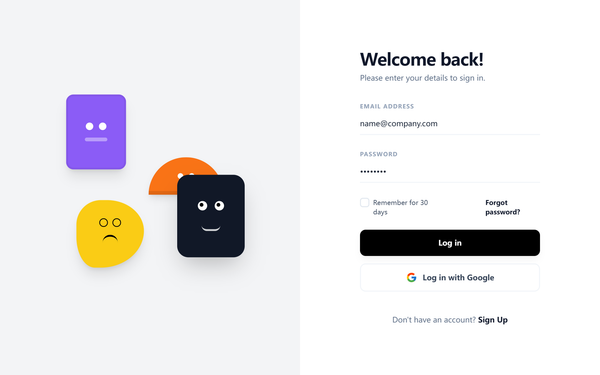
Playful Split-Layout Login
A playful and modern split-layout design system ideal for authentication and onboarding screens. It balances a minimalist, high-contrast user interface with a vibrant, creative brand side featuring floating geometric 'character' illustrations. Key features include editorial typography using the Satoshi font, a neutral-to-vivid color palette (#F3F4F6, #8B5CF6, #111827, #F97316, #FACC15), and subtle micro-interactions like growing underline focus states and 6-second ease-in-out float animations. Perfect for fintech, SaaS, ed-tech, and design-led digital products.
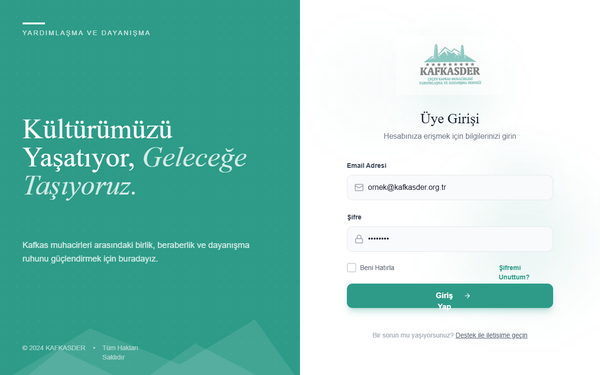
KAFKASDER Premium Animated Login
A premium split-screen login page featuring a deep teal color palette, elegant editorial serif typography, and sophisticated micro-interactions. Includes organic floating particle animations, mountain-inspired clip-path graphics, and glow-based focus states. Ideal for NGOs, heritage brands, cultural organizations, or upscale SaaS platforms looking for a trust-building, academic, and modern aesthetic.
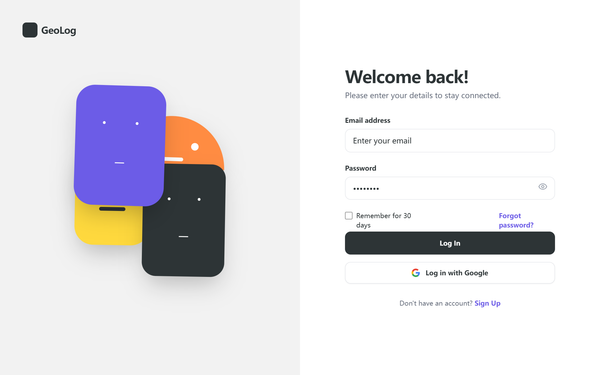
Cuter Mini-Geometric Login Page
A playful, modern login interface featuring a minimalist geometric illustration style with 'kawaii' character aesthetics. The design balances professional clean layouts with vibrant, animated shapes. Utilizing a split-screen approach, it pairs a charcoal-and-purple primary palette with pops of orange and yellow. Ideal for ed-tech, creative SaaS platforms, Gen-Z focused fintech, or lifestyle applications that want to convey personality and friendliness without sacrificing professional usability. Includes floating CSS animations, rounded UI components, and high-quality typography pairing.
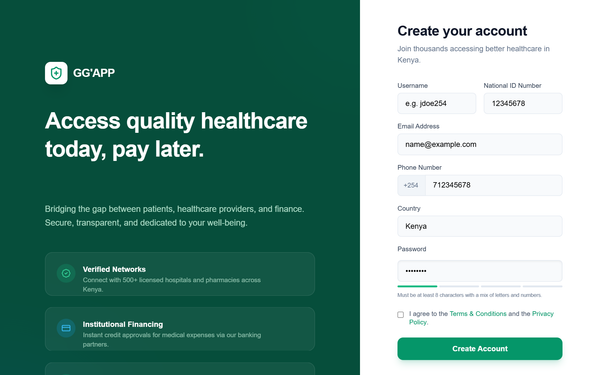
GG'APP Multi-Role Auth & Enhanced Login
A professional healthcare-focused authentication system featuring a dual-pane layout with emerald and sky blue accents. Optimized for multi-role platforms (patients and service providers), it uses a clean, modern aesthetic with editorial typography (General Sans and Satoshi), glassmorphism elements, and subtle micro-interactions. Suitable for fintech, healthcare, and SaaS dashboards requiring secure login and registration flows.
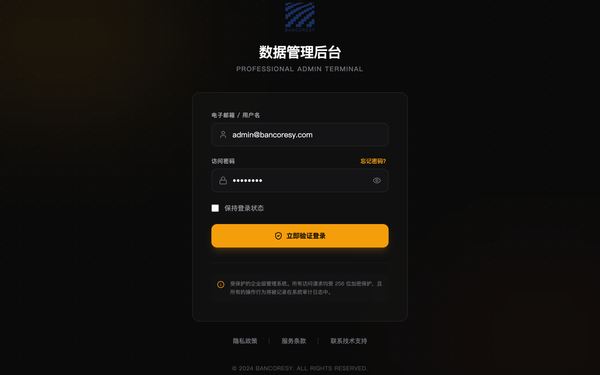
Bancoresy Admin Login - Enhanced Background
A professional, high-end administrative login system featuring a sophisticated layered background, glassmorphism card components, and a premium color palette of gold, amber, and neutral zinc. Optimized for fintech, enterprise SaaS, or secure data management portals. Design highlights include architectural geometric line patterns, soft gradient blobs for depth, and crisp typography using Satoshi and Cabinet Grotesk. Layout features a centered, high-contrast modal with elegant micro-interactions like scale-on-click and smooth fade-in animations.
KAFKASDER Login
A sophisticated teal and slate modern login interface designed for professional SaaS, fintech, or educational platforms. This style features a clean editorial look using Plus Jakarta Sans typography, high-contrast slate text, and vibrant teal accents. The layout incorporates a center-aligned card with generous padding, subtle glassmorphism on auxiliary elements, and dynamic, organic background animations using 'blob' keyframes. Key features include highly accessible form fields with iconography, focus-driven micro-interactions, and a distinctive 2px top accent bar.
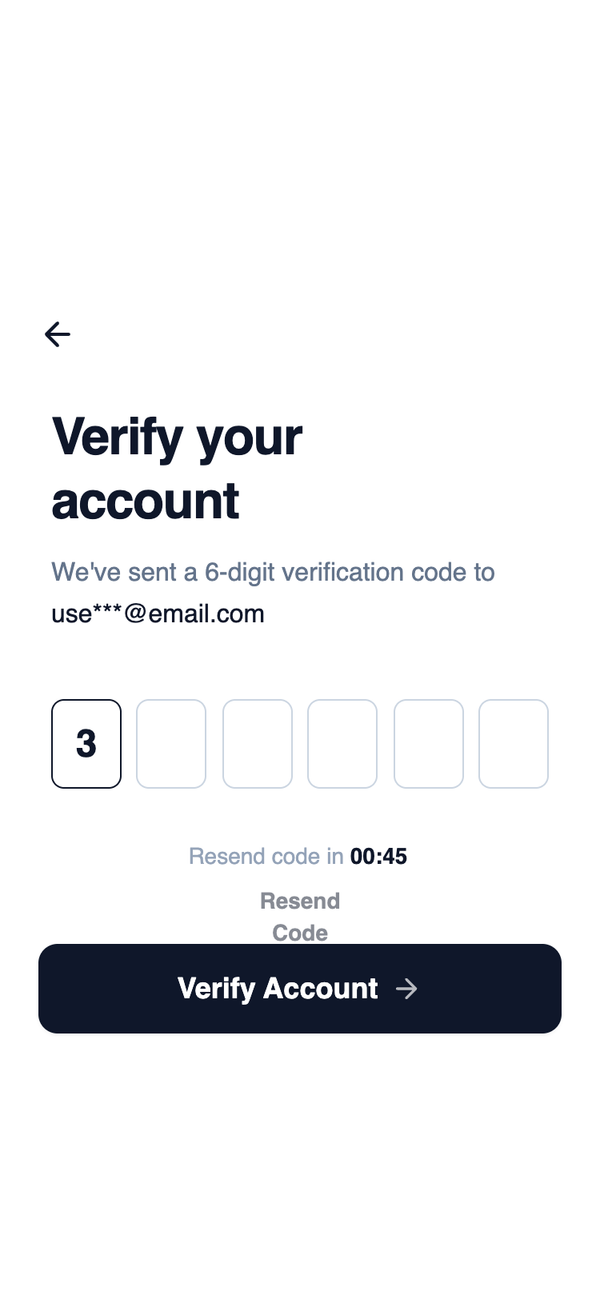
Mobile OTP Verification
A highly focused layout centered around horizontally aligned OTP input fields. Supporting actions are secondary and visually subdued, keeping attention on code entry and completion.
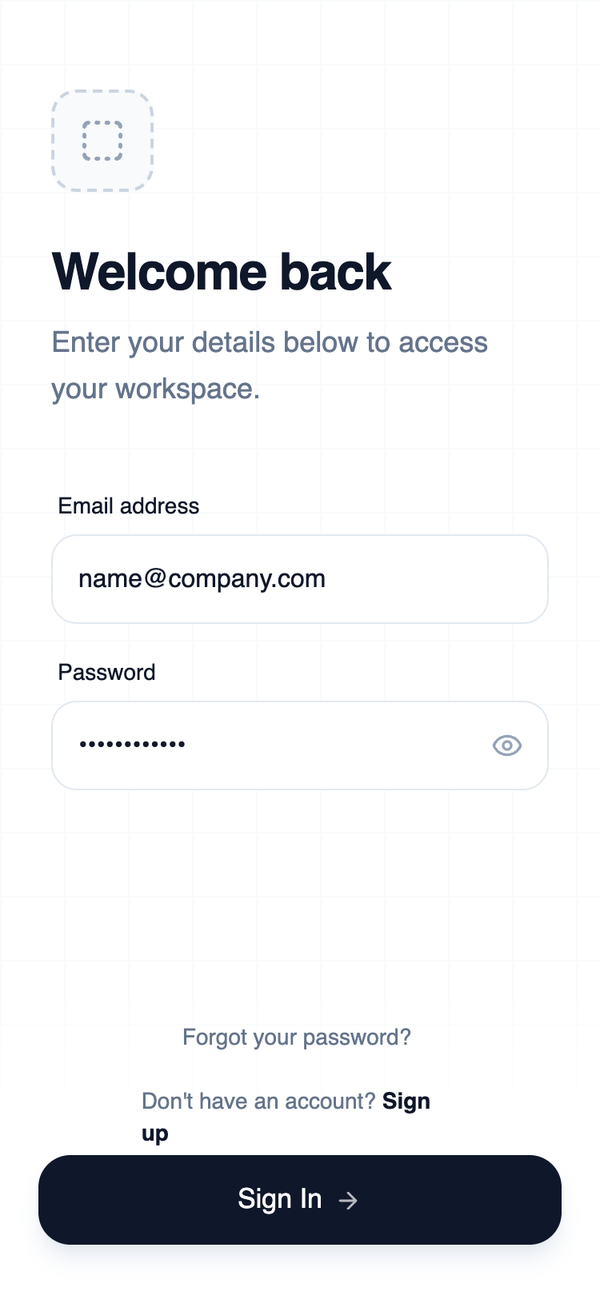
Minimalist Wireframe Login
A high-contrast, minimalist mobile login wireframe optimized for thumb reach and ergonomic ergonomics. It features a slate-heavy palette, industrial-style grid textures, and clean 'General Sans' typography. Suitable for SaaS dashboard entry, fintech authentication, developer tools, and high-end enterprise mobile applications requiring a professional, focus-oriented interface.
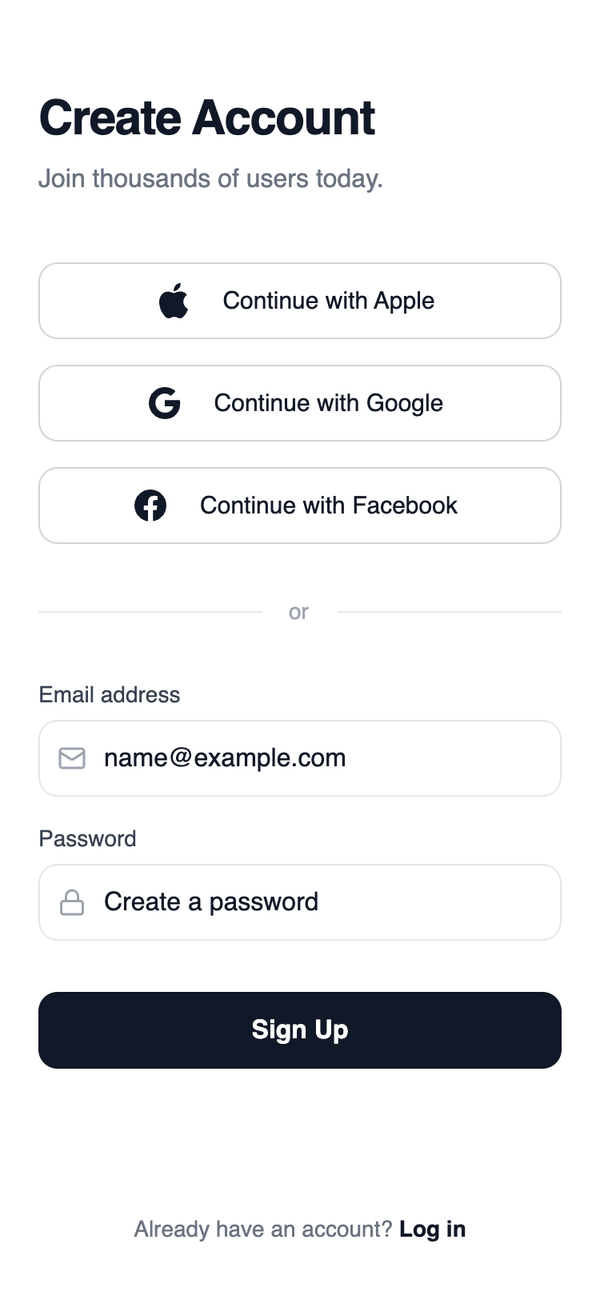
Social first sign up
A minimalist, high-fidelity mobile authentication wireframe optimized for social login conversion. Features a grayscale palette (blacks, whites, and specific gray scales), sophisticated typography using Plus Jakarta Sans, and high-contrast touch targets. Ideal for SaaS, fintech, or any modern mobile application onboarding where social sign-in is the primary user journey. The layout focuses on clean vertical stacks, 48px touch heights, and subtle micro-interactions like scale-down on press and smooth border transitions.
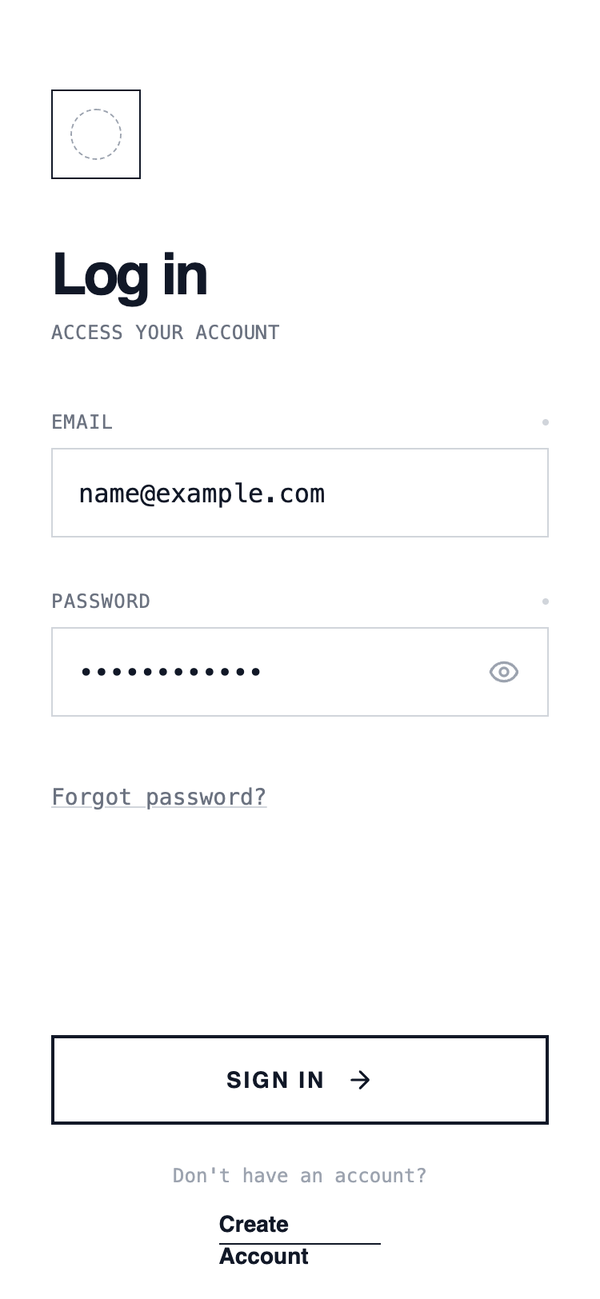
Column Authentication
A classic single-column authentication layout with vertically stacked inputs and actions. Optimized for clarity and speed, this layout guides the user top-to-bottom with minimal cognitive load and works well for fast login scenarios.
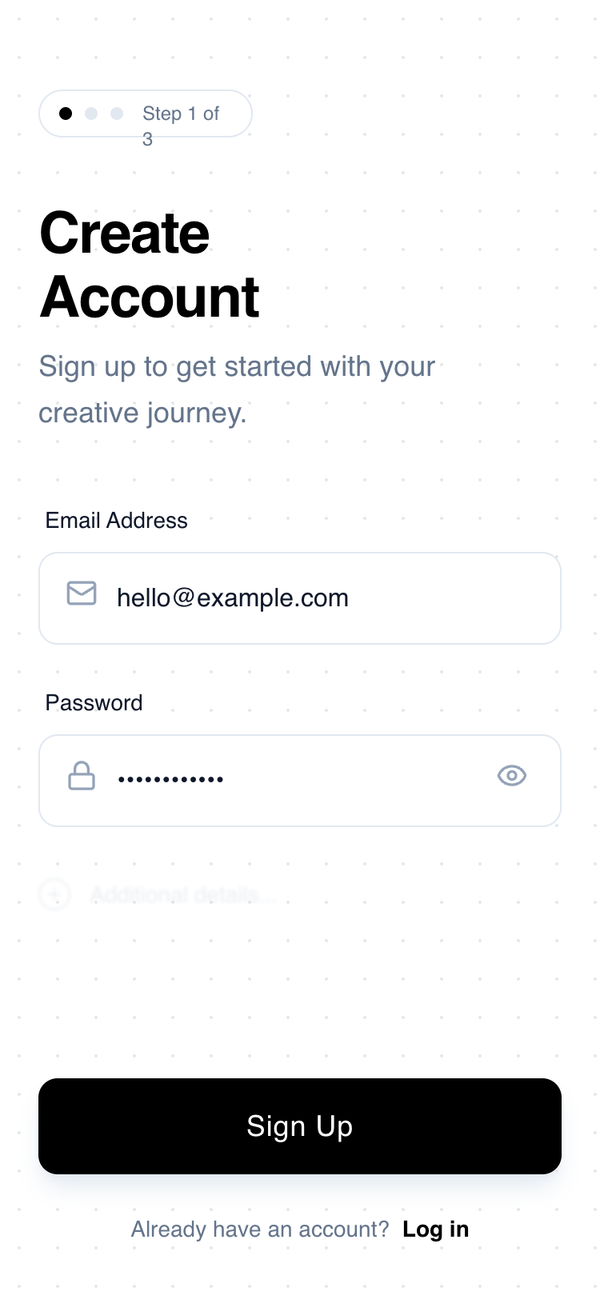
Progressive Sign-Up
A minimal, high-contrast mobile sign-up interface inspired by architectural wireframes. Characterized by a monochrome palette, geometric typography, and a progressive disclosure pattern. This design uses generous whitespace, a subtle dotted grid background, and tactile interaction states. Ideal for design-centric apps, creative tools, SaaS onboarding, or minimalist fintech products where clarity and reduced cognitive load are paramount.
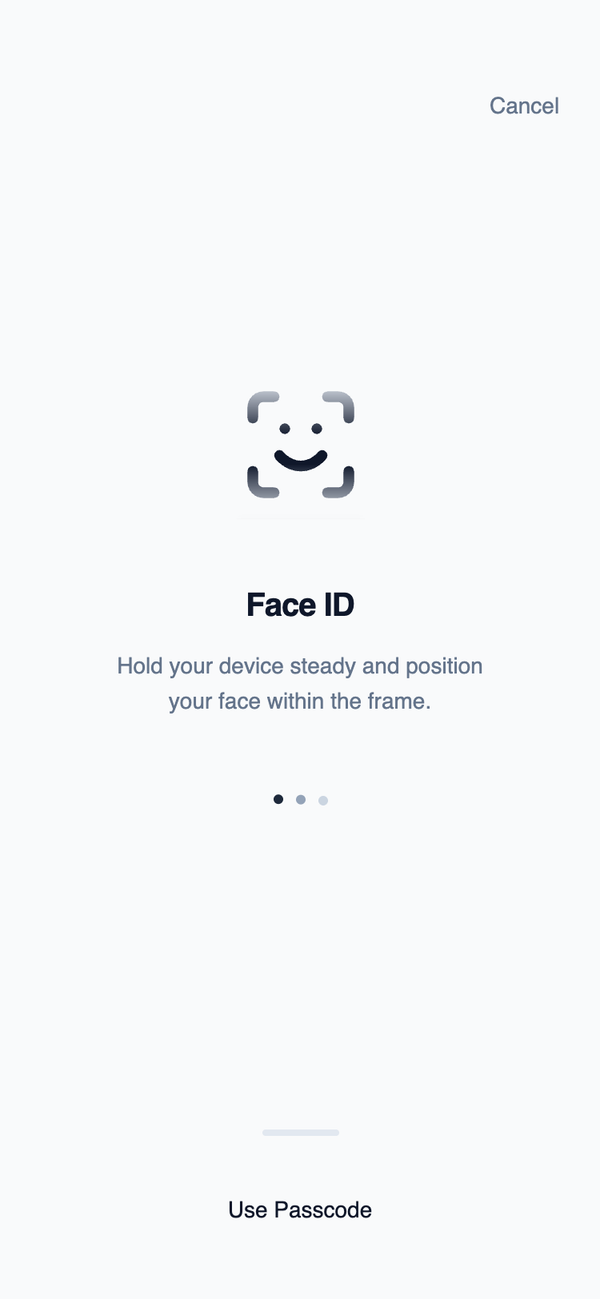
Biometric Authentication
A modal-like centered layout designed for biometric authentication moments. Minimal text, no buttons, and strong visual focus reflect system-level interactions rather than app navigation.
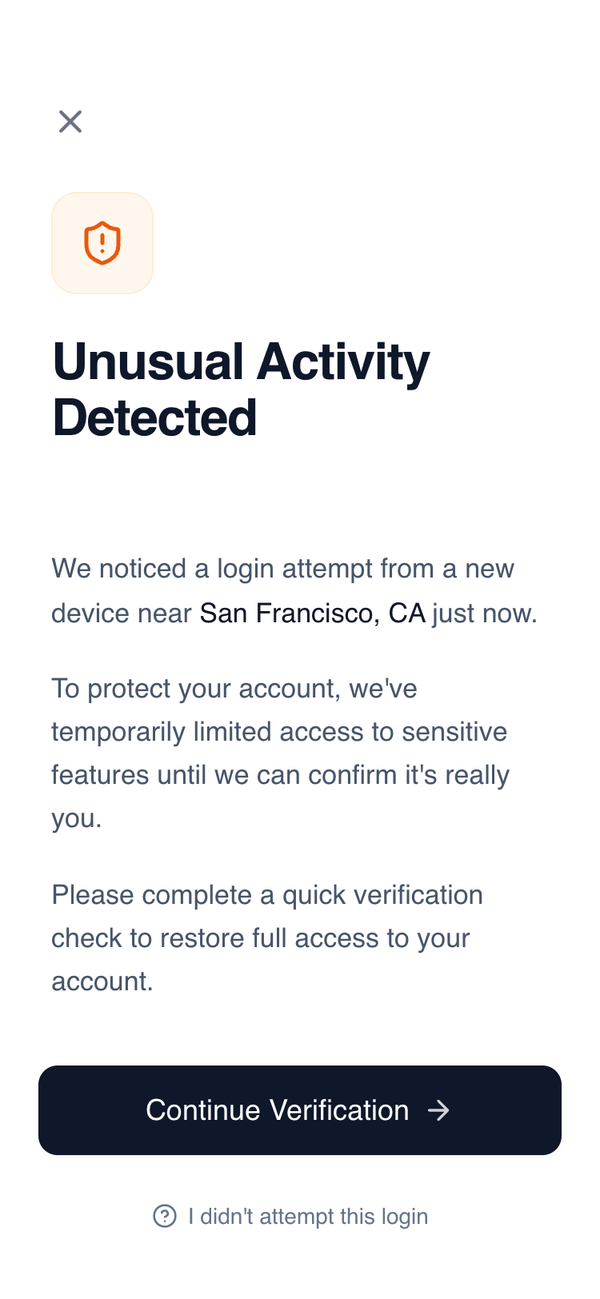
Security Verification Screen
Mobile-first security verification screen with a clean, serious aesthetic designed for high-trust environments like fintech, banking, and SaaS authentication. Features a minimalist palette centered around Slate-900 and White with a warm orange security accent. Layout emphasizes clarity and readability through General Sans typography, generous whitespace (32px horizontal margins), and a sticky action footer with a subtle white gradient mask. Ideal for account protection, identity verification, or alert notification flows.
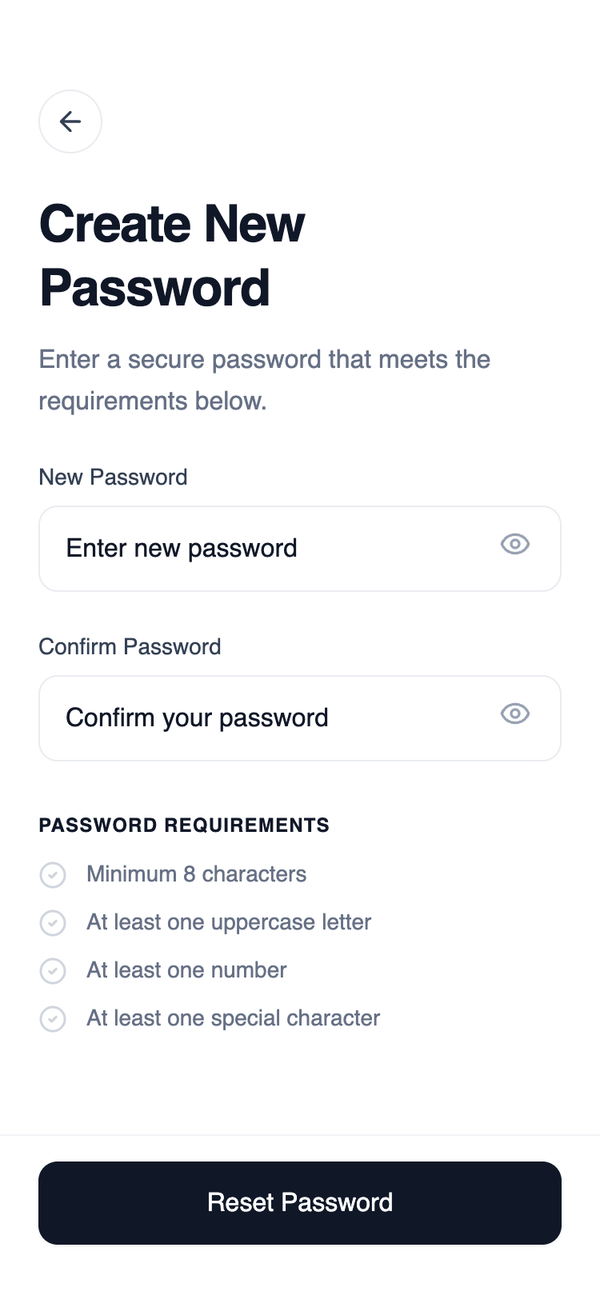
Minimal Reset Password Wireframe
A straightforward, single-input recovery layout that removes all unnecessary navigation. The structure supports fast completion and minimizes confusion during password reset initiation.
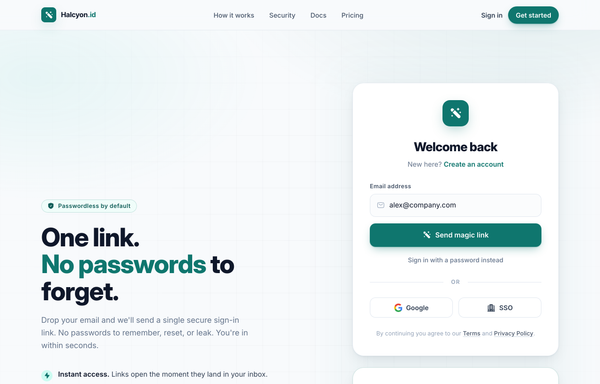
One Link, No Passwords - Passwordless Magic-Link Sign-In
A passwordless 'magic-link' sign-in page on a soft off-white canvas with a single teal accent: sticky nav, a two-column hero (pitch + benefits) beside a magic-link login card AND a 'Check your inbox' success card, plus Google/SSO social, a 3-step how-it-works, and a dark security stat strip.
Sign Up | TruckAda Pakistan
A high-end dark-themed design system featuring glassmorphism, 3D perspective transforms, and an industrial-tech aesthetic. It utilizes a deep navy-to-black palette with vibrant blue and emerald accents. Optimized for high-conversion SaaS, logistics, fintech, and security-focused platforms. The style includes sophisticated typography pairing (Cabinet Grotesk and Satoshi), carbon fiber textures, and scroll-triggered reveal animations. Key features include 3D-tilting cards, shimmer effects, and ultra-modern form layouts with blurred glass backgrounds.
TruckAda | Secure Login
A high-end industrial logistics design system featuring a sophisticated dark mode aesthetic with glassmorphism, 3D interactive transforms, and an editorial-style typographic hierarchy. Built with a deep navy palette (#050811), vibrant blue accents (#2563EB), and subtle emerald highlights, this style is ideal for fintech, SaaS dashboards, logistics marketplaces, and enterprise platforms. It employs heavy Cabinet Grotesk headings and clean Satoshi body text, utilizing scroll-triggered entrance animations and mouse-responsive card tilting. Key components include glass-morphic input fields, shimmer-effect cards, and animated gradient backgrounds with carbon-fiber texture overlays.
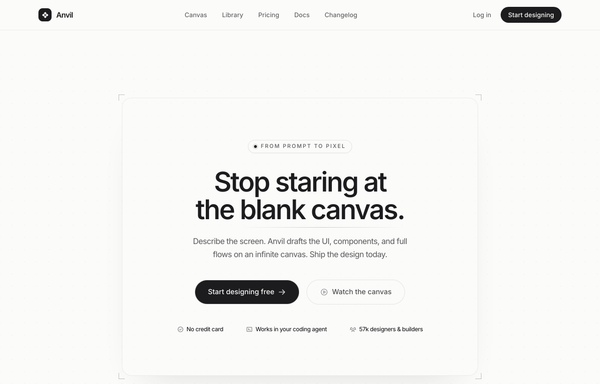
Anvil - Design, generated (minimal mono graphite CTA)
Quiet monochrome graphite-on-paper SaaS landing in Inter, no color accent at all, anchored by a single centered CTA card framed by four corner registration-mark ticks, with a hairline eyebrow pill, a tight headline, one dark graphite primary pill beside a hairline ghost, and a hairline-divided trust line on a faint dotted-grain canvas.
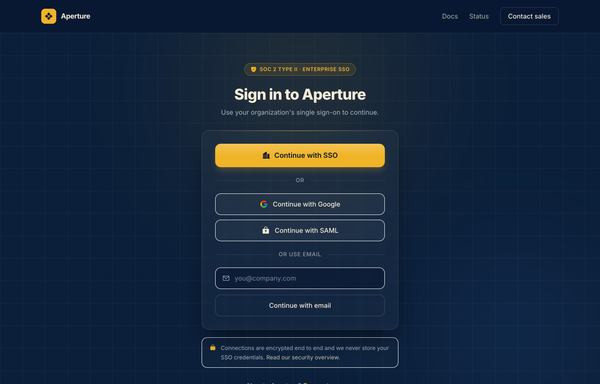
Aperture - Enterprise SSO Sign-In (Navy & Amber)
Enterprise SSO sign-in screen on deep navy with a single amber accent: a SOC 2 trust badge, a primary 'Continue with SSO' button, Google/SAML fallbacks and an email field, all in one centered glass card over a soft amber-glow ambient background. Inter, single-accent navy + amber.
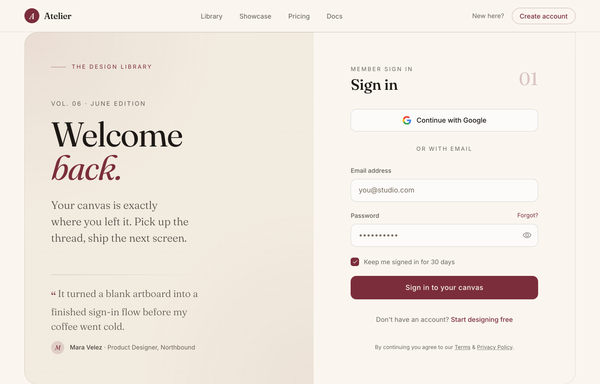
Atelier - Welcome Back (editorial serif burgundy login)
Editorial magazine-style login: warm cream + burgundy palette, oversized Fraunces serif "Welcome back." greeting with a testimonial, split against a clean Google-SSO + email sign-in card.
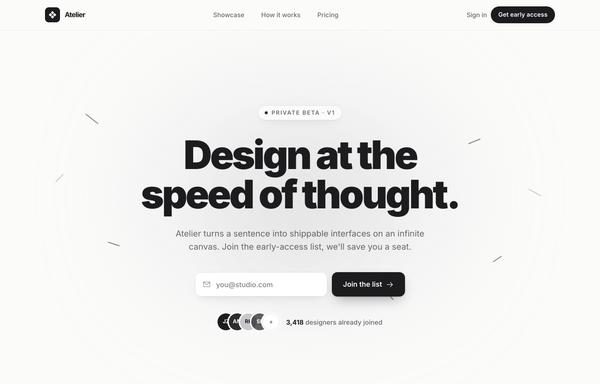
Atelier · Early Access (waitlist-minimal-graphite)
Minimal monochrome graphite-on-paper waitlist / early-access landing for an AI design tool: a warm off-white ground with near-black ink and one platinum grey (no color accent), a big tight black-weight headline, a centered single-field email + button waitlist form with overlapping social-proof avatars, scattered graphite confetti strokes, a logo trust strip, a 3-step how-it-works grid and an inverted full-bleed dark closing CTA.
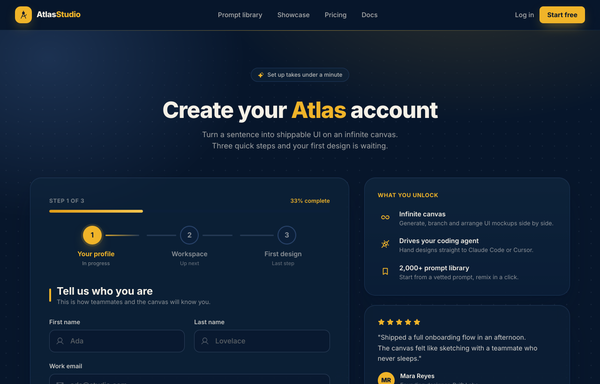
Atlas Studio - Charting Your Account, Step One of Three
Premium dark-navy multi-step signup / onboarding screen (step 1 of 3) for an AI design tool: a 3-step progress tracker, glassy translucent cards on a midnight-navy ground with soft amber glows, a single warm amber accent, focus-reactive fields, a password strength meter, a role selector, and a 'what you unlock' value panel with a testimonial.
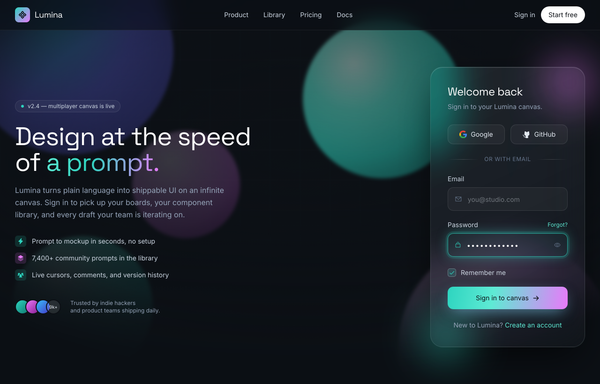
Aurora Glass - Sign in to the canvas
Dark aurora-glass split sign-in screen: frosted glassmorphic auth card with a glowing aqua focus ring and an aqua-to-magenta gradient CTA, floating over neon aurora blobs on near-black ink, beside a product pitch column. Space Grotesk + Inter.
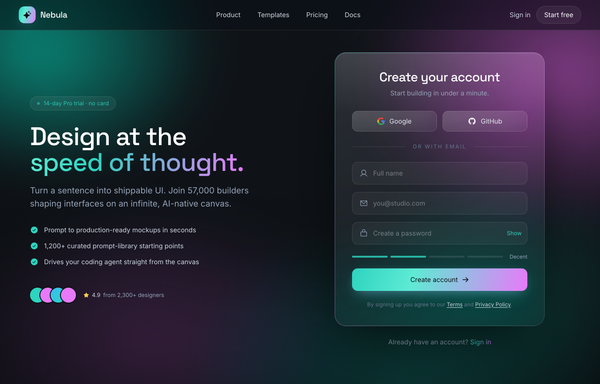
Aurora Glass - Sign Up at the Speed of Thought
A premium dark glassmorphism sign-up screen: a one-screen hero+signup landing on a near-black ink canvas lit by a slow-drifting teal+magenta aurora and film grain, under a translucent sticky glass nav. A two-column hero splits a marketing pitch on the left (a 'no card' trial pill, a Space Grotesk headline with a teal-to-magenta gradient 'speed of thought.' line, a teal-check benefit list and a 4.9-star social-proof cluster) from a frosted-glass auth card on the right that carries a teal-to-magenta gradient edge-light: Google + GitHub buttons above an 'or with email' divider, icon-leading full-name / email / password fields with a Show/Hide toggle and a four-segment strength meter, and a teal-to-magenta gradient 'Create account' CTA. Teal + magenta accents, Inter + Space Grotesk, plus a full-bleed glass trust strip.
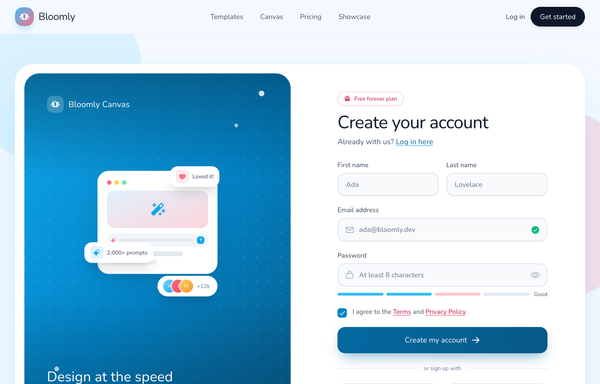
Bloomly - Illustrated friendly-sky split signup
Friendly illustrated split-screen signup for an AI design-canvas product ('Bloomly'): a soft sky-blue ground with one big white rounded card split into a left rich sky-gradient illustration panel (a tilted miniature design-canvas card with a tiny prompt bar, floating reaction/stat chips and an overlapping avatar stack) and a right create-account form, with a sky+coral accent system, chunky Nunito type, a password strength meter, a gradient CTA, Google/GitHub social auth, a sticky translucent nav and a logo trust strip.
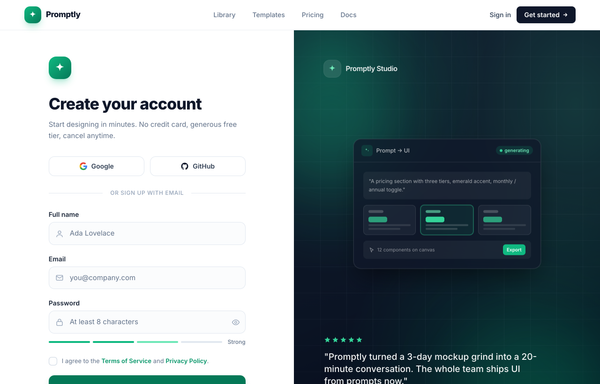
Create your account · Promptly - split-image emerald sign-up
A two-column desktop sign-up page: focused email + Google/GitHub social form on a bright white left half, dark emerald 'brand-mesh' panel with a floating product mock and testimonial on the right; sticky translucent nav, Inter, slate neutrals with a single emerald accent.
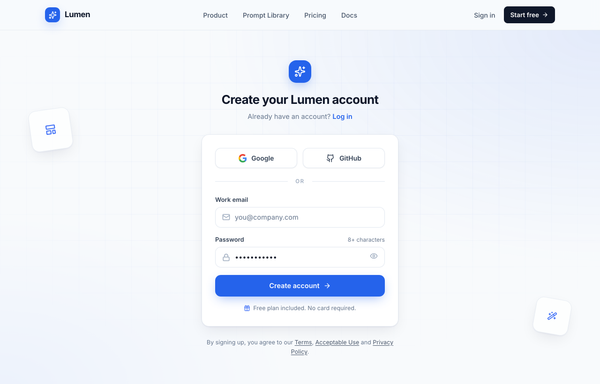
Create your Lumen account - centered card (cobalt)
Centered single-column signup card on a light slate canvas with a sticky blurred nav, Google/GitHub social auth, an email + password form, and a cobalt CTA over a quiet engineering-grid background.
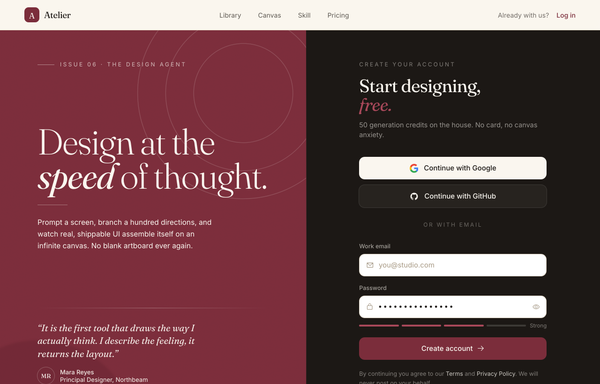
Design at the Speed of Thought - Editorial Split Sign-Up
An editorial, magazine-style sign-up screen built as a full split-screen landing: a sticky translucent cream nav over a two-pane main. The LEFT is an oversized Fraunces-serif brand panel on a textured deep-burgundy ground (film grain, faint concentric arcs, a soft bloom) with an 'Issue 06 . The Design Agent' eyebrow, a 'Design at the speed of thought.' display headline (italic 'speed'), a value paragraph and a pull-quote testimonial with an initials avatar plus a three-icon feature row. The RIGHT is a near-black ink account-creation column: a 'Start designing, free.' heading, Google + GitHub OAuth buttons above an 'or with email' divider, white burgundy-focus-ring email + password fields (an eye toggle + a four-segment strength meter) and a burgundy 'Create account' CTA. Below the split: a full-bleed cream 'Trusted in the studios shipping fastest' proof strip and a dark ink FAQ/footer accordion. Cream + burgundy + ink palette, Fraunces serif + Inter.
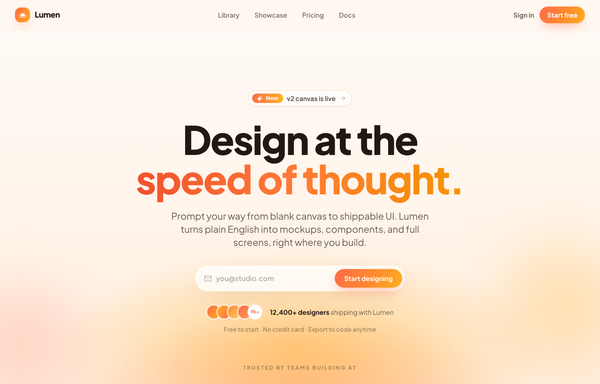
Design at the Speed of Thought - Sunset Centered Hero
A warm golden-hour centered hero: a soft cream-to-peach sunset gradient field, an oversized two-line headline with a coral-to-amber gradient accent line, and a single frosted glass pill that combines an envelope icon, an email field and a gradient sign-up button, over a sticky frosted nav, avatar social proof and a trusted-by logo strip.
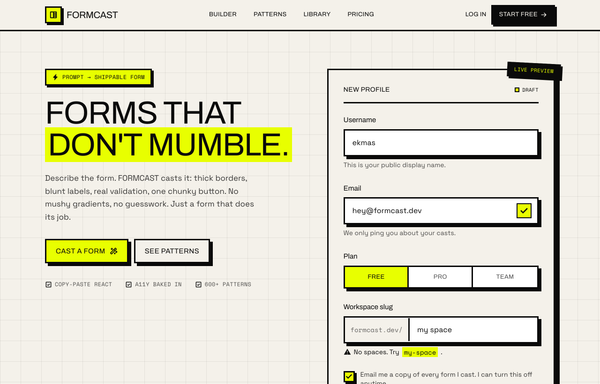
FORMCAST: Forms That Don't Mumble
A neo-brutalist form-builder landing page: thick 3px ink borders and hard offset shadows on warm paper with one electric acid-yellow accent, anchored by a live-preview profile form showing every field state.
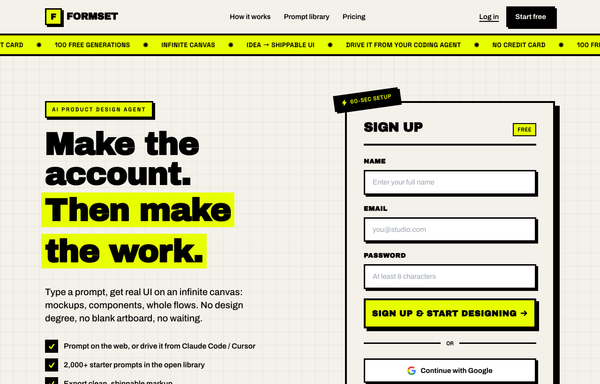
FORMSET - Make the account. Then make the work.
Neo-brutalist signup landing page: acid-yellow accent on off-white paper, thick black borders, hard offset shadows, uppercase Archivo Black type, a marquee ticker, and a name/email/password sign-up card as the hero.
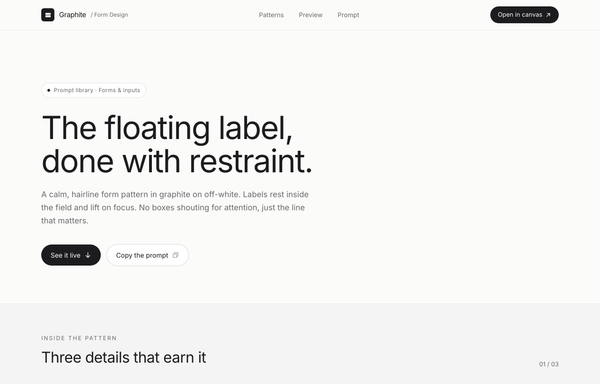
Graphite · Floating-Label Form Design
A calm, premium account form in graphite on off-white: floating-label hairline inputs that lift on focus, Inter type, one solid ink button, no boxes or shadows.
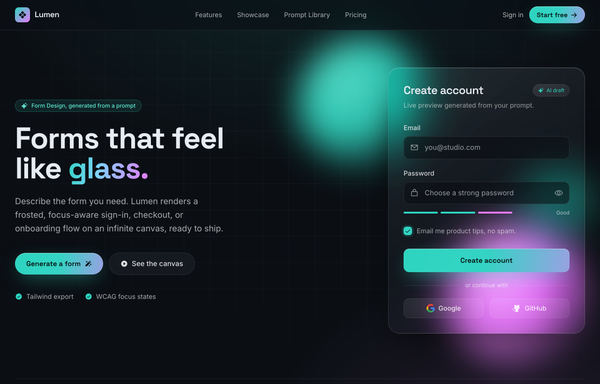
Lumen - Forms that feel like glass
A dark glassmorphism form landing page: a frosted, focus-aware account form floating over drifting aqua-and-magenta aurora orbs, with gradient CTAs, a feature grid, and login/checkout/error form showcases.
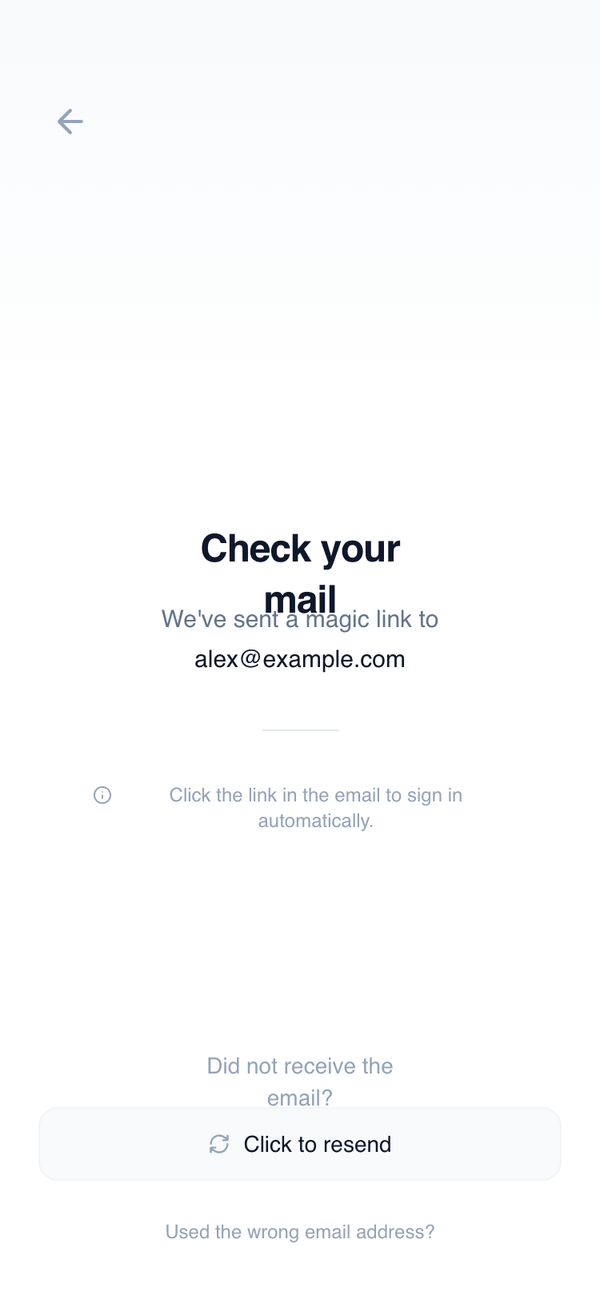
Magic Link Confirmation
A centered, message-driven layout designed to reassure users after initiating email-based authentication. Minimal actions and generous whitespace create a calm, waiting-state experience.
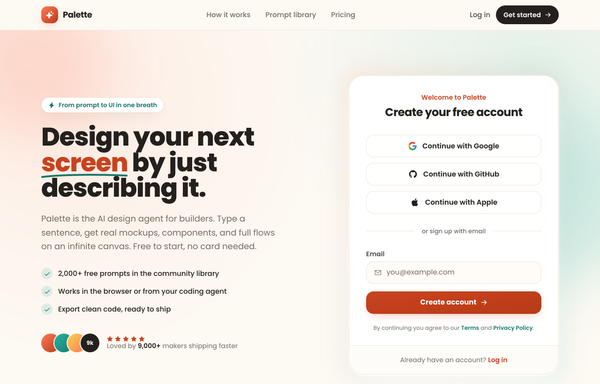
Palette - Social-first friendly sign-up
A warm, social-first sign-up screen on a cream canvas: a two-column hero+signup landing with a friendly product pitch on the left (hand-drawn underline, teal-check benefits, a 5-star social-proof cluster) and a white rounded card on the right that leads with three full-width stacked social-auth buttons (Google, GitHub, Apple) above an 'or sign up with email' divider and a single email field with a coral 'Create account' CTA. Coral + teal accents, Poppins, a sticky blurred nav, a logo marquee, a three-step how-it-works, and a dark gradient CTA band.
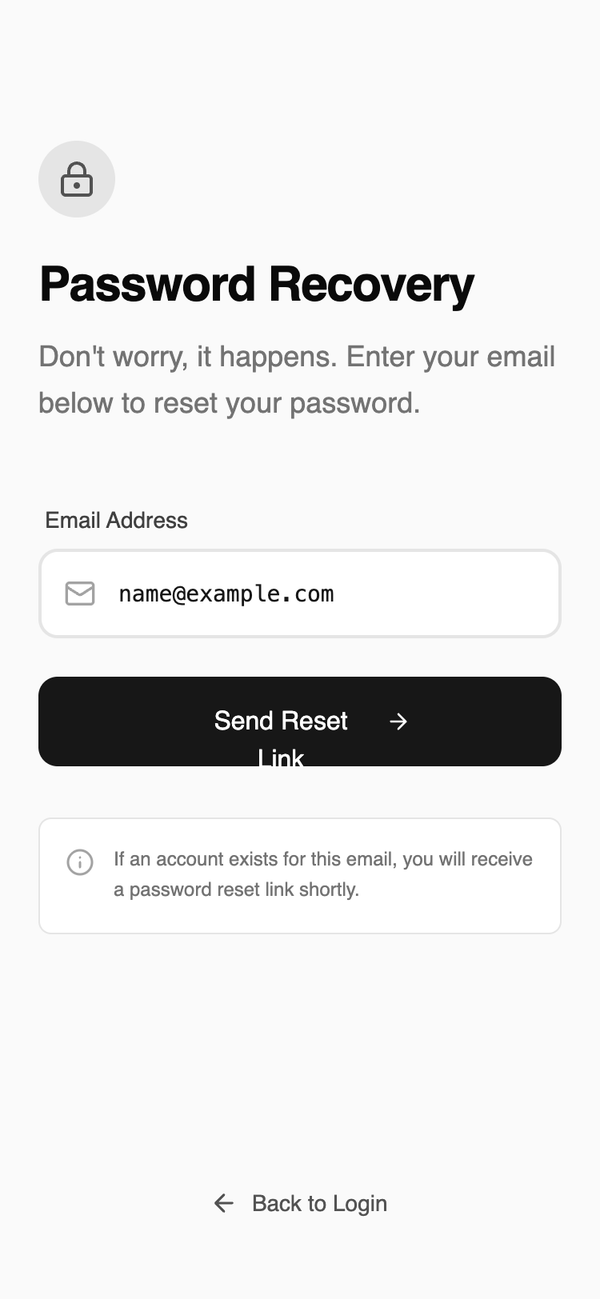
Password Recovery
A straightforward, single-input recovery layout that removes all unnecessary navigation. The structure supports fast completion and minimizes confusion during password reset initiation.
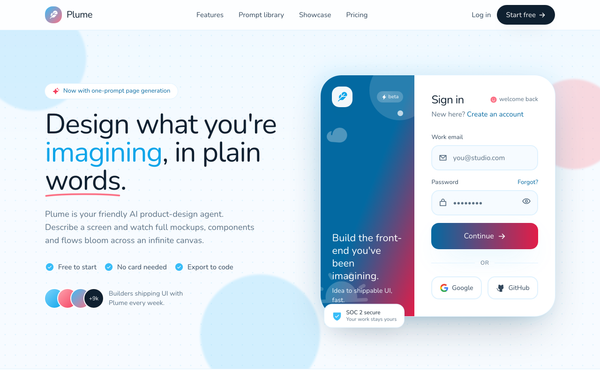
Plume · Sign in to your design canvas
Warm, illustrated AI design-agent sign-in landing in sky-blue and coral: a sticky frosted nav over a two-panel side-panel login card (gradient illustration aside plus email, password and social auth), floating blobs, dot-grid texture and rounded-everything Nunito type.
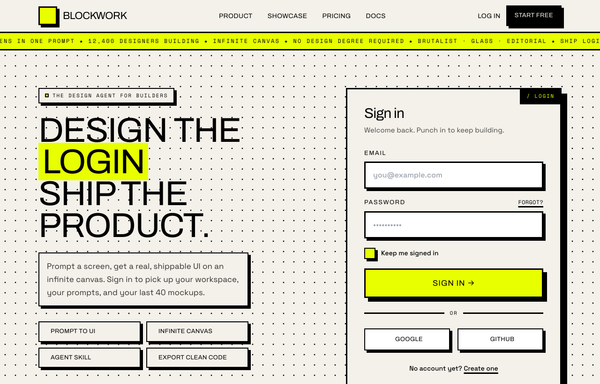
SIGN IN · BLOCKWORK - Brutalist Acid login
Hard neobrutalist login: warm off-white paper + electric acid-yellow accent, thick black borders and hard offset shadows, Archivo/Space Grotesk/Space Mono, brutalist sign-in card with email + password + Google/GitHub SSO over a full-bleed acid marquee.
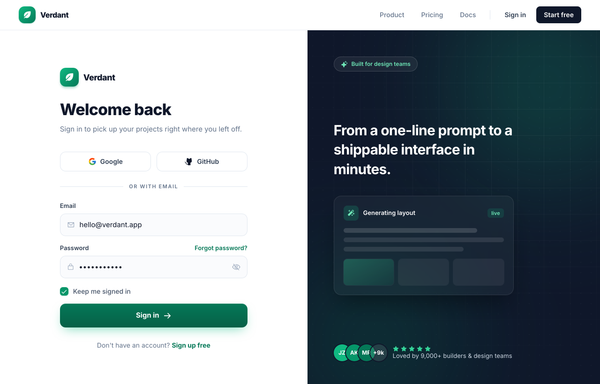
Sign in to Verdant - Classic Split (Emerald)
A full-bleed classic split sign-in page: white emerald-accented auth form on the left (social + email login, gradient Sign in CTA), a dark slate brand panel with ambient glows and a floating showcase card on the right, and a sticky nav above both.
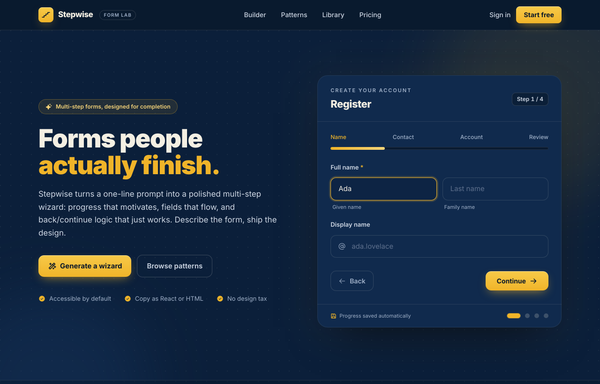
Stepwise - Multi-step Wizard (Navy/Amber)
Dark navy multi-step form wizard landing page with one warm amber accent: hero register card with a gradient progress bar, step ticks, active focus field, Back/Continue nav and step dots, plus patterns, library and pricing.
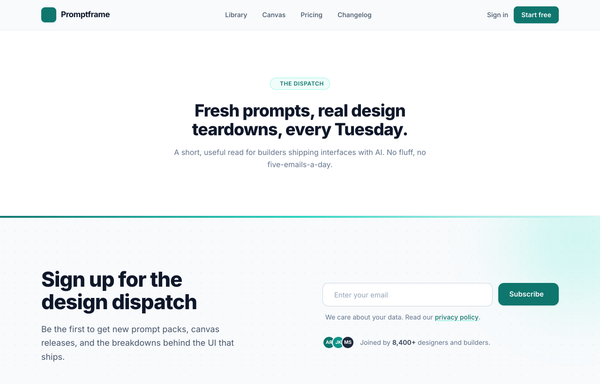
The Dispatch - Deep-Teal Newsletter Capture CTA
A deep-teal, Inter-set newsletter capture CTA (newsletter simple left): a two-column section with a value headline on the left and an inline email field + Subscribe button, privacy line, and avatar social proof on the right, anchored by a sticky nav, an eyebrow context band, and a footer.
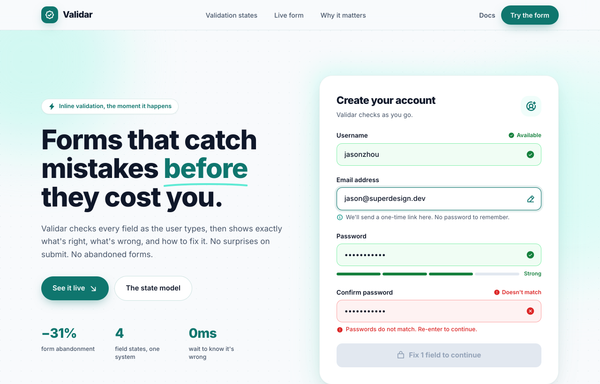
Validar - Forms that catch mistakes before they cost you
A teal-on-paper SaaS landing page for an inline form-validation tool: a sticky glass nav, a split hero with a live account-creation card showing all four field states (idle, active, valid, error) at once, a four-up state-model band, a dark-teal 'submit unlocks itself' section, a benefit grid, and a footer. Color + icon + plain-words validation, Inter, soft layered shadows.
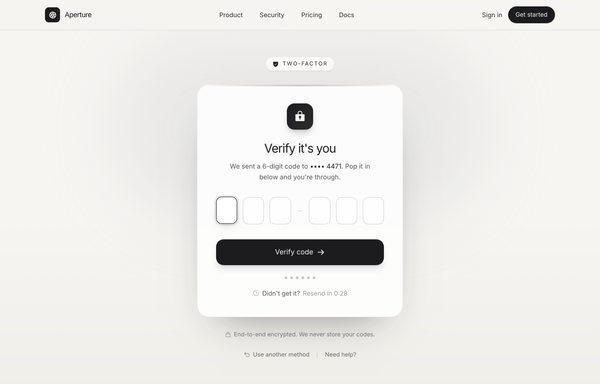
Verify it's you · Aperture (OTP / 2FA, graphite-platinum)
OTP / two-factor verification screen on warm paper with a graphite + platinum palette: a Two-factor eyebrow pill, a glass card with a lock icon, six single-digit code boxes, progress dots, a live resend countdown and a Verify code button. Inter, light mode, no saturated color.
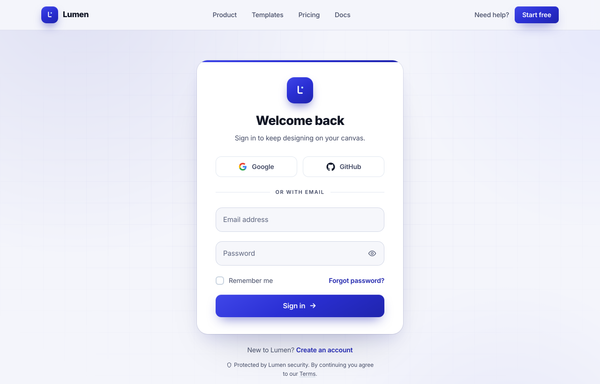
Welcome back · Lumen - centered-card (true cobalt)
A clean centered-card sign-in page on a soft off-white canvas with a single true-cobalt accent: sticky nav, a white rounded-3xl auth card (Google + GitHub social, floating-label email/password with a show/hide toggle, remember-me + forgot, gradient Sign in CTA), and ambient cobalt glows.
How to prompt a sign up page that looks designed, not generated
An AI design agent has a strong default for a sign up page, and most of those defaults add friction: a long stack of fields, a confirm-password row, no social sign in, a bare card on a dark purple gradient, and a vague "Sign Up" button. A good prompt is really a list of constraints that override those defaults. Here is each default you need to override, the words that do it, and a template that bakes them all in.
Design a [light or dark] sign up page for [product], a [what it is] for [who it is for].
Fields: ask for only [email and password], no confirm-password field. Note that anything else (name, company, role) is collected after signup, not here.
Social sign in first: [Google, GitHub, Apple] buttons above an "or with email" divider, so most people never touch the form.
One primary action: a single solid [Create account] button. Add a show-password toggle, and a quiet "Already have an account? Log in" link so signup and login never blur.
Value panel: a split layout with the form on one side and a panel that names the one outcome they get, one short testimonial with a name, and a real product mock on the other. Not a bare card on a blank page.
Helpful states: an inline password-strength meter that warns but does not block, a "Forgot password?" link by the field, and specific errors like "That email is already registered. Log in instead?". Include the loading and success states.
Style: a neutral base with one [accent] color reserved for the primary button. Headline typeface [name], body [name], not the default Inter and no purple gradient.
Trust line: a short note under the button, for example "No credit card needed" or a privacy link.
Field count
Default: It asks for everything up front, a stack of name, company, role, phone, password and a confirm-password row, so most people quietly leave.
Constrain it: Cap it at two or three fields, usually email and password, and say the rest is collected after signup with progressive profiling.
Social sign in first
Default: It builds an email-and-password form only, so every visitor has to type even though most would rather tap a provider they already trust.
Constrain it: Name the providers you support (Google, GitHub, Apple) as buttons above an "or with email" divider, so the form is the fallback, not the default.
One clear action
Default: It drops a confirm-password field and two equal-weight buttons, so attention splits and a typo in the second password blocks the signup.
Constrain it: Remove the confirm field and add a show-password toggle, keep one solid primary button, and demote "Log in" to a quiet link.
Give a reason to sign up
Default: It centers a bare form card on a blank or dark gradient canvas, with nothing to tell a stranger why the account is worth creating.
Constrain it: Use a split layout: the form on one side, a value panel on the other naming the one outcome, a short named testimonial, and a real product mock.
Helpful states and recovery
Default: It builds only the happy path: bare fields, a hidden or missing "Forgot password?" link, and a vague "Sign up failed" if anything goes wrong.
Constrain it: Ask for an inline password-strength meter that warns not blocks, a "Forgot password?" link by the field, and specific errors that name the fix and next step.
Color and type
Default: Left alone it defaults to Inter, a dark theme with a purple gradient, and rainbow accents used as decoration.
Constrain it: Name a headline and body typeface and one accent color on a neutral base, and reserve that color for the primary button.
Frequently asked questions
What makes a good sign up page?
Low friction and a clear reason to bother. Ask for two or three fields at most, lead with social sign in so most people never touch the form, keep one obvious primary action, and pair the form with a panel that names the one outcome they get. The best signup screens are short, clear, and confidence-building.
How many fields should a sign up form have?
As few as you can get away with, usually two or three. Forms with three fields convert the best, and asking only for email and a password (no confirm-password row) removes the biggest drop-off. Collect everything else, like company or role, after the account exists, with progressive profiling.
Why does my AI-generated sign up page look generic?
Because a vague prompt gets the model defaults: a long stack of fields with a confirm-password row, no social sign in, a bare card on a dark purple gradient, and the Inter typeface. Cap the fields, put social sign in first, add a value panel, name one accent color and a non-default typeface, and it stops reaching for the average.
Should login and sign up be on the same page?
Keep them as distinct screens with clear labels so a user never has to ask which one they are on. If you do combine them, lead with one and offer a clear link to the other, like "Already have an account? Log in", rather than two equal-weight tabs that blur together.
How do you write a prompt to generate a sign up page UI?
Describe the brief, not the vibe: the product and who it is for, the two or three fields you actually need, the social providers first, one primary action with a show-password toggle, a value panel beside the form, the password-strength and error states, one accent color, and a named typeface. The template above walks through each part, and you can open any example here to see a full prompt that works.
Can I use my own brand colors and copy?
Yes. Generate the layout first, then describe your accent color, typeface, headline and the providers you support in plain language and branch a variant. Every design comes back as real, editable code, so wiring in your auth and brand happens in your own repo, not a rebuild from a picture. Stuck on something? Ping us and we will sort it out together.