Design prompts for SaaS websites
A SaaS website has about five seconds to make a stranger care: say who it is for and the one outcome it delivers, show the real product instead of a stock illustration, and back the claim with names a visitor recognizes. The prompts below are the most-copied SaaS site and landing page designs in the Superdesign library, from neo-brutalist dev tools to dark enterprise and clean editorial. Open any one to read the exact prompt behind it, then tweak the copy and generate your own editable version in seconds.
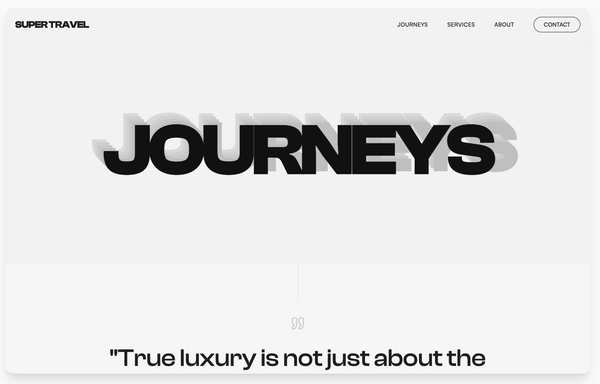
High Contrast Landing Page
A high-contrast Swiss-style minimalist design system utilizing brutalist typography and editorial layouts. Characterized by a neutral palette of off-whites, deep blacks, and monochromatic grays, this style emphasizes rhythmic patterns through stacked text 'echo' effects and asymmetrical grids. Ideal for luxury travel, architecture portfolios, high-end fashion, and premium editorial content where typography acts as the primary visual driver.
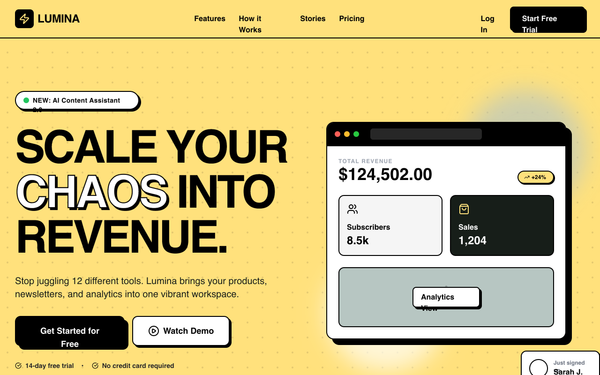
Lumina SaaS Landing Page
Lumina is a high-energy, Neo-Brutalist B2C SaaS design characterized by its bold #ffe17c yellow primary color, heavy 2px black borders, and zero-blur hard shadows. It utilizes a striking combination of 'Cabinet Grotesk' for display-heavy typography and 'Satoshi' for body copy. This style is ideal for the creator economy, modern fintech, edtech, or any startup looking to break the 'clean corporate blue' mold with a confident, high-contrast interface. The layout features bento-style grids, marquee animations, and playful asymmetric card shapes.
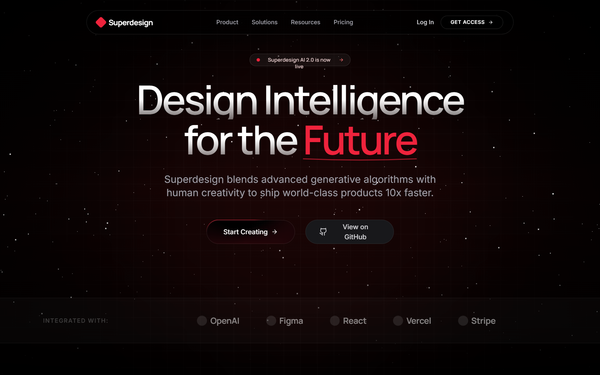
Red Noir Style
A bold, dark-themed landing page featuring high-contrast red accents, glassmorphism, and smooth scroll animations. Designed for AI and tech products with a futuristic aesthetic.
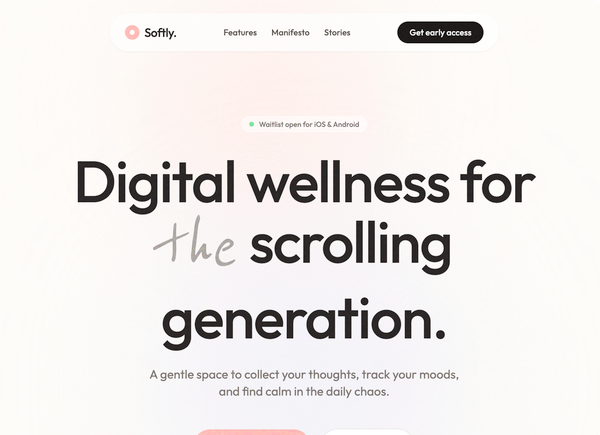
Softly - Digital Wellness App
A soft-aesthetic, Gen-Z oriented design system optimized for wellness, meditation, journaling, and lifestyle brands. Features a warm off-white foundation (#FDFCF8) layered with soft pastel accents (Coral #FFB7B2, Sage #E8EFE8, Lavender #EFEDF4), grain-textured overlays, and a mix of modern geometric sans-serif ('Outfit') and organic handwriting ('Reenie Beanie') typography. The layout emphasizes breathing room, gentle scroll-triggered reveals, and 'floating' organic shapes to reduce cognitive load and evoke a sense of calm.
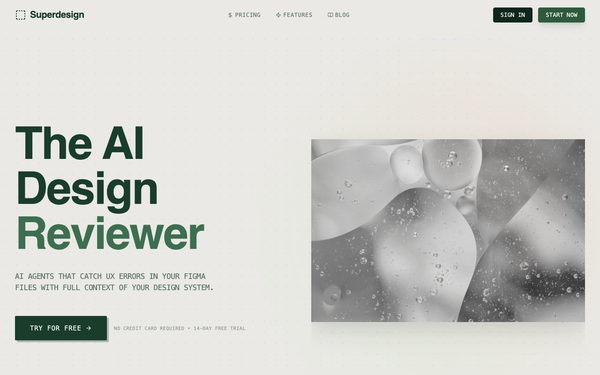
Mosaic Grid Architecture Style
An architectural, technical-blueprint style design system featuring a minimalist mosaic grid, forest green (#1A3C2B) and light-gray paper-textured (#F7F7F5) palette. Optimized for B2B SaaS, developer tools, and high-end agency portfolios. Key features include editorial typography with Space Grotesk, JetBrains Mono labels, bento grid layouts, and 2D flat wireframe aesthetics with zero shadows.
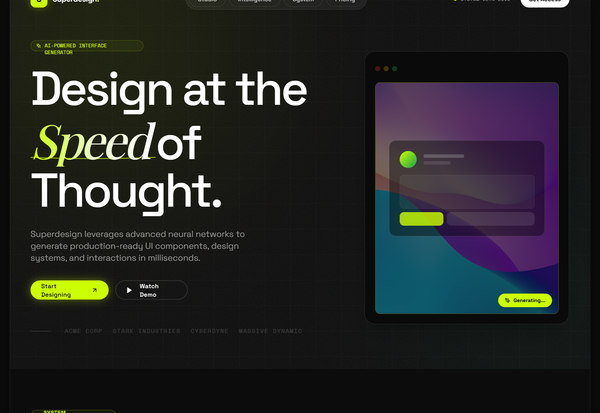
Glassmorphism Style
A high-tech glassmorphism design system featuring neon lime accents, deep obsidian surfaces, and a sophisticated blend of architectural grid patterns and organic glowing gradients. Optimized for high-end SaaS, AI product studios, and fintech platforms, this style uses JetBrains Mono for a developer-centric feel and Space Grotesk for bold, editorial headings. Key elements include backdrop-blur effects (glassmorphism), grain/noise overlays, and a 'floating shell' layout that gives the web interface a premium, app-like quality.
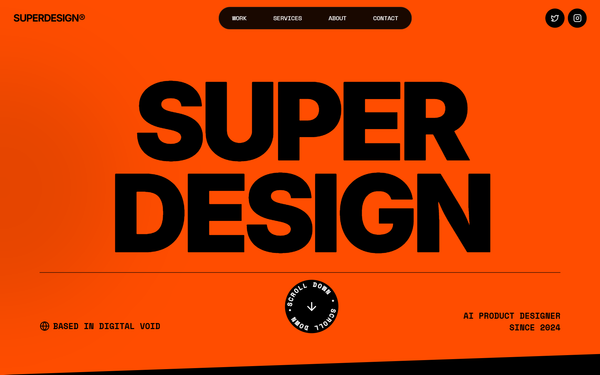
Kinetic Orange Style
A high-energy brutalist design system characterized by a high-contrast 'Kinetic Orange' (#FF4D00) and black palette. It features bold, oversized editorial typography, technical monospace accents, and rhythmic motion through marquees and rotating elements. Ideal for creative agencies, fintech, modern portfolios, or AI-driven startups looking for a 'loud' and confident brand presence.
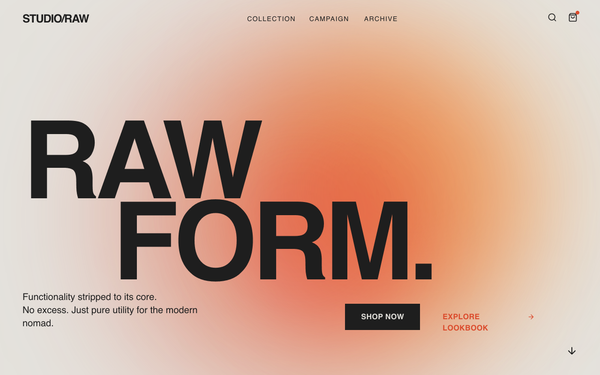
Brutalist E-commerce Page
A brutalist editorial e-commerce style guide inspired by poster-campaign aesthetics. Characterized by massive grotesque typography (Clash Display), soft-blurred gradient forms in red-orange tones (#DB4A2B, #F8A348), and a warm cream background (#E4E2DD). This aesthetic is optimized for high-end fashion, architecture, or lifestyle brands that want a 'poster-first' digital presence. Features include scroll-triggered entrance animations, mix-blend-mode interactions, and a clean, borderless grid structure.
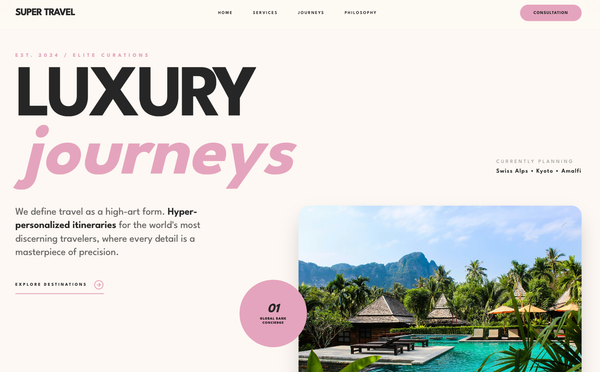
Luxury-focused Design System
A refined, editorial-style design system characterized by heavy geometric sans-serif typography, a sophisticated dusty rose and charcoal palette, and staggered grid layouts. This aesthetic is optimized for high-end luxury services, boutique hospitality, premium fashion brands, or architectural portfolios. It features scroll-triggered reveal animations, grayscale-to-color image transitions, and a 'glassmorphism' navigation bar. The layout focuses on massive, bold headlines paired with hyper-minimalist utility text, creating a contrast that feels modern yet timeless.
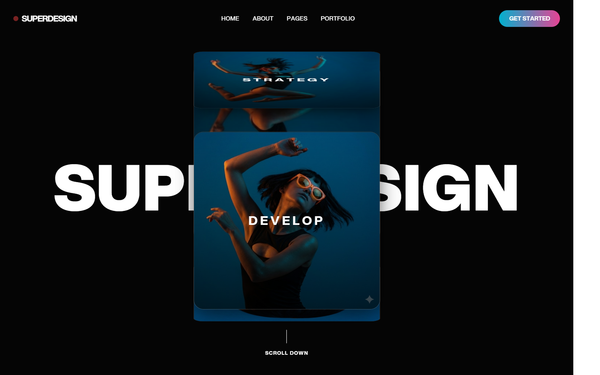
Cinematic Style
A high-end 'Cinematic' design system characterized by deep-space dark backgrounds, sophisticated 3D CSS transforms, and bold editorial typography. Optimized for premium portfolios, creative agencies, fintech, and high-tech SaaS. It features a signature 3D rolodex/cube hero section, glassmorphism elements, and smooth GSAP-driven scroll parallax. Key aesthetics include 'mix-blend-difference' navigation, vibrant neon gradients (cyan to pink), and a monochromatic 'Aspekta' font foundation with heavy weights and tight tracking.
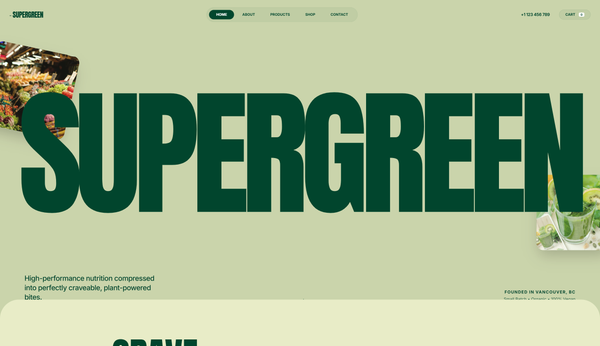
Nature Inspired Style
A nature-inspired 'Organic Brutalist' design system perfect for wellness, sustainable CPG, eco-friendly lifestyle brands, or high-end nutrition. Characterized by a palette of deep forest greens and earthy sages, the style utilizes massive editorial typography (Anton) paired with functional sans-serifs (Inter). The layout features 'bento-adjacent' rounded grids, floating organic elements with parallax effects, and a subtle film grain noise overlay that gives the digital experience a tactile, premium paper-like feel. Key elements include oversized headings, ultra-rounded corners (up to 5rem), and fluid reveal animations.
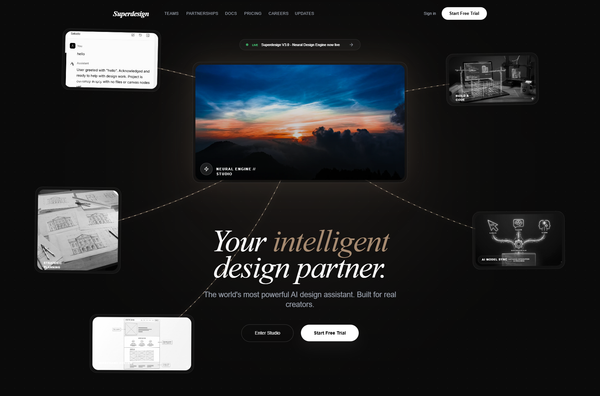
Neural Noir Interface Style
The Neural Noir Interface Style is a high-end, futuristic aesthetic characterized by a 'tech-noir' atmosphere. It blends deep dark backgrounds (#0a0a0a) with sophisticated gold and bronze accents (#a78b71, #e8d5b7) and editorial typography. Key features include glassmorphism, neural network-inspired SVG connection lines, and a bento-grid layout. This style is optimized for premium AI platforms, creative design engines, high-end SaaS, and editorial-driven tech portfolios. It utilizes a combination of sleek sans-serif (Inter) for functional elements and elegant serif italics (Playfair Display) for headlines, creating a contrast between high-tech performance and classic sophistication.
Glassmorphism card
A premium, high-tech glassmorphism design system characterized by deep translucent layers, dark-to-light transitions, and editorial typography. Featuring a 'Superdesign' aesthetic, it utilizes heavy background blurs, grain textures, and emerald accents. This style is ideal for SaaS, AI platforms, fintech, and high-end design agencies requiring a sophisticated, futuristic feel with bento-grid layouts and fluid animations.
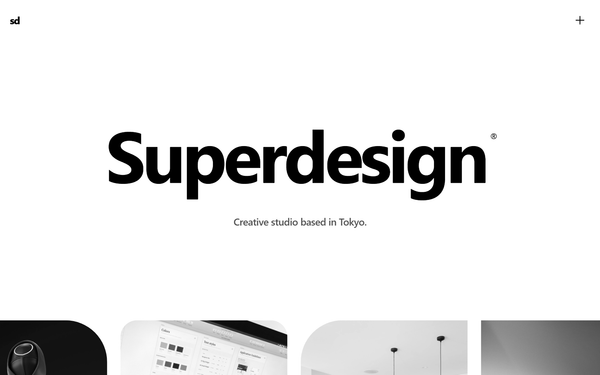
Bold Editorial Studio Style
Bold Editorial Studio Style is a high-impact, minimalist design system characterized by massive typography, a strict monochromatic palette, and sophisticated micro-interactions. It features a signature 'editorial' look using ultra-large display fonts (up to 12vw), custom cursor logic, and fluid marquee animations. Ideal for creative agencies, high-end portfolios, fashion brands, and premium fintech products, the system leverages white space and motion to create a premium, curated feel. Key elements include mix-blend-mode navigation, staggered text reveals, and asymmetrical image containers with varied border radii.
Synapse
A high-performance 'neural' dark mode design system characterized by deep black backgrounds (#030303), vibrant neon accents in violet (#8B5CF6) and cyan (#06B6D4), and a sophisticated blend of editorial serif typography (Instrument Serif) with functional sans-serif (Inter). The style utilizes glassmorphism, animated mesh gradients, and 'shimmer' text effects to evoke a sense of advanced intelligence, encryption, and institutional-grade technology. Ideal for Fintech, AI, Cybersecurity, and Web3 verticals where speed, security, and technical sophistication are core values.
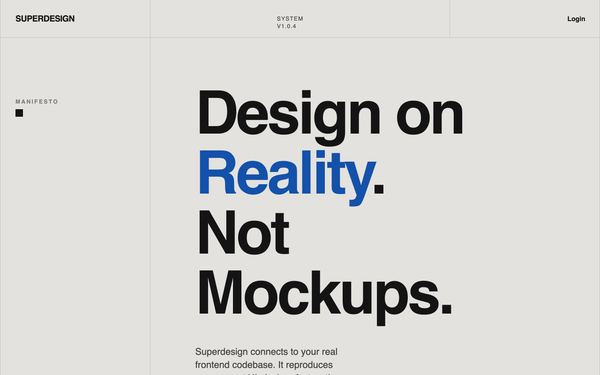
SaaS Landing Page for Developer Tool
A bold modernist design system inspired by exhibition poster aesthetics and technical documentation. Characterized by a high-contrast 'cream and cobalt' color palette, oversized aggressive typography, and a rigid 12-column grid layout with 1px border dividers. This style is ideal for technical SaaS, developer tools, high-end design agencies, or architectural portfolios. Key elements include tight line-heights (0.85), no rounded corners, and a unique vertical labeling system in a dedicated left-hand grid column.
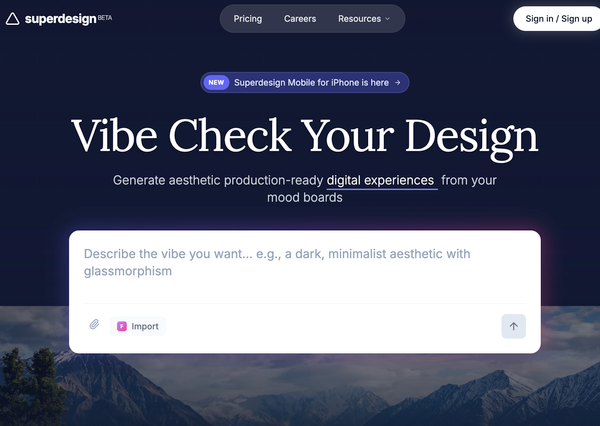
Futuristic SasS Landing Page
A modern, atmospheric SaaS design system featuring a high-contrast blend of dark mode hero sections and light mode content areas. Characterized by glassmorphism, sophisticated serif-sans typography pairing, and ethereal glows, it is ideal for AI startups, design tools, creative portfolios, and premium digital platforms. The style emphasizes depth through backdrop blurs, subtle borders (1px), and smooth micro-interactions like scroll-triggered navigation and hover-based transforms.
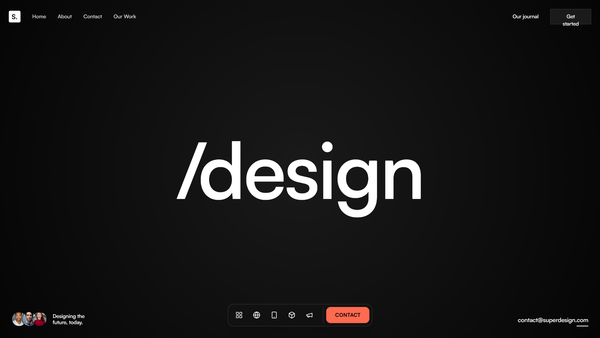
Midnight Editorial Style
A premium, ultra-modern dark aesthetic featuring deep black backgrounds (#050505), massive 'Satoshi' typography for impact, and striking coral (#FF6B50) accents. Designed for high-end agencies and portfolios that prioritize storytelling and visual drama.
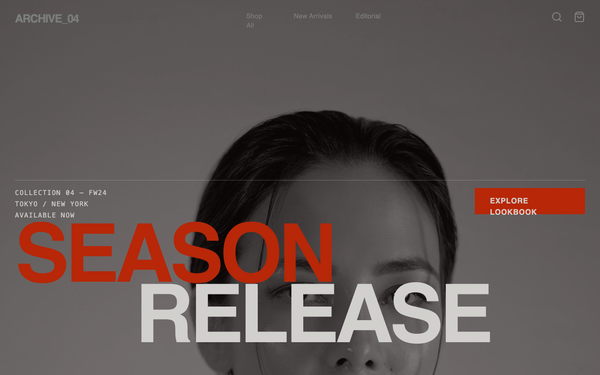
Brutalist Style Ecommerce Page
A brutalist editorial design system for high-fashion, streetwear, or luxury brands. Featuring a raw, industrial aesthetic with massive typography, high-contrast photography, and utilitarian components. Key elements include a noise-grain texture overlay, a monochromatic palette with burnt orange and neon green accents, and asymmetrical layout grids. The style uses 'Clash Grotesk' for aggressive impact and 'General Sans' for technical clarity. Ideal for product launches, lookbooks, and fashion portfolios looking for a 'Raw Campaign' or 'Modern Brutalist' feel with scroll-triggered visual impact.
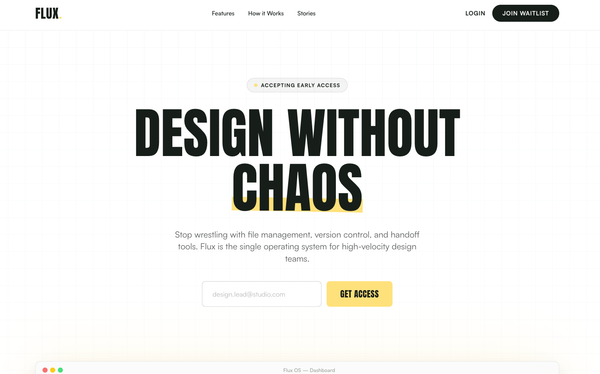
Bold Editorial Style
A high-contrast, editorial-style SaaS landing page design optimized for designers and creative tools. It features bold Anton display typography, a sophisticated palette of golden yellow (#ffe17c) and deep charcoal (#171e19), and a structured layout combining grid patterns and bento-box feature blocks. This style is characterized by aggressive visual hierarchy, oversized headlines, and a minimalist yet punchy aesthetic suitable for high-velocity startups, fintech, or creative agency portfolios.
The "Stacking Cards" Effect
A portfolio section where cards stack sticky at the top as the user scrolls, creating a deck-of-cards effect using GSAP.
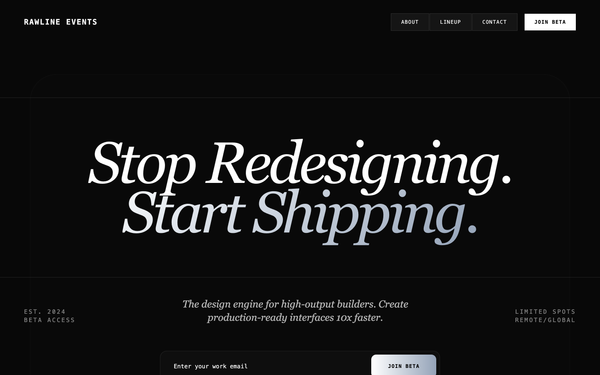
Minimalist Beta Capture
A high-end 'Editorial Brutalist' style guide optimized for SaaS waitlists, fintech, or premium developer tools. It features a dark-mode palette (#080808), high-contrast monochromatic typography (DM Serif Display + Geist Mono), and sophisticated glassmorphism. The layout utilizes a bento-grid structure and fluid width (92vw) with oversized hero typography. Key features include scroll-triggered slide-up animations, a silver-metallic gradient system, and a persistent floating mobile navigation bar.
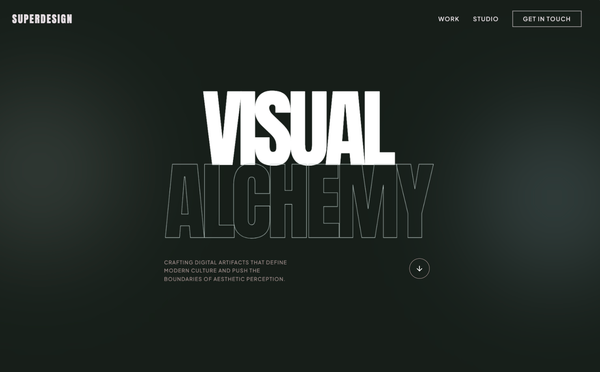
Bold Editorial Design Style
A premium, bold editorial design system characterized by high-contrast brutalist typography and a sophisticated dark navy and sage color palette. Optimized for creative agencies, design portfolios, luxury architecture, and high-end digital studios. Features include 'Anton' display headers, a custom crosshair cursor, floating ambient gradients, asymmetric masonry layouts, and smooth scroll-triggered reveal animations. The aesthetic balances minimalist white space with massive, impactful type and subtle micro-interactions like mix-blend-mode navigation and grayscale-to-color image transitions.
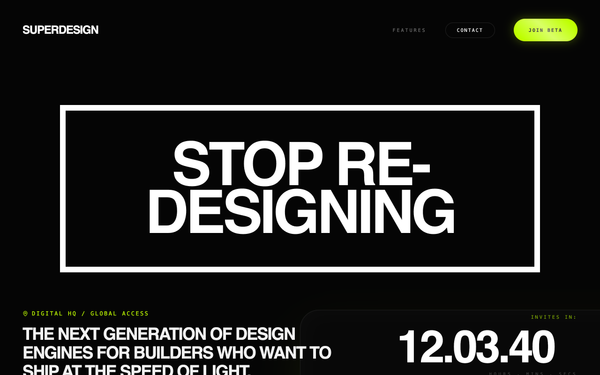
Neon Velocity Countdown
A high-velocity, futuristic dark-mode design system characterized by neon accents, brutalist typography, and 3D glassmorphism. Featuring a 'Laser Green' and 'Navy Black' palette, it utilizes 'Plus Jakarta Sans' for high-impact headlines and 'Geist Mono' for technical metadata. This aesthetic is ideal for high-growth tech startups, SaaS platforms, developer tools, and fintech products that want to convey speed, precision, and cutting-edge innovation. The layout uses a bento-grid structure, fluid typography, and sophisticated scroll-triggered reveal animations.
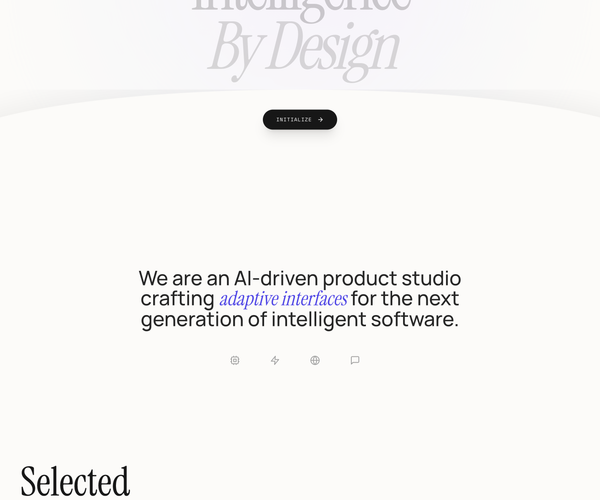
Clean fluid
A high-end, editorial design system blending luxury serif typography with technical monospace accents. Characterized by fluid 'premium ease' animations, a sophisticated cream and dark charcoal palette (#fcfbf9, #171717), and organic curved transitions. Optimized for AI startups, design studios, fintech dashboards, and luxury tech brands requiring a balance of intelligence and elegance. Key features include scroll-triggered reveal animations, mesh gradient backgrounds, and a signature concave wave transition between sections.
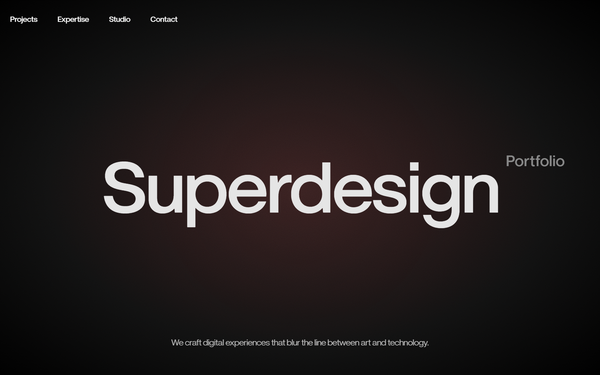
Cinematic Noir Style
A high-end 'Cinematic Noir' design system characterized by dramatic dark-mode aesthetics, high-contrast editorial typography, and immersive scroll-driven parallax effects. Suitable for creative agencies, luxury fashion, fintech, and high-end portfolios. Features include grain overlays, radial gradients with subtle warm tints, and brutalist-scale headings that blur the line between digital interface and cinematic experience.
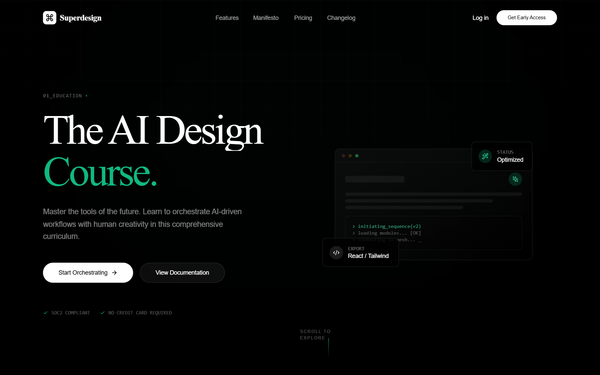
Cyber Serif Style
A high-end 'Cyber Serif' aesthetic blending classical editorial typography with futuristic tech elements. Features a deep #050505 dark mode palette, neon emerald accents (#10b981), glassmorphism, and sophisticated micro-interactions. Suitable for high-end AI SaaS, creative agencies, fintech portfolios, and developer tools. Includes WebGL-inspired background effects, spotlight hover cards, and staggered scroll-reveal animations.
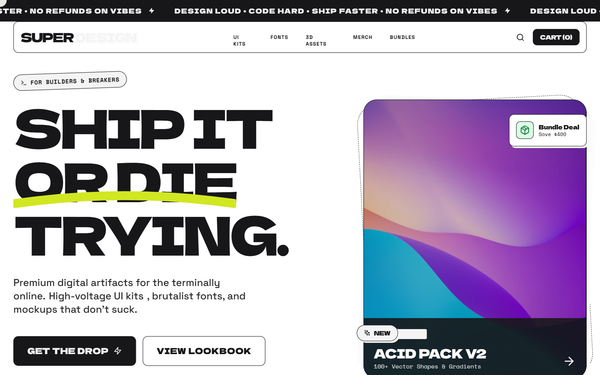
Neo-Brutalism Style
A high-impact Neo-Brutalist design system characterized by 'Acid' aesthetics. It features high-contrast color palettes (off-white, deep black, and neon yellow), heavy-weight typography, and 'hard' UI elements like non-blurred shadows and thick borders. The layout utilizes bento grids, oversized display text, and dynamic marquee components. Suitable for creative agencies, experimental e-commerce, fintech, and portfolio sites looking for a 'loud', digital-first brand identity.
GSAP Horizontal scroll
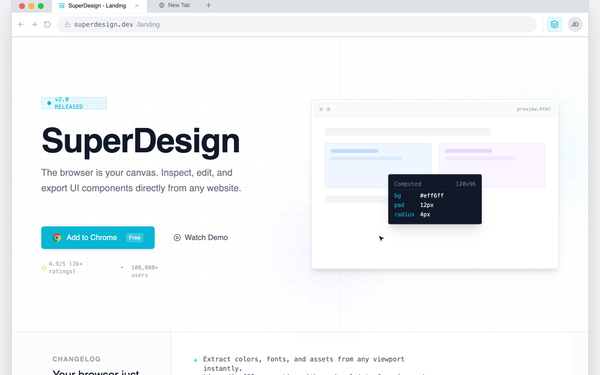
Chrome Extension Landing Page
A browser-native developer tool aesthetic characterized by a 'system interface' look rather than a marketing landing page. This style features a light-neutral base with a vibrant cyan (#06B6D4) accent, mimicking the layout of Chrome DevTools or a workspace IDE. It uses a combination of Inter for primary readability and JetBrains Mono for technical labels and commands. Suitable for SaaS, developer tools, extensions, and technical platforms requiring a high-density, utility-focused layout with scroll-triggered panel reveals and simulated interactive environments.
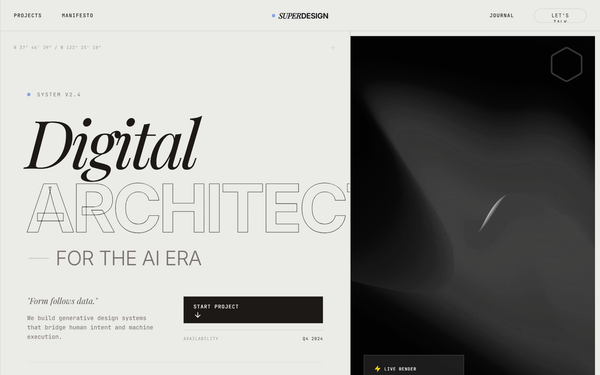
Warm Industrial Gray Style
A sophisticated warm industrial aesthetic that blends brutalist grid structures with editorial typography. Featuring a primary palette of warm concrete gray and rich charcoal accented by electric blue, this style is ideal for AI startups, creative technology studios, fintech platforms, and architecture portfolios. It utilizes a high-contrast pairing of heavy grotesque sans-serifs and elegant serif italics, layered over a subtle film grain noise texture. Key features include scroll-triggered reveals, magnetic hover states, and structural grid-line overlays that emphasize a 'form follows function' technical philosophy.
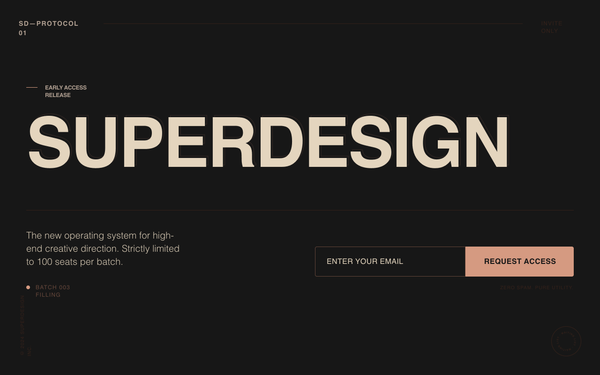
Superdesign Editorial Waitlist
Editorial waiting list landing page with a cinematic, high-fashion aesthetic. Features a deep matte #181818 background, warm beige #EBDCC4 typography, and a brutalist yet refined grid. Key elements include oversized edge-to-edge display type, subtle noise textures, and a layered text depth effect. Ideal for luxury tech, creative agency portfolios, high-end SaaS tools, architecture firms, and invite-only exclusivity campaigns. Layout utilizes strong typographic hierarchy and generous negative space with accent tones in coral, rust, and sage.
Red sun
A sophisticated editorial-style design system named 'Red Sun', characterized by a high-contrast 'Coral and Ink' color palette. This style blends 'Instrument Serif' for high-impact typography with 'Manrope' for technical precision. Features include bento-grid layouts, glassmorphism navigation, scroll-triggered animations with subtle rotations, and soft ambient background blurs. Ideal for premium SaaS, creative agencies, AI product design tools, and fintech platforms looking for a balance between warmth and authority.
Tech Editorial
A high-end 'Tech Editorial' aesthetic that merges brutalist precision with classic editorial sophistication. It features a muted, paper-like color palette (#f7f6f2), a structured grid-line system, and a unique pairing of high-contrast Serif (Playfair Display) for display headers and technical Mono (Space Mono) for functional UI. The style is characterized by scroll-triggered text reveals, glassmorphism navigation, and 'scan-line' animations that suggest a sophisticated AI-driven process. Ideal for high-tech SaaS, AI research labs, design agencies, and premium fintech platforms.
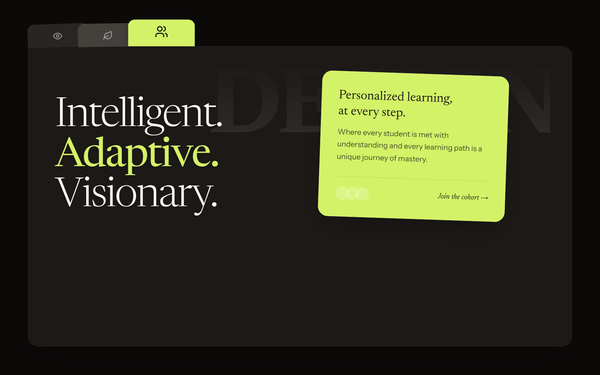
Dark Avant-Garde Style
A dark avant-garde design system termed 'Digital Naturalism,' characterized by a sophisticated interplay between deep charcoal surfaces and high-energy acid green accents. Featuring editorial serif typography paired with clean sans-serif UI, the style utilizes Brutalist-inspired elements like serrated edges, skewed 'tab' navigation, and grainy noise overlays. Ideal for high-end design agencies, AI masterclasses, editorial portfolios, and premium fintech brands seeking a bold, technical, yet organic aesthetic.
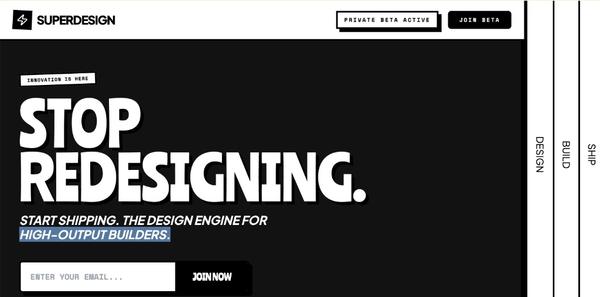
Disruptor Beta Launch
A high-impact Neo-Brutalist design system designed for product launches and disruptive SaaS platforms. Characterized by stark color contrasts, industrial typography, and heavy geometric borders. The aesthetic utilizes a dark mode base (#121212) punctuated by vibrant 'Volt' accents (#CCFF00) and crisp white containers. Key features include 'sticker-style' rotated elements, massive display type, solid 8px offsets (Neo-shadows), and vertical navigation elements. Ideal for high-growth tech, developer tools, fintech, and creative agencies looking for an aggressive, authoritative, and innovative brand presence.
"Exploded View" Assembly
A scroll-driven animation where a central product or UI element explodes into its constituent parts and then reassembles into a new layout. Perfect for 'how it works' or feature breakdown sections.
Hover reveal effect
Source: https://x.com/emilylambert/status/2005113433780617713
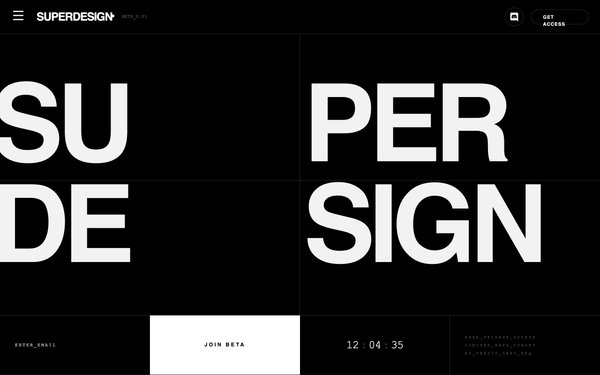
Architectural Type System Style
A high-contrast, architectural design system rooted in Swiss Modernism and Brutalist minimalism. Characterized by a monochrome palette, massive 'Inter Tight' display typography, and a rigid grid defined by 0.5px hairlines. Features a technical 'JetBrains Mono' font for metadata and system status indicators, creating an engineering-first aesthetic. Suitable for high-end SaaS, developer tools, fintech, architecture portfolios, and design agencies. Includes a persistent noise overlay for texture and grid-based layouts that utilize viewport-relative sizing for maximalist impact.
Scroll animation
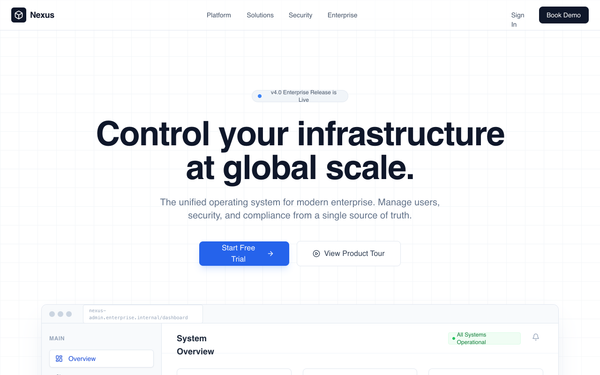
Enterprise Admin Platform
Enterprise Admin Platform is a professional, high-trust landing page design for corporate B2B SaaS, fintech, and infrastructure tools. It features a muted corporate color palette (whites, deep slates, and technical blues), a structured grid-based layout, and a focus on operational control and security. Key elements include a high-fidelity dashboard preview, KPI count-up animations, and a glass-morphism navigation bar. Suitable for enterprise management systems, cybersecurity platforms, and developer infrastructure tools.
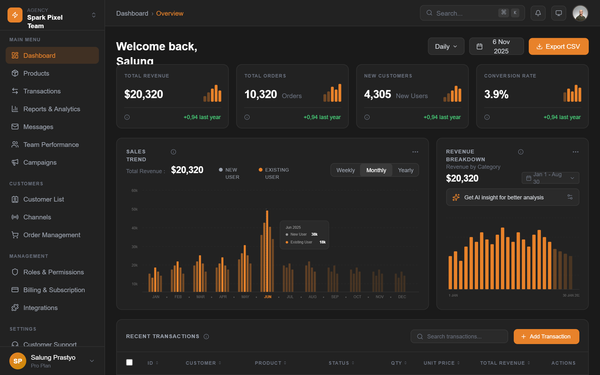
Dark SaaS Dashboard - Spark Pixel Team
A high-end, dark-themed enterprise SaaS dashboard featuring a sophisticated color palette of deep grays and vibrant amber accents. The design utilizes high-contrast typography with General Sans, a modular bento-grid layout for metrics, and custom SVG-based data visualizations. This style is ideal for fintech, analytics platforms, and professional agency management tools where a premium, data-heavy, yet clean interface is required. It emphasizes visual hierarchy through varying font weights and intentional use of negative space.
Text blur animation
Dynamic Data Display
Bento
A high-end, minimalist bento grid component with advanced interactive effects including spotlight, border glow, particles (stars), tilt, and magnetism. Designed for modern dashboards and landing pages. Source: ReactBits
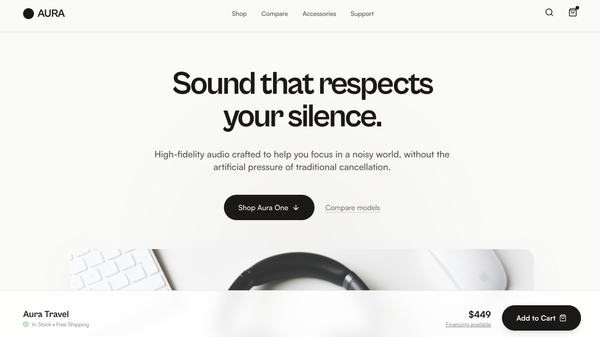
Aura Audio Showroom
Product Walkthrough is a product-first electronics landing page built around a Showroom Flow layout - product theater followed by guided model selection, scenario-based feature explanations, lightweight comparison, and a confident close - making it best suited for consumer electronics and DTC hardware brands with multiple models or configurations that want a clear, trust-building shopping experience without spec overload or lifestyle clichés.
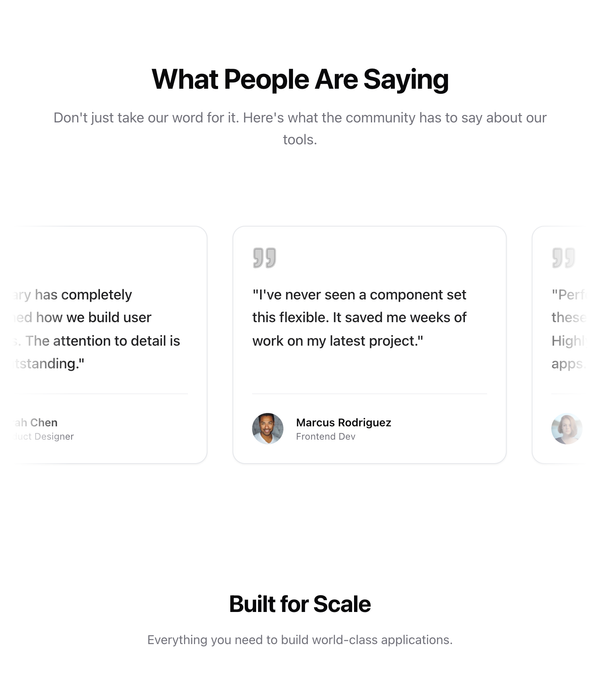
Testimonial
Sticky Content Switch
A split-screen section where the left-side heading remains sticky and updates dynamically as associated images scroll on the right side. Uses GSAP ScrollTrigger for precise synchronization.
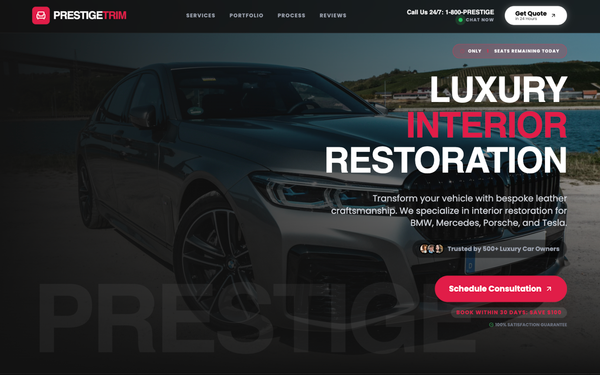
Premium Dark B2B Service Landing
This production-grade, high-contrast dark-mode luxury landing page template is optimized for high-ticket B2B automotive services, premium restoration businesses, and affluent customer acquisition using brutalist modernism with crimson accent luxury. The core color palette features ultra-dark backgrounds (#121212, #0a0a0a) paired with pure white text (#ffffff) and strategic crimson (#e11d48) accents, creating WCAG AAA contrast compliance. Typography uses Cal Sans for bold headlines and Poppins for readable body text with extreme letter-spacing for authority. Best described as "dark luxury brutalism," this dark-mode-only template excels in before-and-after portfolio showcases and high-ticket service pages, featuring sticky glass-morphism headers, live chat indicators, urgency badges, interactive trust bars, expandable service cards, luxury vehicle transformation carousels, ROI badges, testimonial grids, and gradient CTAs. Animations include scroll-reveal fades, pulsing indicators, button scales, image crossfades, and staggered reveals. High contrast ensures maximum accessibility and CTA prominence. Ideal for automotive restoration, luxury trades, photo services, and enterprise SaaS dashboards targeting premium clientele. Keywords: premium dark landing template, automotive service UI, luxury restoration, B2B high-ticket, before-after showcase, brutalist design, high-contrast dark mode, conversion-optimized, glassmorphism, crimson luxury, professional landing, SaaS dashboard, dark luxury branding.
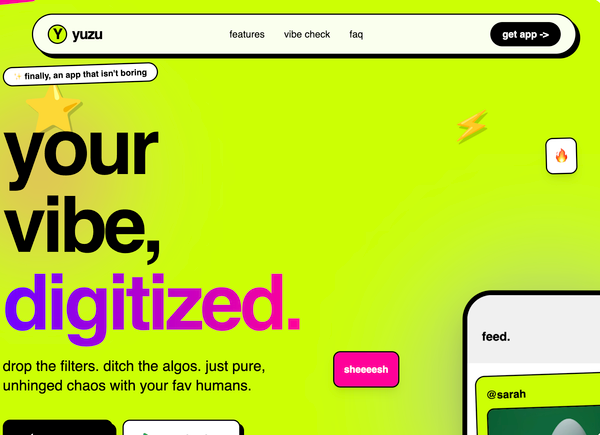
Gen-Z Social App
A high-energy, Gen-Z-inspired design system with a 'Neo-Brutalist' aesthetic. This style features high-saturation colors like acid green (#ccff00), vibrant purple (#7000ff), and hot pink (#ff0099), paired with heavy black borders and hard shadows. It utilizes expressive, oversized typography and intentional layout chaos through asymmetrical sections and tilted elements. Ideal for social media apps, youth-oriented fintech, creative portfolios, and lifestyle products that prioritize attitude over corporate structure.
Circular Gallery
A high-end, WebGL-powered circular gallery with smooth scroll, image bending effects, and elegant typography. Ideal for immersive storytelling or creative portfolios.
Text slidedown animation
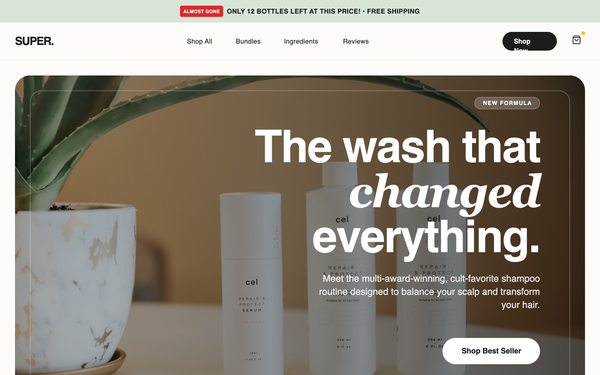
Super Shampoo - High Conversion LP
A premium, high-conversion e-commerce style guide optimized for D2C beauty and wellness brands. Features a sophisticated 'clinical luxury' aesthetic with a palette of sage green (#E2E8E4), off-white beige (#F5F5F0), and deep charcoal (#1C1C1C). The typography balances bold 'General Sans' headings with clean 'Switzer' body text. Includes specialized conversion elements like scarcity-driven promo bars, trust badge grids, comparison tables, and a sticky mobile 'Add to Cart' bar. Ideal for skincare, haircare, or luxury lifestyle products requiring a mix of editorial imagery and performance-driven UI.
Rotating logos
Logo display UI
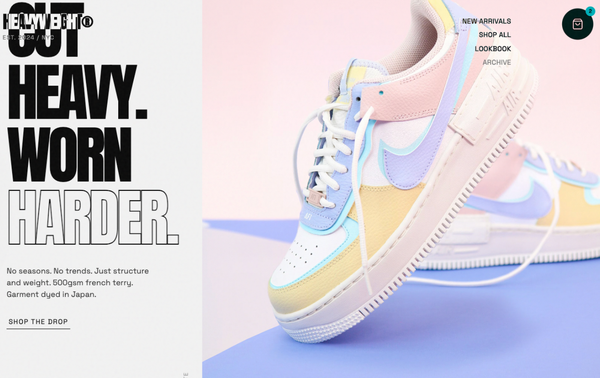
Header & Hero Layout Refinement
A brutalist streetwear design system characterized by heavy editorial typography, a high-contrast neutral palette (concrete and ink), and asymmetric layouts. Features include a fixed mix-blend header, a grainy texture overlay, and a 'broken' grid for product displays. Ideal for high-end fashion, streetwear boutiques, architectural studios, and edgy SaaS brands looking for a raw, industrial aesthetic. Includes horizontal scrolling components, masonry-style social proof, and grayscale-to-color hover effects.
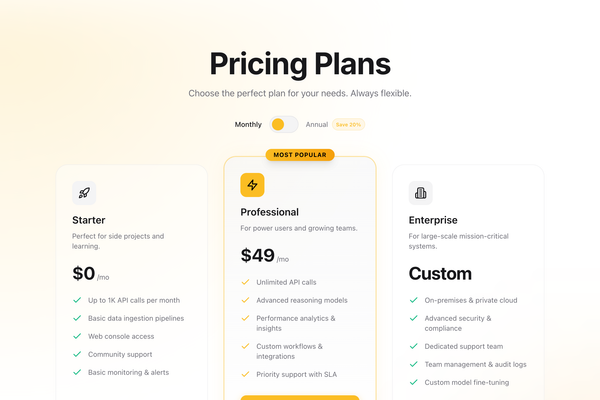
Pricing
A high-conversion pricing section with a toggle for monthly/annual billing. Features three tiers with a highlighted 'Pro' plan, glassmorphism effects, and smooth Framer Motion animations. Designed for SaaS and digital products.
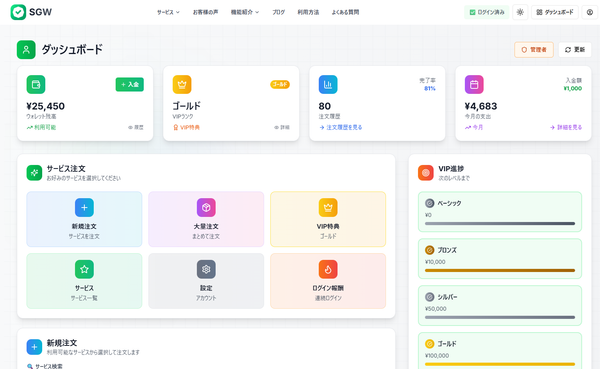
SGW - Enhanced Modal Interaction
Increase the height of the "今すぐ注文を確定する" (Confirm Order Now) submit button. Make it larger and more prominent - increase the padding and font size to make it a more substantial, clickable button that stands out more in the form.
"Spotlight" Mask
A scroll-driven interaction where a circular spotlight mask grows to reveal colorful UI content underneath a dark overlay.
Aurora background
A WebGL-based aurora borealis effect using OGL. It creates a smooth, flowing gradient animation that simulates the northern lights.
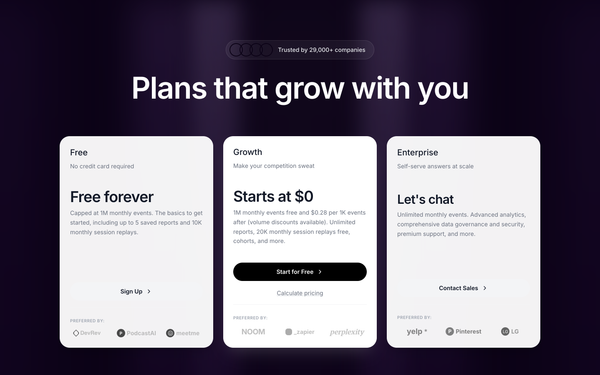
Mixpanel Pricing
A pixel-perfect recreation of the Mixpanel pricing section featuring a distinctive purple gradient curtain background, interactive pricing cards, and a dynamic usage estimator slider.
How to prompt a SaaS site that looks designed, not generated
Ask an AI agent for "a modern SaaS landing page" and you get the average of every Tailwind tutorial it trained on: a purple gradient, Inter, a vague headline, and three equal feature cards. A good prompt is a list of constraints that override those defaults. Here is each default you need to override, the words that do it, and a template that bakes them all in.
Design a [light or dark] marketing homepage for [product], a [category] for [who it is for].
Hero: a headline under 8 words naming the one outcome ([the outcome]), a one-line subhead naming the problem, one primary CTA ([action]) and a quiet secondary CTA.
Show the product: put a real UI screenshot or an interactive demo in the hero, not a stock illustration or an abstract blob.
Social proof in the first scroll: [3 to 5 customer logos] and one testimonial with a real name and a number, tied to the claim it supports.
Sections, in order: hero, the problem, a feature demo that shows not lists, social proof, pricing, a closing CTA.
Style: a neutral or dark base with one accent color. Typeface [a named display face] for headings and [a named body face], not the default Inter and no purple gradient.
Voice: specific and confident, no "supercharge", "seamless" or "all-in-one".
Hero and headline
Default: It writes a vague, feature-free headline like "the all-in-one platform to supercharge your workflow" and stacks two equal CTAs.
Constrain it: Name the user and the one outcome in under 8 words, add a subhead that names the problem, and keep a single primary CTA.
Show the product, not a blob
Default: It fills the hero with a generic illustration, an abstract gradient blob, or a stock photo, so a visitor never sees what they would actually use.
Constrain it: Ask for a real product UI screenshot or an interactive demo in the hero, framed in a browser or app chrome.
Social proof tied to the claim
Default: It either skips proof or drops a generic five-star quote from "a happy user" with no name, no company and no number.
Constrain it: Require recognizable logos in the first scroll plus one testimonial with a real name, role and a concrete number, placed beside the claim it supports.
Name the sections
Default: It builds a hero then three equal feature cards (fast, secure, always on) and stops, with no narrative and no path to a decision.
Constrain it: Spell out the sections in order: hero, the problem, a feature demo that shows not lists, social proof, pricing, and a closing CTA.
Type and color
Default: Left alone it reaches for Inter and a purple to indigo gradient, the Tailwind default that makes every AI site look the same.
Constrain it: Name a display typeface and a body typeface, and pick one accent color on a neutral or dark base. No purple gradient.
A point of view
Default: Told to be "modern and clean" it lands on the median Tailwind tutorial: rounded cards, soft shadows, and no opinion.
Constrain it: Name a design movement and its concrete rules, for example neo-brutalist with hard 2px borders and a solid offset shadow, or Swiss editorial.
Frequently asked questions
What makes a good SaaS website?
It tells a stranger who it is for and the one outcome it delivers in about five seconds. Lead with a specific headline, show the real product instead of a stock illustration, prove the claim with recognizable logos and a real testimonial, and give one clear call to action. Focus beats another feature section every time.
What pages does a SaaS website need?
Start with the few that earn the signup: a homepage, a features or product page, a pricing page, and at least one proof page (customers or case studies). A homepage itself usually runs five to eight sections: hero, the problem, a feature demo, social proof, pricing, and a closing CTA. Add docs, blog and an about page as you grow.
Why does my AI-generated SaaS landing page look generic?
Because a vague prompt gets the model defaults: a purple to indigo gradient, the Inter typeface, a vague "all-in-one platform" headline, and three equal feature cards. The model learned design by averaging the web, so it hands back the average. Name the user and outcome, a real product screenshot, recognizable proof, one accent color, a named typeface pairing, and a design movement, and it stops reaching for the median.
How do you write a prompt to generate a SaaS website?
Describe the brief, not the vibe: the product and who it is for, a headline naming one outcome, a real product screenshot in the hero, the proof you have, the section order, one accent color on a neutral or dark base, and a named typeface pairing. The template above walks through each part, and you can open any example here to see a full prompt that works.
Can I use my own brand colors and copy?
Yes. Generate the layout first, then describe your accent color, typeface, headline and proof in plain language and branch a variant. Every design comes back as real, editable code, so wiring in your brand and content happens in your own repo, not a rebuild from a screenshot. Stuck on something? Ping us and we will sort it out together.