Design prompts for dashboards
A great dashboard answers one question in about five seconds: how are we doing right now? It leads with the metric that matters, gives every number a comparison so you can tell good from bad at a glance, and keeps the raw rows one click away. The prompts below are the most-copied dashboard designs in the Superdesign library, from dark SaaS analytics to fintech and admin panels. Open any one to see the exact prompt behind it, then tweak the copy and generate your own editable version in seconds.
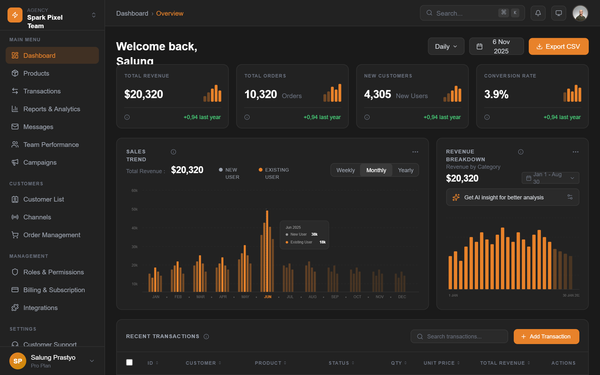
Dark SaaS Dashboard - Spark Pixel Team
A high-end, dark-themed enterprise SaaS dashboard featuring a sophisticated color palette of deep grays and vibrant amber accents. The design utilizes high-contrast typography with General Sans, a modular bento-grid layout for metrics, and custom SVG-based data visualizations. This style is ideal for fintech, analytics platforms, and professional agency management tools where a premium, data-heavy, yet clean interface is required. It emphasizes visual hierarchy through varying font weights and intentional use of negative space.
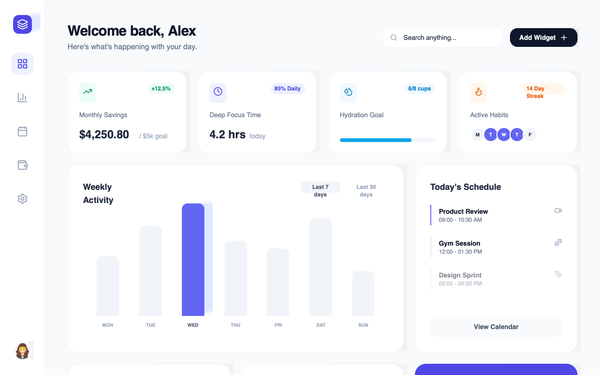
Premium Glassmorphism Dashboard with Smooth Edge-to-Edge Line Charts
A high-end glassmorphism dashboard design system featuring soft mesh backgrounds, vibrant gradients, and edge-to-edge smooth SVG line charts. The aesthetic uses 'Cabinet Grotesk' for bold, editorial headings and 'Satoshi' for clean body text. Suitable for premium SaaS, fintech, analytics platforms, and modern creative agency portals. Key elements include bento-grid layouts, ultra-blurred glass surfaces (28px blur), and floating 3D-inspired micro-interactions.
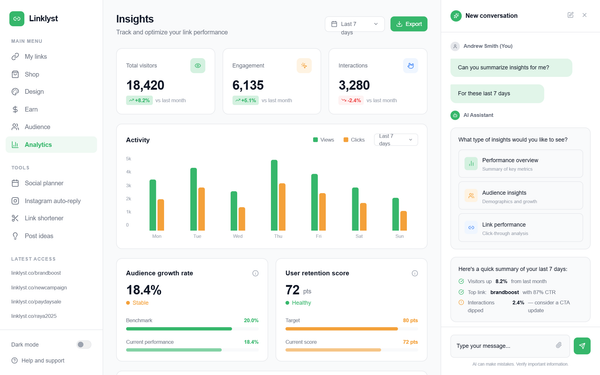
Linklyst Analytics Dashboard
A modern, high-performance analytics dashboard featuring a sophisticated three-column layout. The aesthetic is clean and professional, utilizing a white and light-gray palette punctuated by vibrant forest green (#36B76B) and sunset orange (#F4A13A). It incorporates editorial typography (Inter), subtle shadows, and staggered entrance animations. Suitable for SaaS, fintech, marketing analytics, and AI-driven platforms. Key features include glassmorphism-lite chat interfaces, bento-style metric cards, and animated bar charts with custom growth indicators.
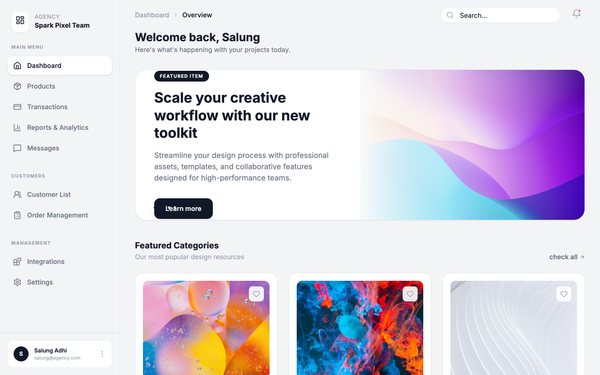
Minimalist Monospace Dashboard
A technical, minimalist dashboard design featuring a strict monospace typography system (JetBrains Mono) and a clean grayscale palette with subtle geometric SVG patterns. The aesthetic is inspired by digital blueprints and high-end engineering tools, using thin borders, generous whitespace, and uppercase labels with wide tracking. This style is exceptionally suited for developer platforms, SaaS analytics, fintech dashboards, design asset marketplaces, and internal administrative tools that prioritize clarity and a precise, modern aesthetic.
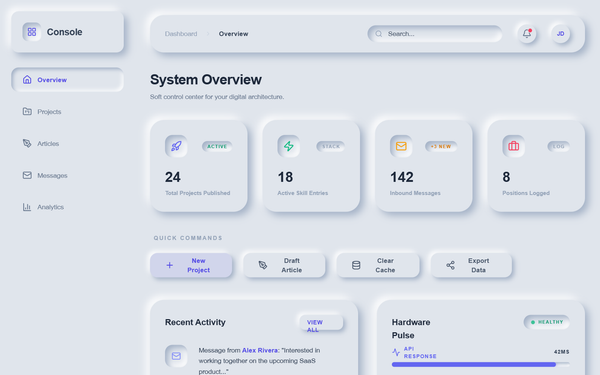
Modern Neumorphic Dashboard - Dynamic Animations
A premium neumorphic (Soft UI) dashboard design system characterized by sophisticated depth, light-source-driven shadows, and a rich layer of dynamic micro-interactions. Utilizing a palette of soft greys (#e0e5ec) and deep navy (#1e2030), the interface features highly tactile elements with 'extruded' and 'inset' appearances. The design is optimized for SaaS dashboards, fintech platforms, and administrative consoles requiring a modern, playful, yet professional aesthetic. Key features include staggered cascade animations, pulse effects on status indicators, and moving gradient progress bars.
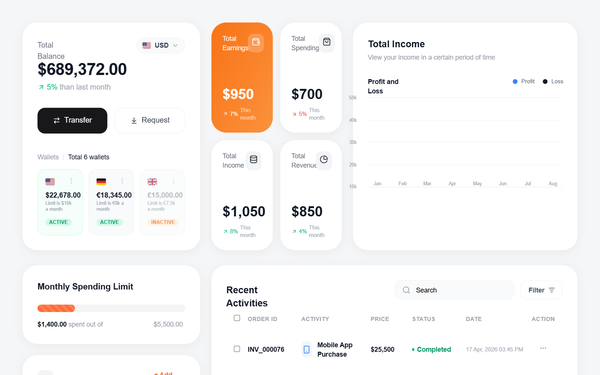
Fintech Dashboard with Line Chart
A high-fidelity fintech dashboard featuring a clean, modern aesthetic with a focus on data visualization and personal finance management. Key features include a smooth SVG line chart with dual-axis data points, high-radius card components (32px), a multi-currency wallet system, and a detailed transaction table. The style is defined by its use of the 'Outfit' typeface, a vibrant orange (#FF6B35) and blue (#3B82F6) color palette against a light gray background (#F5F6F8). Suitable for banking apps, investment platforms, SaaS analytics, and crypto dashboards.
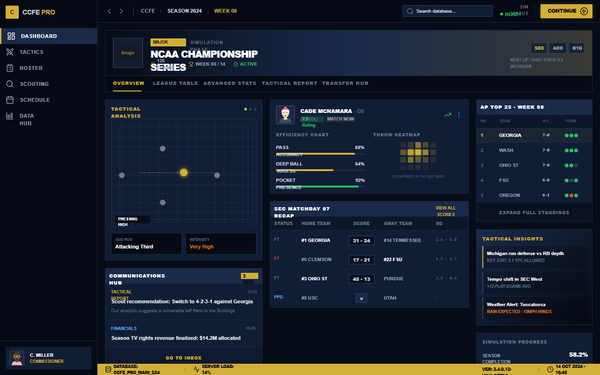
CCFE League Dashboard - Ultra Detail FM Edition
A high-density, data-rich sports management dashboard inspired by professional football simulation games. Features a sophisticated dark navy and gold color palette, tactical visualizations, and ultra-compact layouts. Perfect for sports analytics, fintech trading platforms, or complex SaaS monitoring systems requiring deep data visibility and authoritative aesthetics.
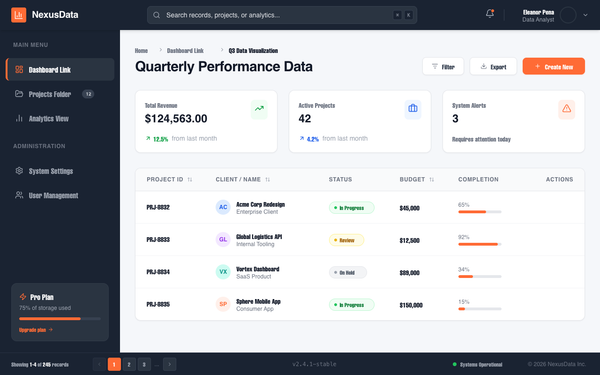
Data Visualization Dashboard
A professional enterprise-grade data visualization dashboard featuring a high-contrast dark navy and vibrant orange color palette. The design uses a structured 3-part layout (Header, Sidebar, Main Content) optimized for SaaS platforms, fintech, analytics tools, and project management systems. It emphasizes clarity through a clean Plus Jakarta Sans typography, modular bento-style metric cards, and a sophisticated data table with contextual hover actions and status indicators.
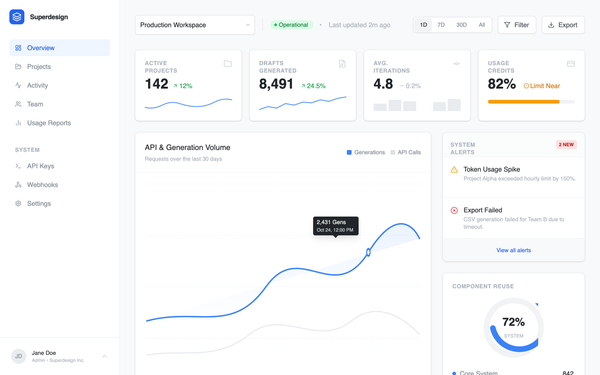
Analytics dashboard
Professional SaaS analytics dashboard design featuring a clean, enterprise-grade aesthetic. Utilizing a refined blue brand palette (#3B82F6), high-contrast gray scales, and dual-font pairing (Inter for UI, JetBrains Mono for data logs). The layout employs a classic sidebar-and-main-content structure with bento-style metric cards, interactive grouped bar charts, and technical event streams. Ideal for fintech, developer tools, cloud infrastructure monitoring, and complex data-driven enterprise platforms.
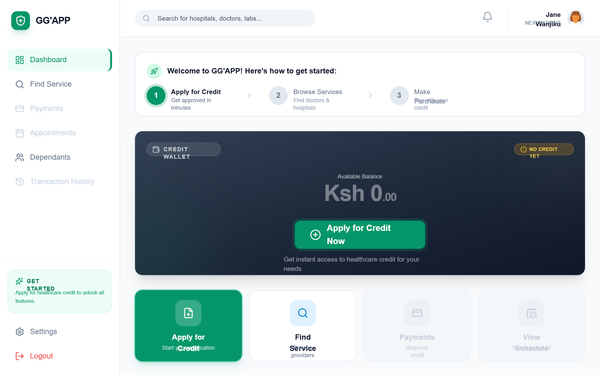
GG'APP New Patient Dashboard
A premium, healthcare-focused fintech dashboard for patient onboarding. Featuring a clean emerald and slate palette, it uses 'General Sans' for modern display typography and 'Satoshi' for body text. The layout is a sophisticated SaaS-style dashboard with a fixed sidebar, sticky header, and a responsive grid system. Highlights include a dark-mode credit wallet card with glassmorphism effects, a three-step onboarding progress tracker, and a bento-style quick actions grid. Ideal for health-tech, fintech, insurance portals, and patient management systems requiring a welcoming but professional entry point.
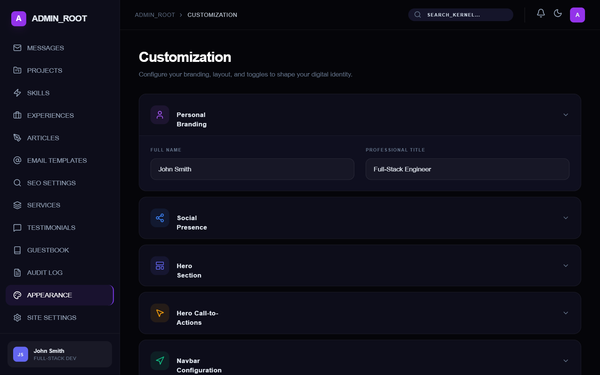
Integrated Admin Customization Dashboard - Pro Edition
A high-end, futuristic dark-mode admin customization interface featuring 'Dark Neumorphism' aesthetics. Characterized by deep navy and obsidian tones (#050509, #0d0d1a), vibrant violet-to-pink gradients (#7c3aed to #db2777), and advanced spring-physics animations. This design system is optimized for SaaS configuration panels, developer tools, and fintech dashboards. Key features include staggered cascade reveals, floating label inputs with validation states, elastic accordion transitions, and glassmorphic sticky headers. The layout utilizes a bento-grid inspired stats section and a persistent, high-contrast action bar for global state management.
GG'APP Service Provider Dashboard
A professional healthcare service provider dashboard with a focus on emerald and sky blue aesthetics. It features a clean, data-driven layout with high-readability typography, suitable for medical practices, fintech dashboards, or SaaS admin panels. Key elements include a sticky glassmorphism header, highly rounded bento-style cards, and a sophisticated sidebar navigation with status indicators.
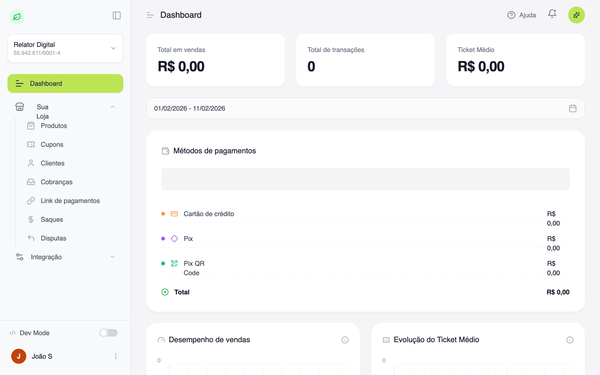
Dark Mode Listings Dashboard
A sophisticated dark-mode dashboard designed for automotive or high-value asset marketplaces. It features a high-contrast palette of deep charcoals and vibrant brand accents like emerald green and amber orange. Key characteristics include a structured 280px sidebar, a bento-grid metric system with integrated progress bars, and a clean data table for listing management. The style uses 'General Sans' typography for a modern, tech-forward feel, suitable for SaaS, fintech, or inventory management platforms.
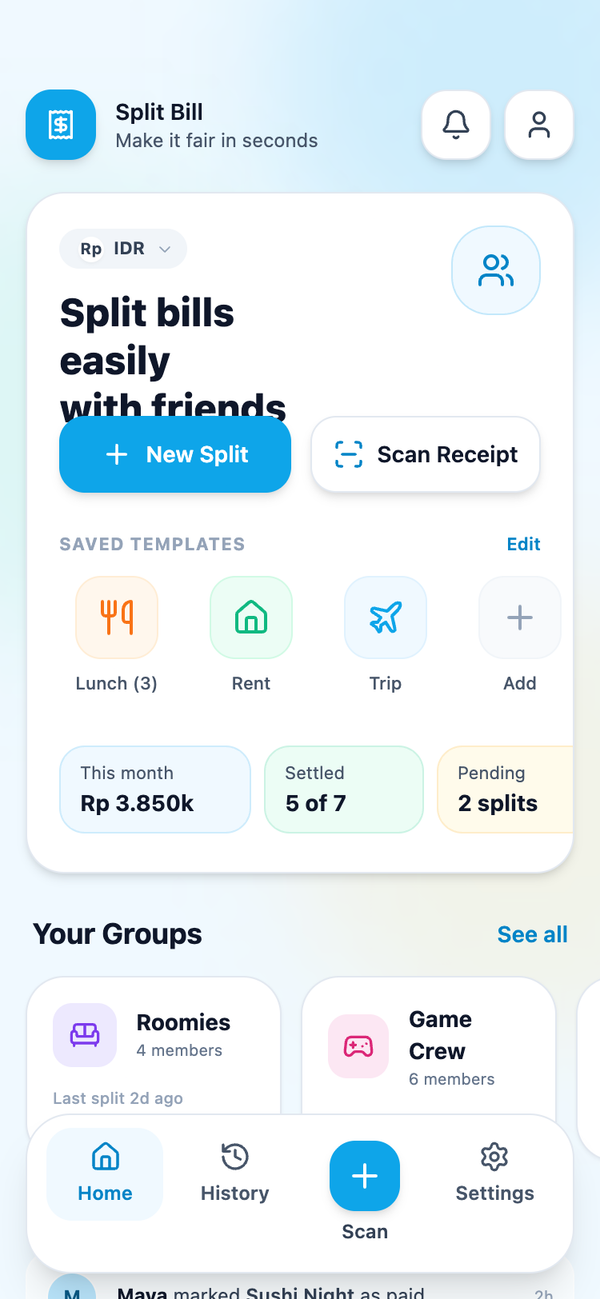
Split Bill - Enhanced Dashboard
A playful and friendly fintech dashboard style with a cartoony aesthetic. Features a soft sky blue theme, high-radius components (28px-32px), and a modular grid layout. Ideal for personal finance, bill splitting, social budgeting, and casual lifestyle apps. It utilizes a soft-glassmorphism approach for activity feeds and a high-contrast dark mode for data insights. Keywords: playful, friendly, sky blue, fintech, bill splitting, dashboard, rounded corners, glassmorphism, horizontal scroll, bento-inspired.
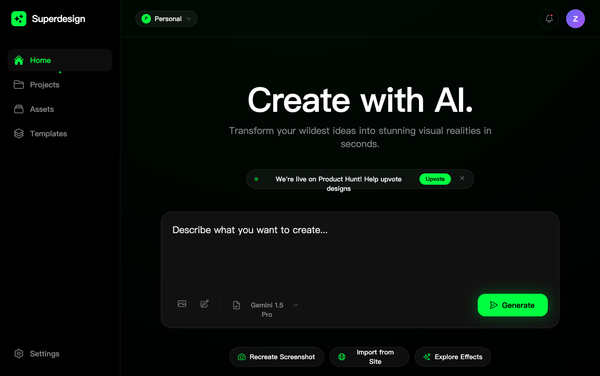
Zen Design Dashboard
Redesign the dashboard with a minimalist/zen aesthetic: soft color palette with lots of whitespace, subtle gradients instead of neon glows, gentle micro-animations, premium typography with refined hierarchy. Keep the same layout structure (sidebar + header + hero + projects grid + sticky footer) but simplify the design language. Use soft blues and warm grays instead of neon green. Replace harsh glows with subtle shadows. Make input box focus state elegant with soft glow instead of aggressive neon. Project cards should be minimal with soft borders and plenty of negative space. Typography should feel premium and refined. All animations should be gentle (fade in, soft scale, smooth transitions). Create a calm, sophisticated interface that feels premium and thoughtful rather than aggressive. Maintain AI model selector and all functional elements but with zen styling.
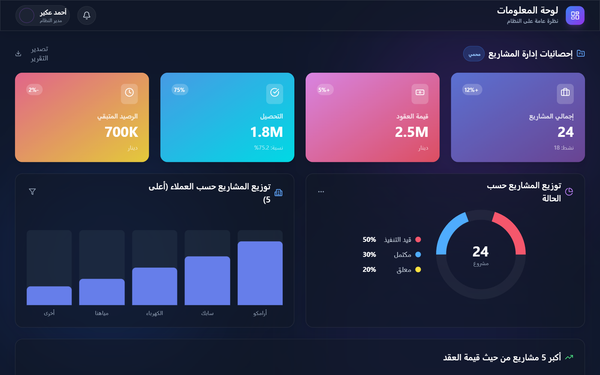
Glassmorphism HR Dashboard
A futuristic Glassmorphism HR & Finance dashboard featuring a dark mode aesthetic with vibrant gradients and frosted glass effects. Designed for HR management, salary tracking, and fintech platforms, it utilizes a sophisticated dark indigo background (#0f172a) paired with glowing blue (#667eea) and purple (#764ba2) accents. Key elements include bento-grid layouts, SVG-based data visualizations, smooth staggered animations, and a focus on Arabic RTL typography (Cairo font). It balances high-end visual fidelity with functional information density.
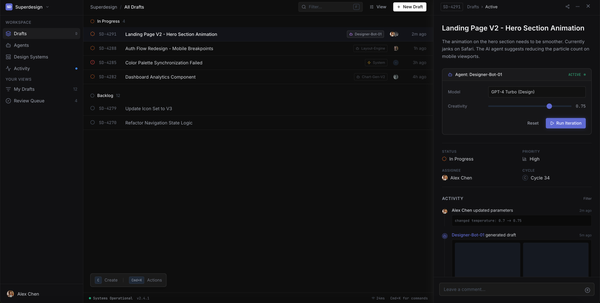
Linear inspired developer tool dashboard
A high-performance dark-mode console design inspired by Linear and high-end developer tools. Featuring a deep charcoal and black palette (#0e0e0e, #111113) with a vibrant indigo accent (#5e6ad2). The layout uses a classic three-pane structure: a 240px navigation sidebar, a central list view, and a 480px sliding contextual detail panel. Key aesthetics include minimal borders (white/5), Inter/JetBrains Mono typography pairing, glassmorphism overlays, and precise status indicators with subtle animations. Optimized for SaaS dashboards, developer platforms, and AI-driven workflow management tools.
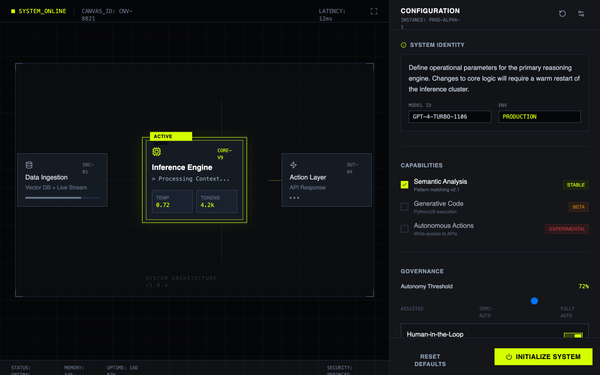
AI System Configuration Console
A high-fidelity AI configuration console and operating-system style interface. Features a dark slate and acid green color palette, monospaced typography, and a technical grid-based layout. Designed for SaaS backends, developer tools, AI management platforms, and cybersecurity dashboards. Includes a system canvas with nodes, a detailed inspector sidebar, terminal-style live outputs, and mechanical-inspired UI components like square range sliders and binary toggle switches. Visual Description: A brutalist dark-mode design system engineered for mission-critical AI configuration and monitoring. System-01 combines technical precision with high-contrast accessibility, featuring an operating-console aesthetic that prioritizes transparency and rapid cognitive processing over conversational warmth. Typography: * Display/UI: Inter (400 - 700 weight) - clean, high-legibility sans-serif optimized for UI clarity at small sizes * System Labels & Code: JetBrains Mono - monospaced font for technical credibility, system IDs, and data readout sections * Uses uppercase tracking and letter-spacing for scannable hierarchy Color Palette: * Primary Background: Deep Slate #0F1115 (base canvas) * Secondary Background: Elevated Charcoal #151B23 (panel containers, nested surfaces) * Primary Accent: Acid Green #D4FF00 (signals, active states, CTAs, warnings) * Borders & Dividers: Slate #30363D (subtle, non-dominant) * Text: Light Gray #E6EDF3 (primary), Muted Gray #8B949E (secondary labels) Design Classification: Brutalist Minimalism + HCI-Optimized + Cybernetic Interface. No gradients, no illustrations - only grid lines, system tags, and geometric clarity. Mechanical, not playful. Best Usage Scenarios: * AI/ML product dashboards and control panels * Developer tools and infrastructure UIs * Mission-critical SaaS applications * Onboarding flows for technical products * System configuration and monitoring interfaces * B2B enterprise platforms requiring credibility Theme Mode: Dark Mode (enforced, no light variant) Components Library: Inspector panels, system canvas with node diagrams, status bars, capability toggles, range sliders, action buttons, modal forms, field inputs, tabs, dividers, badges (stable/beta/experimental), terminal output blocks, custom checkboxes Animation Types: Scanline sweep (continuous screen effect), mechanical snap (button interactions with translate + shadow), pulse-ring (active node detection), data streaming (terminal text reveal), smooth range slider thumb with glow effect Accessibility: WCAG AAA contrast ratio compliance. High contrast between acid green (#D4FF00) and dark backgrounds ensures readability for color-blind users. Monospaced fonts aid focus and reduce cognitive load. Responsive: Fluid layout with 8px grid unit. Left panel (65%) canvas + right panel (35%) inspector adapts from desktop to tablet seamlessly.
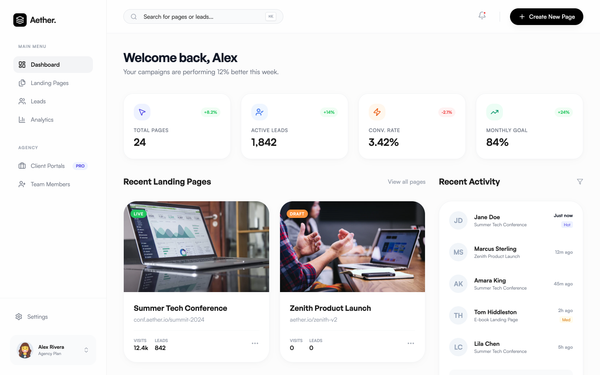
Aether Landing Page SaaS Dashboard
A clean, modern SaaS dashboard with a minimalist aesthetic, featuring glassmorphism elements, high-contrast black accents, and a soft neutral palette. Built for landing page creators, agency management, and fintech tools. Key features include a bento-grid stats section, image-heavy content cards, and a sleek lead activity feed. Layout uses whitespace effectively with Satoshi and General Sans typography for an editorial feel.
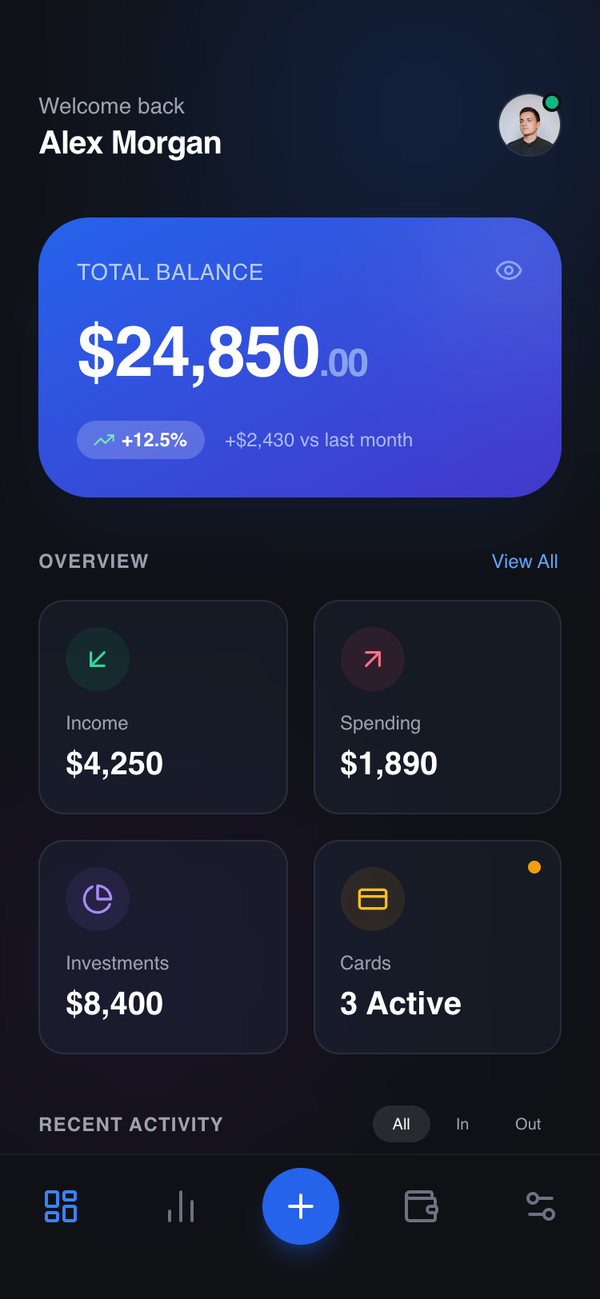
Summary-to-Detail Dashboard
A top-down hierarchy starting with a single primary summary, followed by compact secondary metrics and a detailed breakdown section. Best Suitable For Fintech, health tracking, analytics, enterprise SaaS, data-heavy apps.
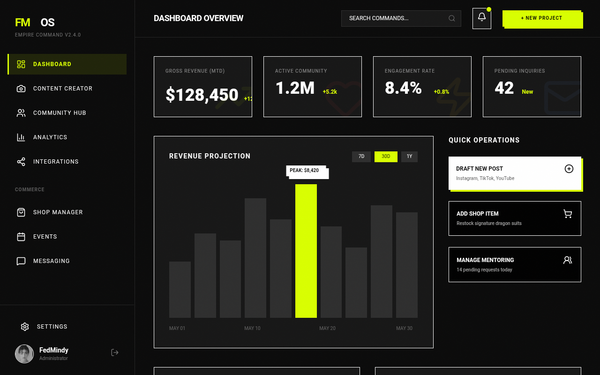
FedMindy | Empire Command Dashboard
Create a desktop admin dashboard for FedMindy's backend management system. This is Mindy's control center. Design a sophisticated dark dashboard with: left sidebar navigation (Dashboard, Content Creator, Community Hub, Analytics, Platform Integration, Shop Manager, Events, Messaging, Settings), main content area showing dashboard overview with key metrics (total sales, followers, engagement rate, pending messages), quick action cards. Use the same brutalist urban luxury aesthetic as the fan-facing site - neon lime yellow (#d9ff00) accents, black background, white borders, Syncopate display font for headings. Include header with Mindy's profile/logout. Design for desktop/large screens. Make it feel powerful yet approachable - this is where she controls her empire.

Dashboard Développeur - Full Interactive Version
A professional developer-centric dashboard design system featuring a clean, high-contrast aesthetic with ASIN green (#16b674) accents and ASIN blue (#2B6B8E) branding. Optimized for SaaS platforms, cloud management consoles, and technical administrative tools. The system utilizes Plus Jakarta Sans for a modern editorial feel, featuring collapsible sidebars, status-based badge systems, and interactive sandbox management cards with subtle elevation and smooth cubic-bezier transitions.
Nova Dashboard - Sunset Light Variant
The Nova Sunset Light Variant is a warm, energetic, and professional SaaS dashboard design. It features a sophisticated 'sunset' color palette of orange and amber accents set against a soft cream-white background. Optimized for AI learning platforms, research tools, fintech, and knowledge management systems, the design utilizes a fixed left sidebar and a high-legibility bento-grid layout. Key characteristics include Satoshi typography, subtle 3D transforms on cards, and soft-glow input fields that enhance the user focus during deep work sessions.
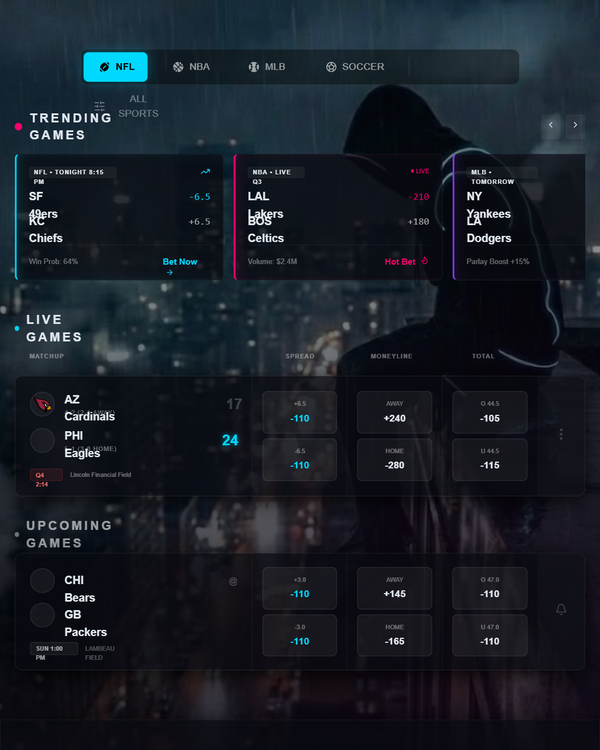
Neon Edge | Cinematic Dashboard
container outline blend good with an off color that works
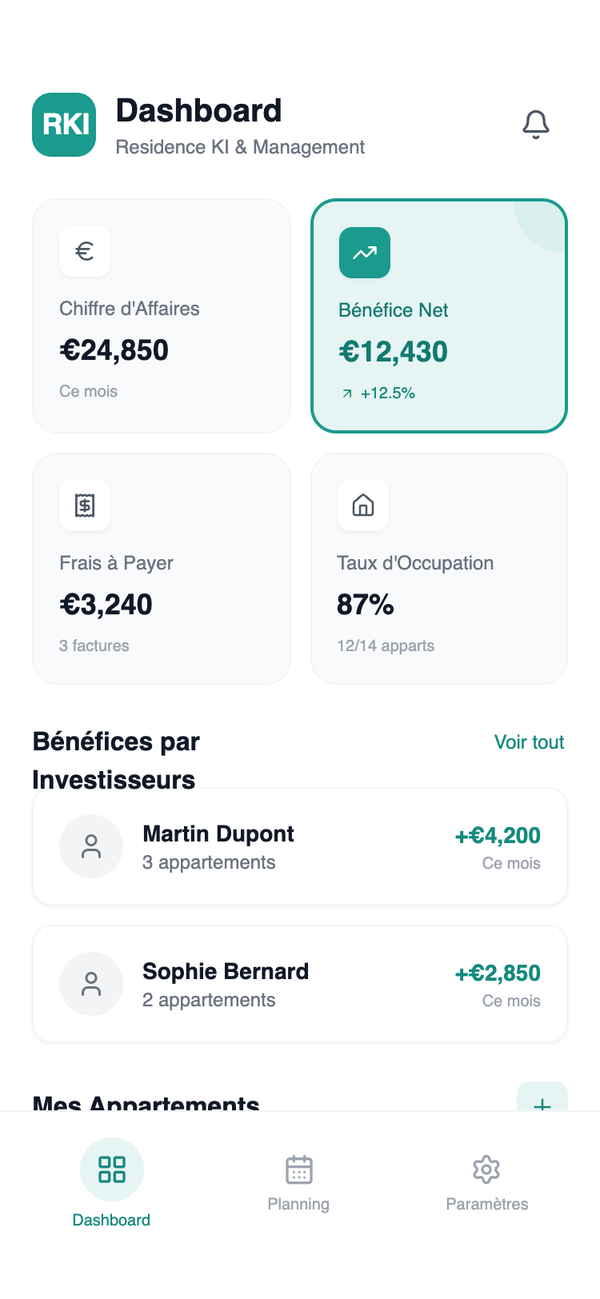
RKI Dashboard Mobile
A modern mobile Android dashboard design for property management and fintech applications. It features a clean, professional aesthetic using a white and teal color palette with Plus Jakarta Sans typography. The layout employs a 2x2 metrics grid, detailed list views for investors and assets, and a persistent bottom navigation bar. Ideal for real estate SaaS, financial tracking, or business management apps requiring high legibility and a minimal, flat design language without gradients or heavy shadows.
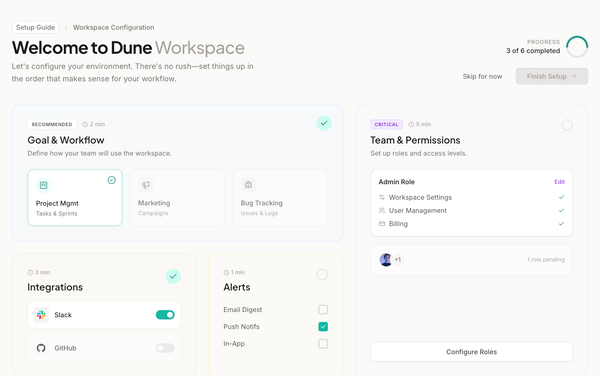
Bento Configuration Dashboard
Bento Configuration Dashboard style: A professional, non-linear SaaS onboarding layout using a modular bento grid. Features soft stone-neutral bases with a sophisticated teal accent (#14b8a6). Typography combines Plus Jakarta Sans for headings and Inter for UI elements. Designed for fintech, workspace management, and developer tools. Employs glassmorphism-lite with 20% opacity card tints, inset borders for depth, and smooth cubic-bezier transitions. Includes a circular SVG progress tracker and multi-state setup cards.
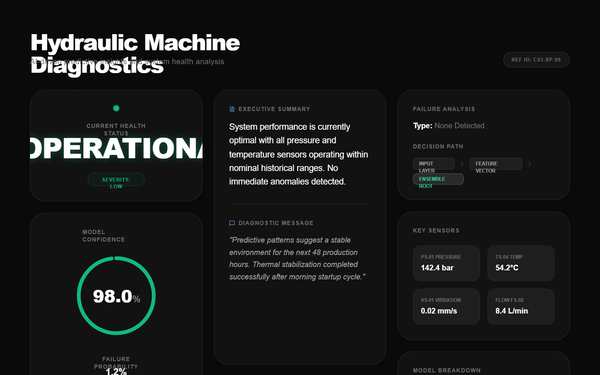
Hydraulic Machine Diagnostics Dashboard - Light Theme
A high-precision, light-mode diagnostic dashboard designed for industrial monitoring and IoT diagnostics. It features a clean 'glass-card' aesthetic with heavy emphasis on high-contrast typography, specifically 'Satoshi' Black. The color palette centers on a clinical white and slate base with emerald green for operational status, utilizing wide-tracked uppercase labels for a technical feel. Layout is a structured 12-column grid with generous spacing, subtle entrance animations, and data-dense components like progress rings and sensor grids. Ideal for fintech analytics, machine health monitoring, and scientific data visualization.
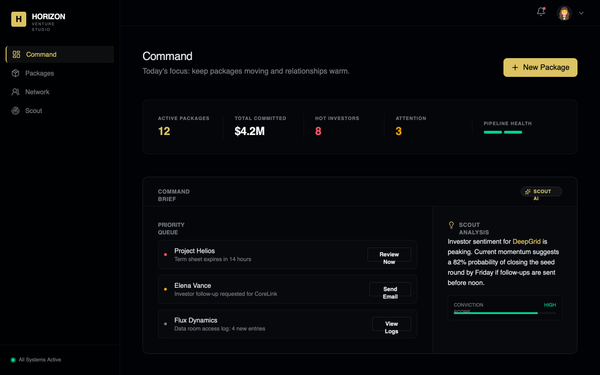
HORIZON Minimalist Command Dashboard
A high-end minimalist command dashboard designed for venture studios and fintech platforms. Features a dark mode aesthetic using precise OKLCH color spaces, editorial typography (Instrument Sans), and hairline borders (0.5px). Optimized for complex data visualization with a 'Command and Control' feel, utilizing bento grids, subtle backdrop blurs, and micro-interactions like slow-pinging status indicators.
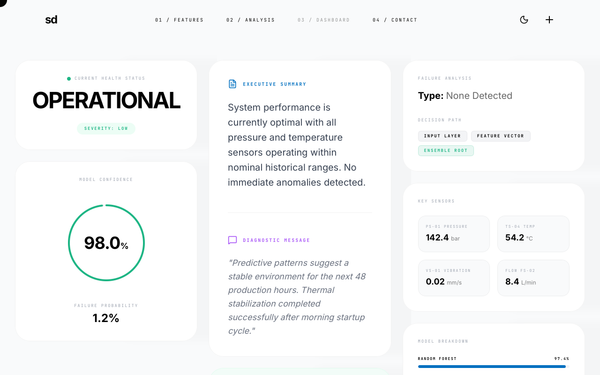
PredictAI - Results Analysis Dashboard
Bold editorial dashboard style featuring extreme typographic contrast, high-tech minimalism, and a sophisticated dark/light mode execution. Ideal for SaaS analytics, fintech, manufacturing AI monitoring, and data-intensive performance tracking. Key features include a custom blending-mode cursor, monospaced metadata, and a three-column bento-grid layout with staggered reveal animations and precise 1px borders.
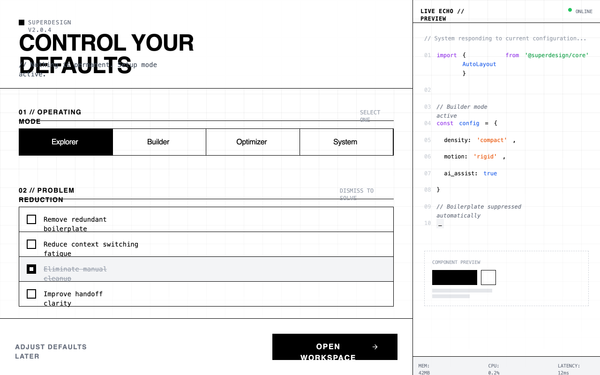
Developer tool dashboard/onboarding
A high-density, terminal-inspired dark mode design system optimized for developer tools, SaaS configuration panels, and technical dashboards. It features a matte #111111 background with a subtle 40px grid pattern, utilitarian typography pairing Space Grotesk with JetBrains Mono, and a high-contrast #FFFFFF accent color. The aesthetic is brutalist and tool-like, utilizing zero border-radius, instant transitions (<100ms), and a dual-pane layout with a live code terminal echo. Ideal for power-user interfaces where information density and technical focus are prioritized over visual decoration.

Atria Projects Dashboard
A high-density, professional B2B dashboard for enterprise-grade project planning and portfolio management. Characterized by a deep navy dark mode aesthetic (#0b1530), it utilizes a 'native macOS app' feel with traffic-light window controls and a sidebar navigation. The typography pairs Plus Jakarta Sans for headers, Inter for body text, and JetBrains Mono for numeric data. This design is optimized for sectors like real estate development, fintech, logistics, and SaaS infrastructure where information density and precision are prioritized over white space. It features blueprint-style thumbnails, data-heavy tables, and subtle sparklines for performance tracking.
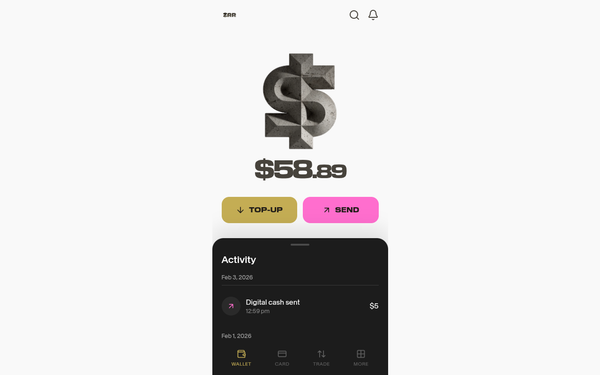
ZAR Wallet Dashboard - Exact Match
A high-contrast fintech mobile dashboard featuring a neo-brutalist aesthetic with a split-theme layout. It transitions from a clean light mode hero section to a dark mode activity sheet. Key elements include bold extended typography (EK Modena), a palette of gold (#C4AD54) and vibrant pink (#FF6ECE), and a tactile 3D concrete dollar illustration. Ideal for crypto wallets, neobanks, and lifestyle financial apps looking for a premium, unconventional brand identity.
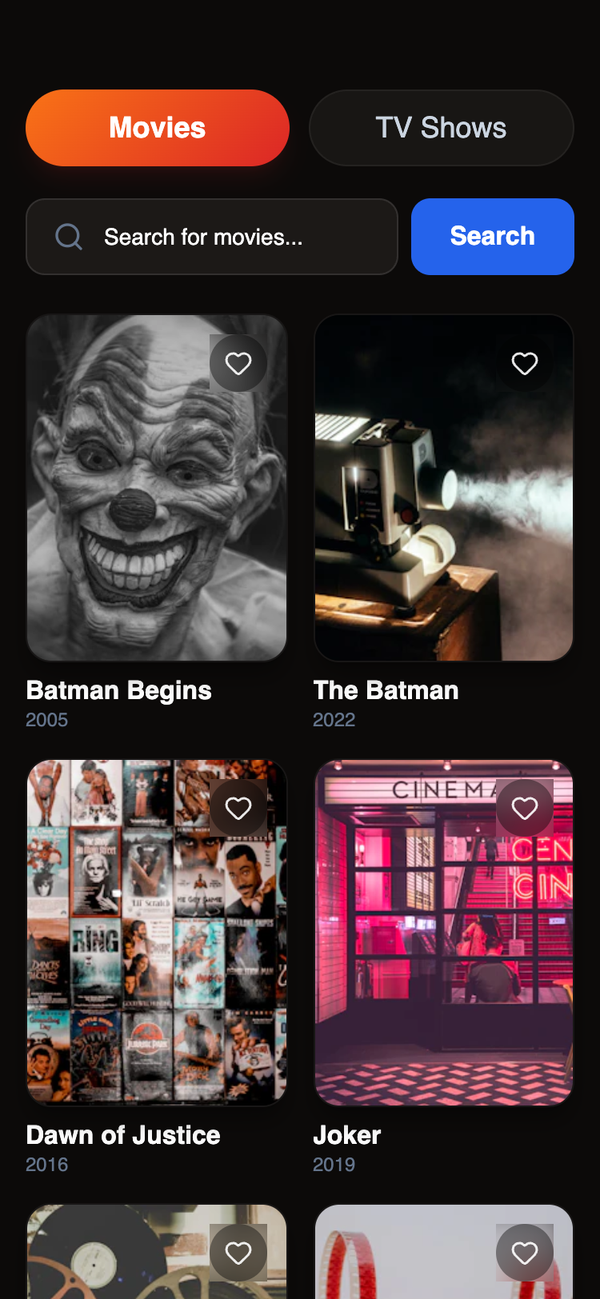
Modern Streaming Dashboard
A premium dark-themed mobile streaming dashboard featuring a sophisticated color palette of deep charcoal, vibrant orange-red gradients, and electric blue. The design utilizes a 'Plus Jakarta Sans' typographic scale, subtle noise textures for depth, and high-gloss UI components with glassmorphism elements. Suitable for media libraries, fintech portfolios, or e-commerce marketplaces requiring a high-end, immersive aesthetic.
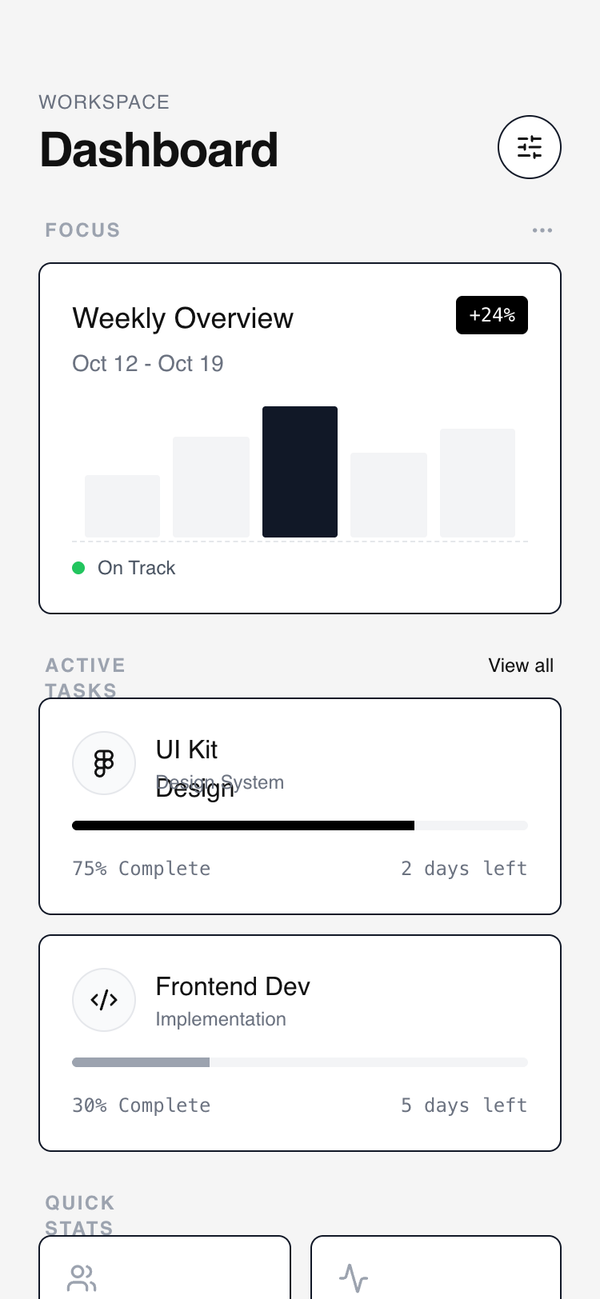
Modular Card Dashboard
A high-contrast wireframe dashboard style featuring a modular card-based system. Characterized by a 'neubrutalism-lite' aesthetic with heavy black borders, hard shadows on hover, and a strict grayscale palette. It utilizes clean editorial typography (Switzer) and a minimalist approach to data visualization. Perfect for SaaS management tools, fintech mobile apps, developer dashboards, and productivity interfaces where structural clarity and modularity are prioritized over colorful decoration.
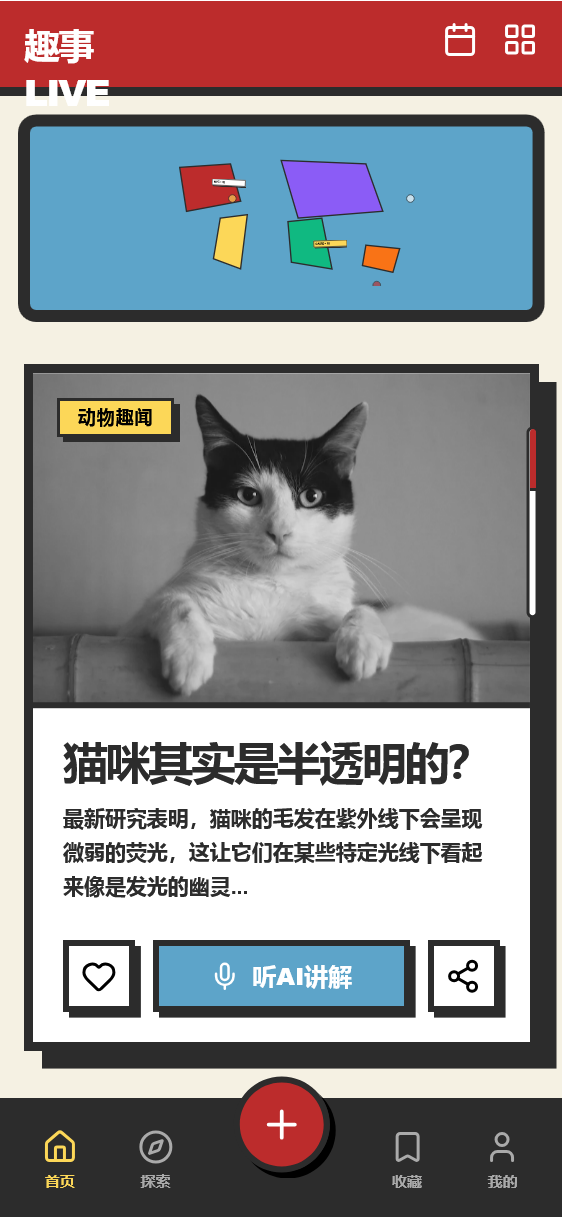
Fun Facts LIVE - Retro Punk Dashboard
A high-energy 1970s retro-punk and brutalist mobile interface designed for immersive content discovery and community engagement. This style guide features a high-contrast 'primary color' palette (Retro Red, Blue, and Yellow) set against a vintage beige background. Key characteristics include heavy 6px-12px charcoal borders, hard block shadows (no blur), and an editorial layout with bold, uppercase Montserrat typography. Suitable for edutainment apps, music discovery, niche social feeds, or radical fintech dashboards that prioritize 'attitude' and tactile visual feedback.
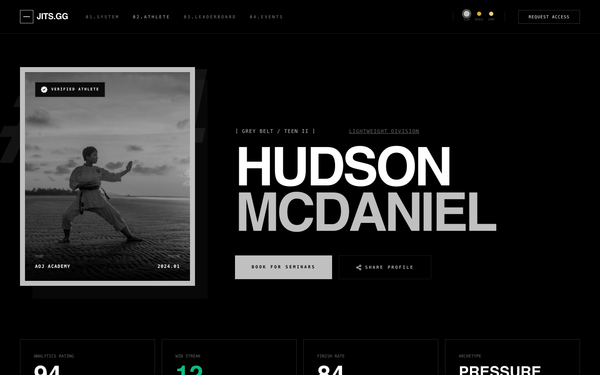
Hudson McDaniel | Compact Elite Dashboard
Expand the athlete profile with new sections below the hero: (1) Add No-Gi / All / Gi toggle buttons above the competition log to filter match history by format. (2) Restructure the layout into a 2-column grid: LEFT (2/3 width) shows the filtered Competition Log table with match history. RIGHT (1/3 width) shows two new cards: 'Upcoming Tournaments' (list of next events Hudson is registered for) and 'Rival Fighters' (top competitors/matchups to watch). (3) Add an 'Advanced Analytics' section with detailed performance breakdowns (submission types, win/loss by position, etc.). Keep the dark luxury editorial aesthetic consistent. Reference the design at https://jitz-gg-1.onrender.com/fighter/hudson-mcdaniel-8408 for layout inspiration.
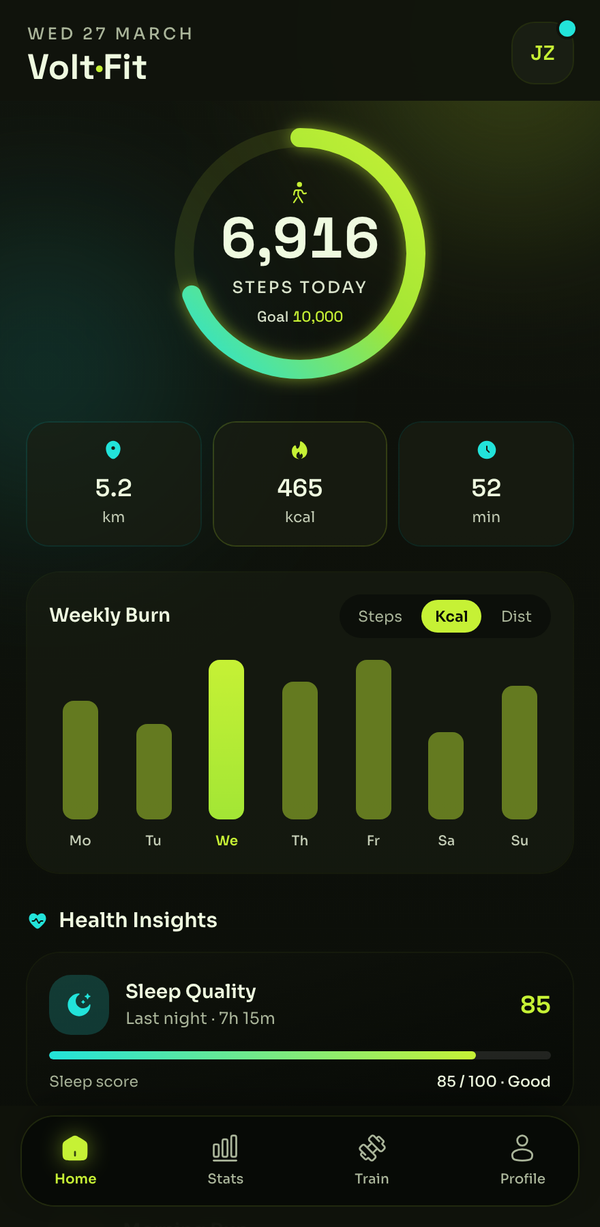
Volt - Electric-Lime Fitness Dashboard
An electric-lime fitness/health dashboard on near-black: a big animated step-progress ring, stat chips, a weekly-activity bar chart, health insights, a workouts list, a challenge card, and an achievements grid with a bottom nav.
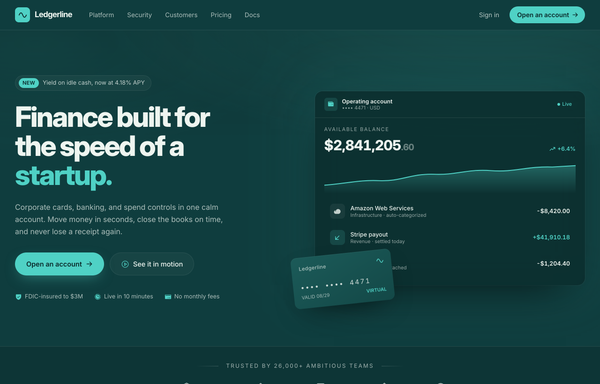
Ledgerline - fintech teal/mint startup landing page
Dark premium fintech / neobank startup landing page: deep teal canvas with a single mint accent and cream text (Inter), sticky blurred nav, a hero with a live account-dashboard mock (balance, area chart, transactions) and a tilted virtual-card chip, a bento feature grid, a hairline stat band with a pull-quote, a security & compliance badge grid, and a glowing centered CTA.
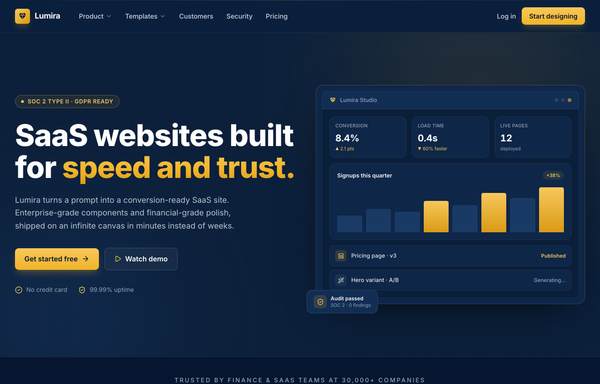
Lumira - Fintech Navy & Gold SaaS Website (icons fixed)
A deep navy and gold fintech SaaS marketing website: sticky blurred nav, split hero with a product dashboard mockup, trust logo band, six-card feature grid, big stats strip, security and compliance split, three-tier comparison pricing with a featured plan, CTA, and a six-column mega-footer.
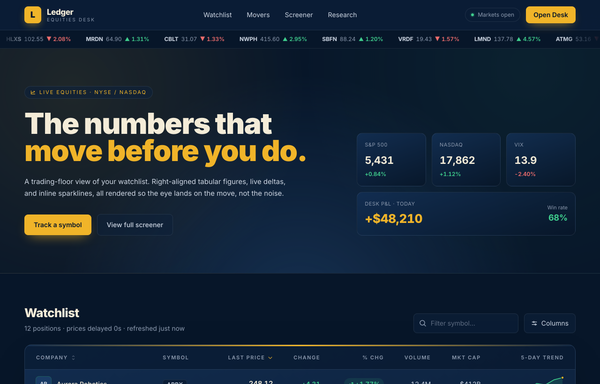
Ledger Equities Desk - Trading-Floor Watchlist
Dark navy trading-floor watchlist table with a sticky glass nav, a scrolling price ticker, index/P&L stat cards, and a dense financial data table: right-aligned tabular figures, green/red deltas, % pill badges, and inline SVG sparklines.
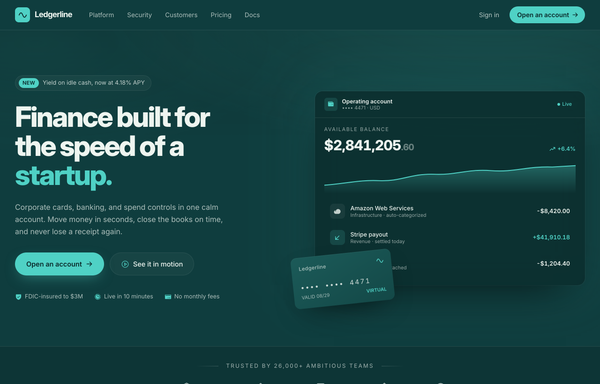
Ledgerline - Deep-Teal + Mint Fintech Startup (Dashboard Hero)
A trustworthy deep-teal fintech-startup landing page with a mint accent and cream text: a split hero with a product dashboard mock and a floating virtual card, a bento feature grid, a stats traction band, a security certifications grid, and a glowing CTA.
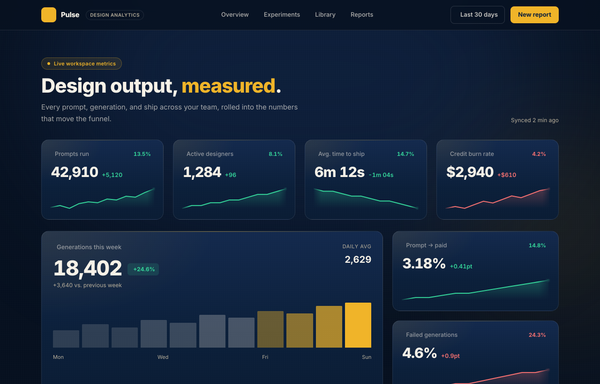
Pulse - Design Output, Measured
Dark navy analytics dashboard with amber accents: sticky glass nav, hero, a 4-up grid of stat cards with SVG sparklines, plus a featured big-number card with a bar sparkline.
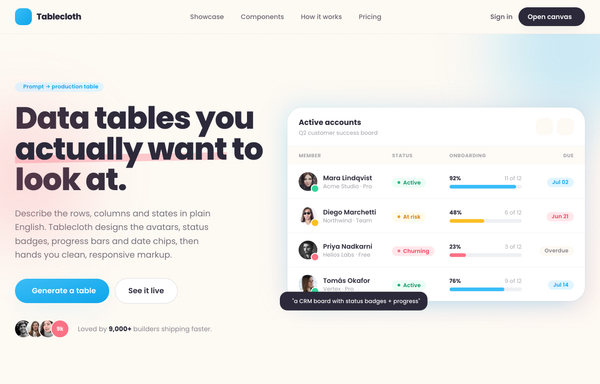
Tablecloth - Data tables you actually want to look at
A warm light-SaaS marketing page built around data-table cards: avatar cells with presence dots, pill status badges with leading dots, inline usage progress bars, and due-date chips, on cream paper with a sky-blue + coral palette and fully rounded cards in Poppins.
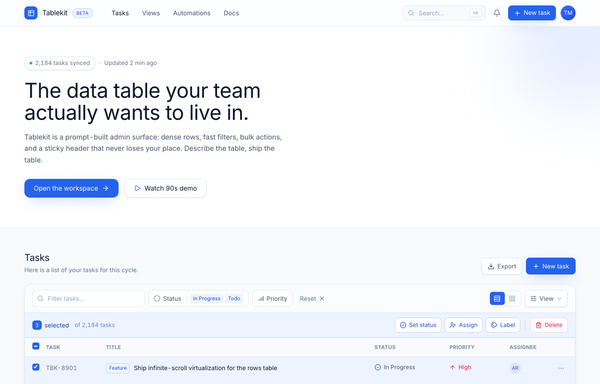
Tablekit - The data table your team actually wants to live in
Dense light-mode admin data table (Tablekit): blurred sticky nav, dotted-grid hero, a cobalt-on-white panel with a filter bar, bulk-action bar, sticky-header scroll table with colored status/priority/type badges and avatar chips, and a full pagination footer.
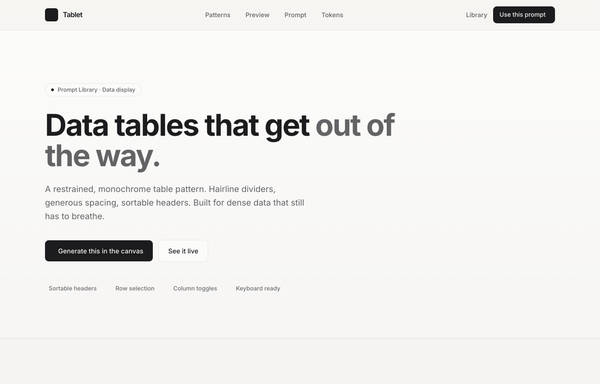
Tablet - Data tables, in graphite (minimal monochrome data-table prompt page)
A minimal monochrome data-table prompt page: graphite ink on warm paper, hairline dividers, sortable headers, no zebra stripes, and a single platinum accent for the in-flight state. Inter + JetBrains Mono.
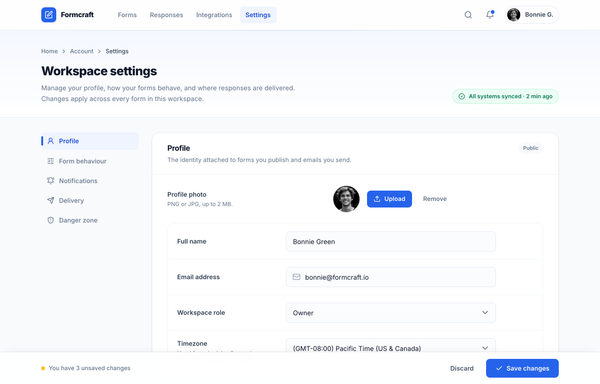
Workspace Settings · Formcraft (two-column, cobalt)
Light SaaS workspace-settings page (form builder): sticky app-bar, tinted header, sticky left section nav + stacked white settings cards, toggles, segmented control and a sticky save bar, on a single cobalt accent over a slate neutral system.
How to prompt a dashboard that looks designed, not generated
An AI design agent has a strong default for every part of a dashboard, and most of those defaults are wrong: a flat grid of equal cards, bare numbers, rainbow charts, the Inter typeface. A good prompt is really a list of constraints that override those defaults. Here is each default you need to override, the words that do it, and a template that bakes them all in.
Design a [dark or light] [type] dashboard for [who reads it] to [the one decision it supports].
Hero metric: [the number that matters], large and top-left, with its trend and a [vs last week or vs target] comparison.
Supporting KPIs: [2 to 3 more], each with a comparison and up or down color.
Charts: a line chart of [metric, time range, rough values]; a bar chart comparing [categories]. No pie, no 3D.
Table: [the records] with status badges and columns [...].
Layout: [sidebar or top] nav, KPI row up top, a two-thirds trend chart beside a one-third breakdown, table below.
Style: a neutral base with one [accent] color used only to flag status. Typeface [name], not the default.
States: include the empty, loading and error views.
Hierarchy
Default: It gives every metric the same weight, so you get a flat grid of equal cards with nothing to look at first.
Constrain it: Name one hero metric and say it leads: large, top-left, with everything else smaller.
Context on every number
Default: It prints bare numbers with no comparison, so you cannot tell whether any of them is good or bad.
Constrain it: Require a comparison on each KPI: versus last week or versus target, with up or down color.
Chart choice
Default: It reaches for decorative charts, often a pie or a 3D effect, and picks the type almost at random.
Constrain it: Name the chart per data: a line for trends, a bar for comparisons, a big number for one KPI. No pie, no 3D.
Color and type
Default: Left alone it defaults to Inter, a dark theme with a purple accent, and a rainbow palette used as decoration.
Constrain it: Name a typeface and one accent color on a neutral base, and reserve color for status: green up, red down.
Layout and density
Default: It centers a generic grid of cards with no real structure, navigation, or sense of who it is for.
Constrain it: Spell out the grid: sidebar nav, a KPI row up top, a two-thirds chart beside a one-third breakdown, a table below, dense for a power user.
The states
Default: It builds only the happy path and silently skips the empty, loading, and error views a real product needs.
Constrain it: Ask for them by name: the empty state before any data, a loading skeleton, and an error state.
Frequently asked questions
What makes a good dashboard UI?
It answers one question in about five seconds. Lead with the metric that matters, give every number a comparison so it reads as good or bad, group related metrics, and use one accent color for status. Restraint and a clear hierarchy do more than another widget ever will.
How many KPIs should a dashboard show?
Usually five to nine per view: the few that actually drive a decision. If the viewer cannot get the gist at a glance, there is too much on the screen. Push the rest into drill-downs instead of crowding the top level.
Why does my AI-generated dashboard look generic?
Because a vague prompt gets the model defaults: the Inter typeface, a dark theme with a purple accent, and a grid of equal cards with no hierarchy. Name the hero metric, the real data, one semantic accent color, a specific layout, and a non-default typeface, and it stops reaching for the average.
How do you write a prompt to generate a dashboard UI?
Describe the brief, not the vibe: who reads it, the one decision it supports, the hero metric, the real data and chart type for each panel, the layout grid, one accent color, and the empty, loading and error states. The template above walks through each part, and you can open any example here to see a full prompt that works.
Can I use my own data and brand colors?
Yes. Generate the layout first, then describe your metrics, columns and brand colors in plain language and branch a variant. Every design comes back as real, editable code, so wiring in your actual data happens in your own repo, not a rebuild from a picture. Stuck on something? Ping us and we will sort it out together.